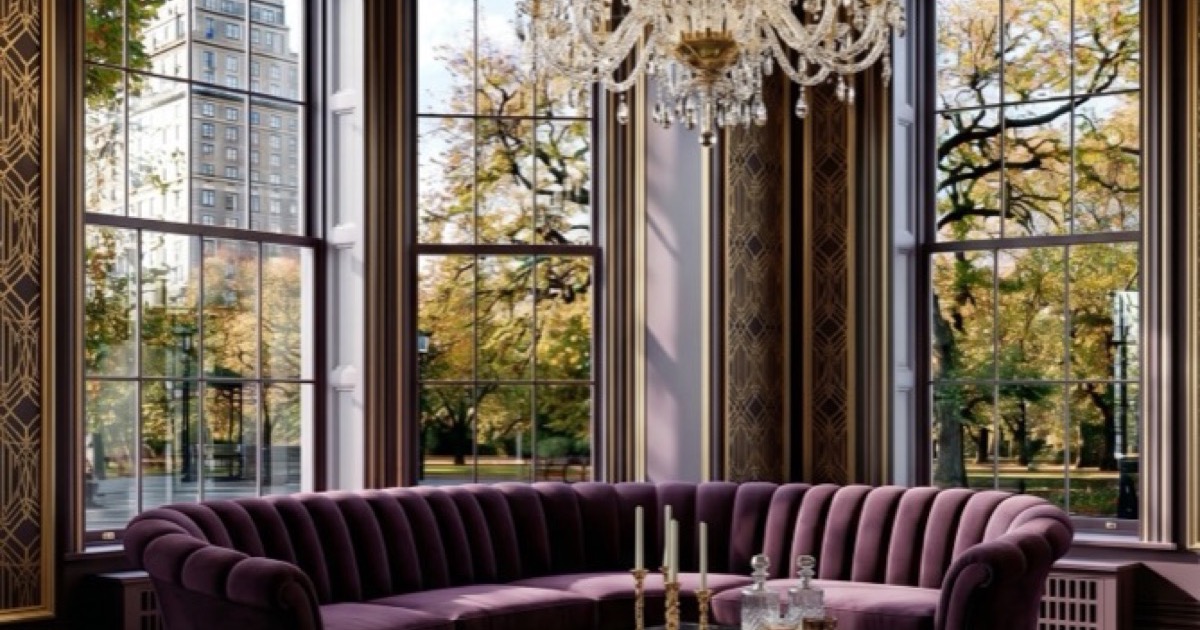
AI interior design is the use of artificial intelligence to generate interior design concepts from photos of your real rooms. You upload a photo, choose a style or describe what you want, and the AI produces a redesigned version of your actual space — preserving its architecture, proportions and light.
AI interior design is no longer a novelty — it's how thousands of UK homeowners are planning their renovations, making purchasing decisions, and visualising spaces before they spend a penny.
The search volume tells the story. "AI interior design" is one of the fastest-growing search terms in home improvement, with thousands of people every month looking for ways to use artificial intelligence to design their rooms. The problem? Most of them land on generic listicles that compare apps they've never heard of, or they find tools that generate pretty pictures with no practical framework behind them.
This guide is different. We built the Aspire Interiors app specifically because we were frustrated with AI design tools that ignored architecture, replaced your windows with walls, and suggested a 4-metre sofa for a 3-metre room. We wanted an AI that understood space, not just style.
Here's everything you need to know about AI interior design in 2026 — what it actually does, how to use it properly, and how to get results worth building.
What Is AI Interior Design?
AI interior design uses machine learning models trained on millions of room images, material combinations, and spatial relationships to generate new interior designs from your existing room photos or text descriptions.
Unlike traditional 3D rendering software (which requires you to build a room from scratch and manually place every object), AI interior design tools work backwards from your real space. You upload a photo of your room, describe what you want, and the AI generates a photorealistic image of that same room transformed.
The key difference between a toy and a tool is whether the AI preserves your architecture. A proper AI interior design system keeps your windows where they are, maintains your ceiling height, respects your door positions, and works within your actual proportions. A bad one paints over everything and calls it a day.
How It Works (The Simple Version)
- 1You upload a photo of your room — taken from a corner, in daylight, showing the full space
- 2You provide a brief — either text, an inspiration image, or a preset style
- 3The AI analyses — it reads your room's architecture, lighting, and proportions
- 4It generates a new image — your room, reimagined, in 15–20 seconds
- 5You refine — edit materials, regenerate, adjust lighting, or try a different style
The entire workflow takes under five minutes. The first design might take ten because you're learning the interface. By your third, you'll be generating room concepts faster than you can scroll Pinterest.
Why AI Interior Design Exploded in 2026
Three things happened at once that made AI interior design genuinely useful rather than just entertaining:
Architectural preservation got better.
Early AI tools treated your room photo like a blank canvas. Modern systems use a 5-element architectural foundation that preserves ceiling, flooring, walls, hardware, and window frames as fixed anchors, only redesigning interior elements.
Material understanding improved.
AI can now distinguish between walnut and oak, between terracotta and sandstone, between brushed brass and polished chrome. When you say "walnut media wall with brass accents," the AI understands the specific material language.
Speed became practical.
A design generation that took two minutes in 2024 takes 15 seconds in 2026. Instead of generating one design and hoping, you generate five, compare them, and iterate. The AI becomes a creative partner, not a slot machine.
The Three Approaches to AI Interior Design
Not all AI interior design tools work the same way. Understanding the three main approaches helps you choose the right one for your project.
💡Approach 1: Text-to-Image (Bespoke Mode)
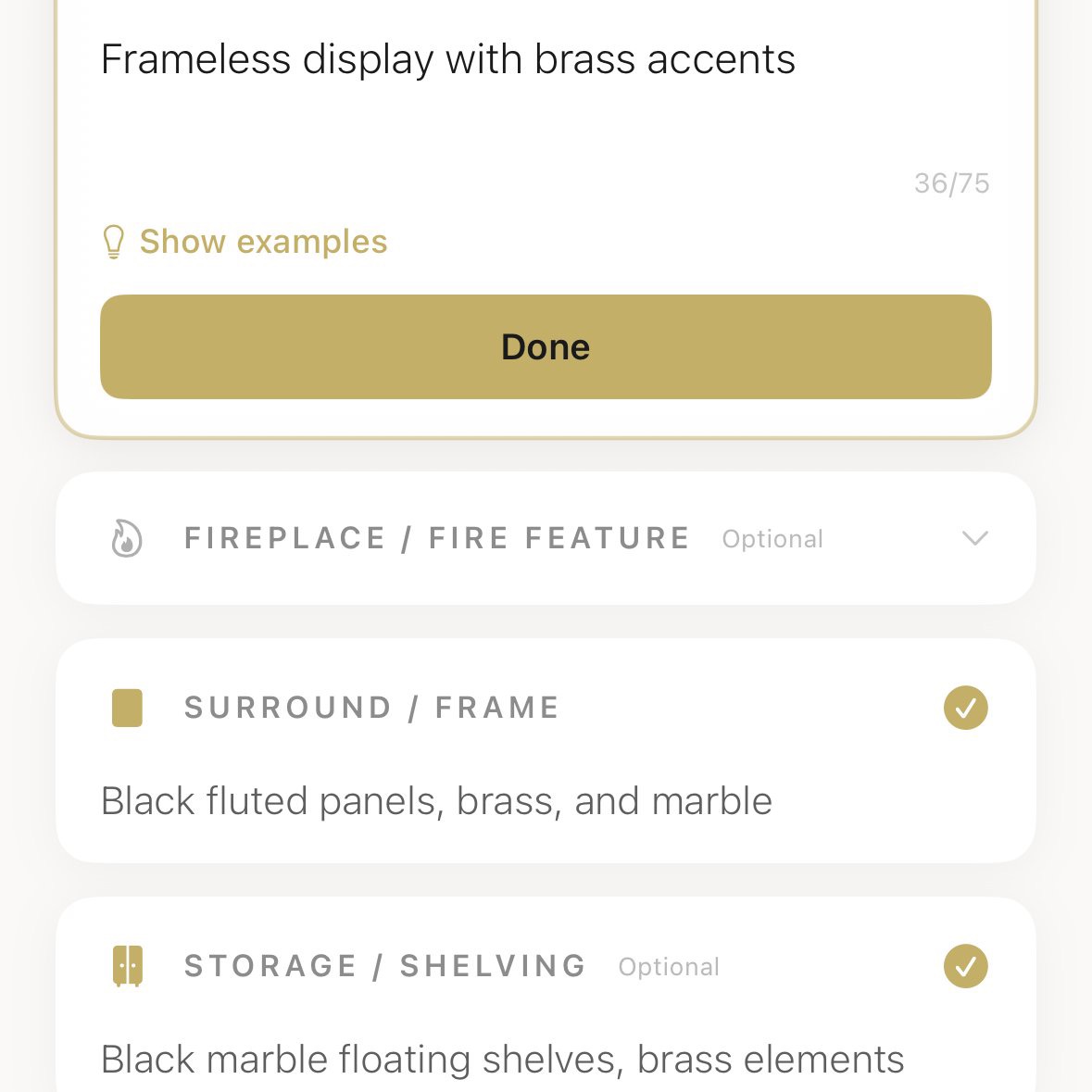
You type what you want. The AI reads your room photo and your description, then generates a design that matches both.
Best for:
People who know what they want but can't visualise it. "I want a warm modernism living room with a walnut media wall, brushed brass fireplace, and olive velvet sofa."
How it works in Aspire Interiors: The Describe Your Vision feature in Bespoke Mode takes your text, analyses the room photo for architectural context, and generates a design that preserves your windows, doors, and proportions while applying your material and style choices.
Pro tip: Be specific with materials, not just colours. The AI understands "Calacatta marble" better than "white stone." It understands "fluted walnut" better than "wood panelling." The more precise your material language, the better the output.
📷Approach 2: Image-to-Image (Mood Board Mode)
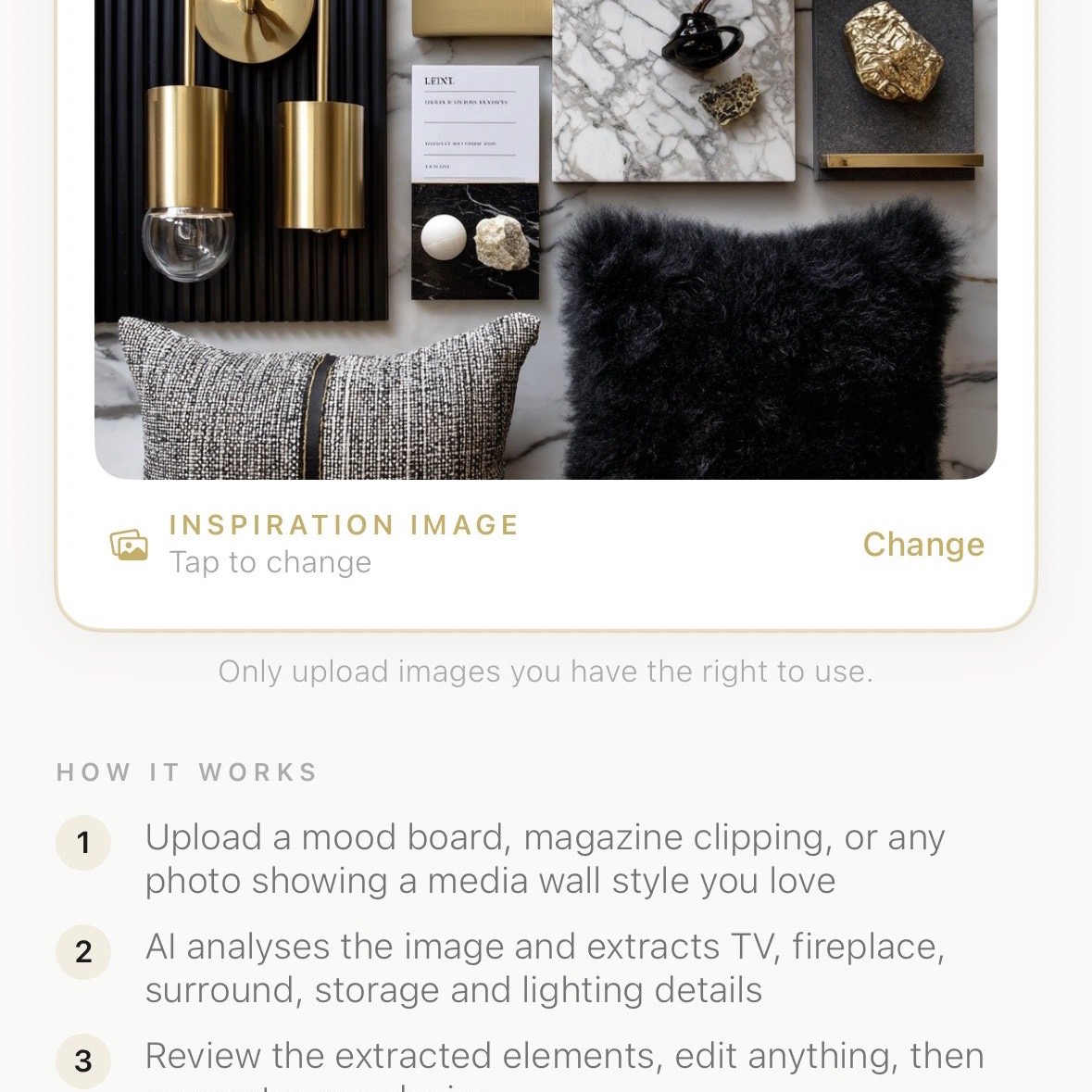
You upload an inspiration image — a Pinterest save, a hotel lobby photo, a fabric swatch, even a piece of jewellery — and the AI extracts the colour palette, material mood, and stylistic language, then applies that to your room.
Best for:
People who know what they like when they see it but can't describe it. The AI translates visual language into your space.
How it works in Aspire Interiors: The Upload a Mood Board feature extracts six key design fields from your inspiration image: ceiling, flooring, walls, seating, furniture, and lighting. You can edit any field before generating.
Pro tip: Your mood board can be anything. Sunset photos, marble countertops, vintage jewellery, fabric flatlays — the AI reads colour, texture, and mood, not just "interior design images."
🎨Approach 3: Preset Styles (Fixed Styles Mode)
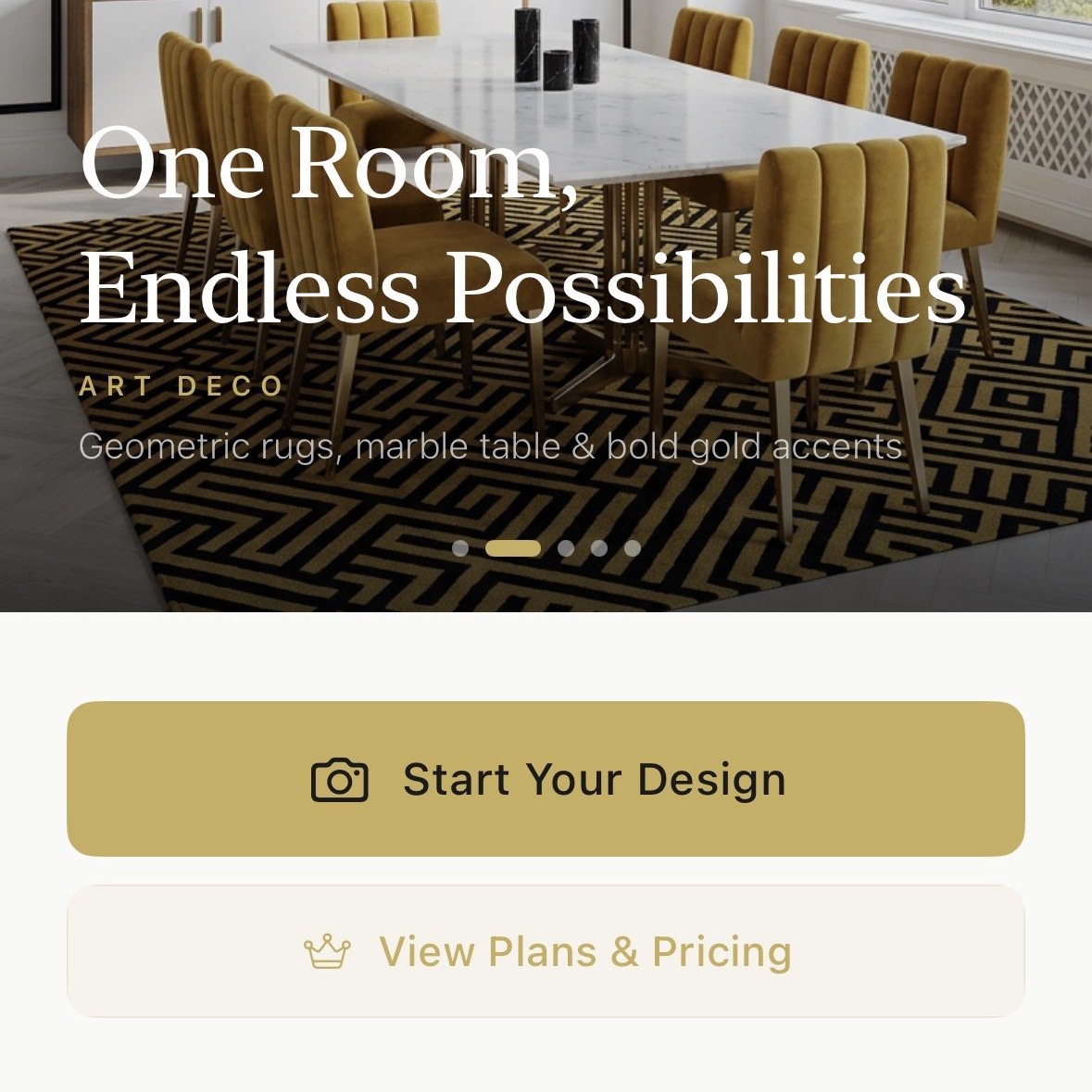
You browse a library of professionally designed styles, pick one, and apply it to your room instantly.
Best for:
People who want inspiration fast. You don't know what you want yet. Browse 300+ presets, tap one, and see your room transformed in 15 seconds.
How it works in Aspire Interiors: The Fixed Styles library organises 300+ designs into curated categories: warm modernism, Art Deco, Scandinavian, minimalist, maximalist, coastal, urban. Each preset is a complete design package.
Pro tip: Generate five different presets for the same room. One of them will make you stop and stare. That's your starting point. From there, refine using Materials Mode or edit details in Bespoke Mode.
AI Interior Design vs Traditional 3D Rendering
If you're comparing AI interior design to traditional tools like SketchUp, AutoCAD, or professional 3D rendering, here's the honest breakdown:
| Feature | AI Interior Design | Traditional 3D Rendering |
|---|---|---|
| Time to first image | 15–20 seconds | 2–8 hours (or days) |
| Cost | Free to £15/month | £500–£5,000 per room |
| Skill required | None — upload photo, describe, generate | Significant — software training, design knowledge |
| Architecture accuracy | High — preserves your actual room proportions | Perfect — built from measurements |
| Material accuracy | High — understands real materials | Perfect — exact product specifications |
| Iteration speed | Generate 10 variations in 5 minutes | Each revision takes hours |
| Builder-ready output | Visual brief + material list | Technical drawings + specifications |
| Best for | Exploration, inspiration, decision-making | Final construction, building control, exact budgets |
The honest answer: they're complementary, not competing. AI interior design is for exploration and decision-making. Traditional rendering is for construction and specification. Use AI to decide what you want. Use 3D rendering to build it.
Founder insight: "We designed Aspire Interiors for the 90% of homeowners who need to decide what they want before they can brief a designer or builder. The AI gives you the visual language to have that conversation."
AI Interior Design vs AI Home Design — Same Thing?
Pretty much. "AI interior design" usually means designing one room at a time — a living room refresh, a new bedroom scheme. "AI home design" is the same technology applied across your whole home at once, with one consistent look carried from room to room.
If you're planning more than one room, read our AI home design guide — it covers the room-by-room workflow, master palettes, and the mistakes that only show up when you design an entire house.
Step-by-Step: Your First AI Interior Design
Whether you're using Aspire Interiors or another tool, the workflow is broadly the same. Here's how to get results worth building.
1Take the Right Photo
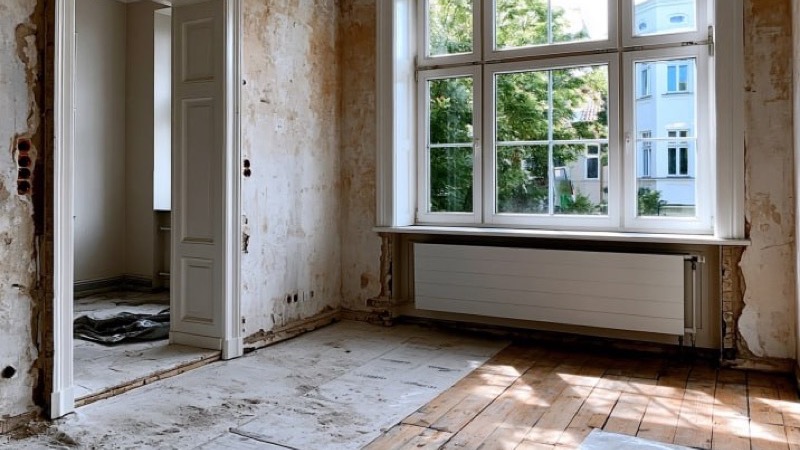
Example: An empty room shot from a corner in daylight — perfect for AI design
Your output is only as good as your input. Follow these rules:
- ✓Daylight only — Natural light gives the AI accurate colour information. Turn on all the lights too, but avoid flash.
- ✓Shoot from a corner — This shows the most wall and floor area. Stand in one corner, point diagonally across the room.
- ✓Include key features — Make sure windows, doors, fireplaces, and any built-in features are visible.
- ✓Clear the clutter — Remove anything you don't want the AI to interpret as a permanent feature.
- ✓One photo per upload — The AI analyses a single image. Multiple angles come later when you're refining.
For a complete guide to photography for AI design, see the tips in our How to Design Your Room with AI guide.
2Choose Your Approach
Have a specific vision?
Use text-to-image (Describe Your Vision). Be precise: "walnut media wall with fluted panels, brushed brass fireplace surround."
Have an inspiration image?
Use image-to-image (Upload a Mood Board). Upload any photo — hotel lobby, fabric swatch, Pinterest save.
Want inspiration fast?
Use preset styles (Fixed Styles). Browse 300+ designs, tap one, generate. See your room in 15 seconds.
3Generate and Iterate
Tap generate. Wait 15–20 seconds. Review the result.
Don't expect perfection on the first try. AI design is iterative. The first result shows you what's possible. The second refines it. By the third, you usually have something worth saving.
Most users find their favourite design by the third generation. The first result explores possibility. The third result usually nails it.
4Refine with Materials Mode
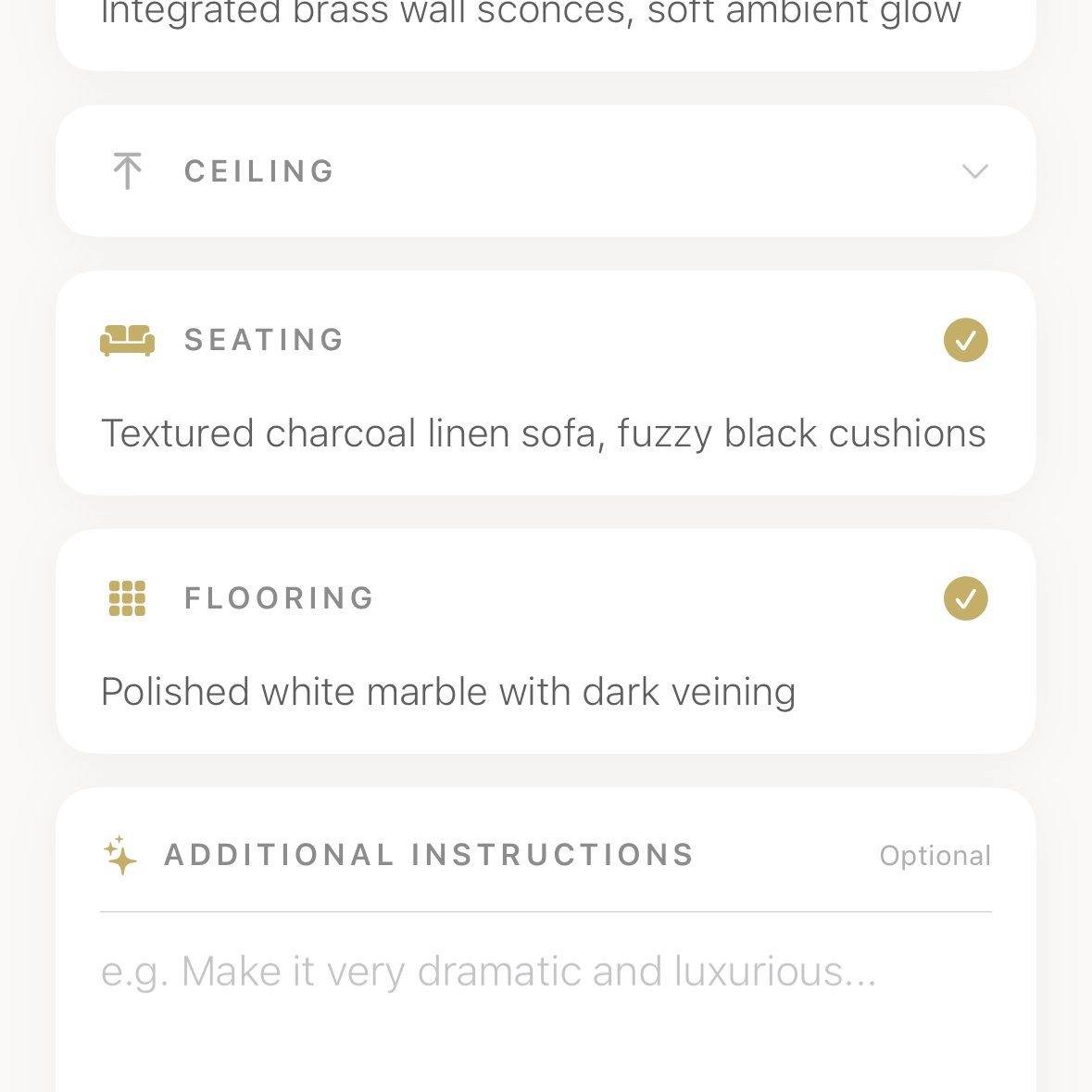
Once you have a direction you like, switch to Materials Mode to specify exactly what you want:
- 1. Choose your style family — 12 curated aesthetics from warm modernism to Art Deco
- 2. Specify your ceiling — 5 options with colour variants
- 3. Choose your flooring — Walnut, oak, marble, terracotta tile, concrete, and more
- 4. Set your walls — Venetian plaster, limewash, panelling, fabric cladding, painted finishes
- 5. Select seating — Sofa style, bed type, with colour variants
- 6. Add furniture — Curated accessory combinations that harmonise with your choices
- 7. Choose lighting — Pendants, recessed, sconces, floor lamps, with colour variants
- 8. Review and generate — See your complete specification before committing
This is how you guarantee the output respects your architecture and uses real materials you can actually buy.
5Save, Share, and Build
The generated image becomes your visual brief. Show it to your builder, your designer, or your partner. Use Materials Mode's specification list to get quotes from suppliers. Create a Pinterest board from the design to find real products that match the materials and colours.
For more detail on turning AI designs into real rooms, see our How to Design Your Room with AI: Complete Guide.
Ready to Try AI Interior Design?
Download the Aspire Interiors app and start with three free designs. Try Bespoke Mode if you have a vision. Try Materials Mode if you want control. Try Fixed Styles if you just want to see what's possible.
↓Download on the App StoreHow to Actually Do It
Theory is useful, but AI interior design is something you learn by doing. The full walkthrough — with real screenshots at every step — is in our guide on how to design your room with AI. It takes you from one daylight photo to a finished, buildable design in about 15 minutes.
If you'd rather redesign an entire home in one session, the same step-by-step AI room design process applies room by room — our AI home design guide shows you how to keep every room consistent.
Common AI Interior Design Mistakes (And How to Avoid Them)
After watching thousands of users generate their first AI designs, we've noticed the same errors again and again. Here's what not to do.
✗Mistake 1: The Midnight Photo
You upload a photo taken at 10 pm with the overhead light on and the flash firing. The AI interprets the yellow glare as part of your desired colour scheme. Your "warm modernism" living room comes back looking like a takeaway restaurant.
Fix: Take photos during daylight hours, with all curtains open. Turn the flash off. The AI reads light and shadow to understand your space — give it accurate information.
✗Mistake 2: The Vague Brief
You type "make it look nice" or select "Modern" from a dropdown. The AI has nothing to work with, so it defaults to a generic grey sofa and white walls. You conclude AI interior design "doesn't work."
Fix: Use material names, not adjectives. "Walnut flooring, brushed brass hardware, terracotta walls, olive velvet sofa" gives the AI a precise brief. "Nice" gives it nothing.
✗Mistake 3: Ignoring Architecture
You upload a photo that cuts off the ceiling or hides the windows. The AI doesn't know your room has 3-metre ceilings or a bay window, so it designs for a generic box. The result feels wrong but you can't pinpoint why.
Fix: Stand in the corner. Show the full room — ceiling, floor, all walls, windows, doors, fireplaces. The AI preserves your architecture, but only if it can see it.
✗Mistake 4: Designing for a Photo, Not a Room
You generate a stunning image with a 4-metre sofa and a bespoke marble coffee table the size of a swimming pool. You show it to your builder. He laughs.
Fix: Check proportions against real-world furniture sizes. The AI preserves your room dimensions, but always verify that furniture sizes correspond to real-world products before purchasing.
✗Mistake 5: Treating the First Result as Final
You generate once, don't love it, and conclude "AI design doesn't work." You never discover that the third generation with a tweaked brief was exactly what you wanted.
Fix: Generate at least three versions. Adjust your brief between each one. The first result explores possibility. The third result usually nails it.
AI Interior Design Trends in 2026
The technology is moving fast. Here are the trends shaping AI interior design right now:
Architectural Preservation
The best tools now preserve your actual room dimensions, window placements, and structural features. Anything that paints over your architecture is outdated.
Material Specificity
AI can now distinguish between oak and walnut, between honed and polished marble, between brushed and polished brass. Your material choices translate accurately.
Whole-Home Consistency
Rather than designing one room at a time, advanced users are designing entire homes with consistent material palettes and style languages that flow from room to room.
Builder Integration
The gap between AI-generated image and construction specification is closing. Tools that export material lists, dimension estimates, and product recommendations are becoming standard.
Photo Quality Matters More Than Ever
As AI understanding improves, the quality of your input photo becomes the limiting factor. Good daylight photos produce dramatically better results than poor nighttime snaps.
Frequently Asked Questions
Quick answers to the most common questions about AI interior design:
Is AI interior design free?
Most tools offer a free tier. Aspire Interiors gives you three free designs with no credit card required. Paid plans typically range from £10–£20 per month. For a full comparison, see our Best AI Room Design Tools UK 2026 guide.
Can AI interior design replace an interior designer?
No — but it changes what you hire a designer for. Use AI to explore ideas, decide what you like, and create a visual brief. Then hire a designer to source products, manage contractors, and handle the logistics.
How accurate are AI interior designs?
Architecturally, very accurate — the best tools preserve your room's proportions, window placements, and structural features. Materially, increasingly accurate. Dimensionally, you should always verify furniture sizes.
What rooms work best with AI interior design?
Any room with visible walls and floor works well. Living rooms, bedrooms, dining rooms, and kitchens are the most popular. The Aspire Interiors 17-room suite covers everything from home offices to wine cellars.
Can I use AI interior design for a renovation?
Absolutely. AI design is particularly valuable for renovations because you can see the "after" before you commit to the cost. Upload your current room, generate the transformation, and use the image as a visual brief for builders.
Do I need to be good at design to use AI interior design tools?
Not at all. The best tools are built for people who know what they like but don't know how to achieve it. Curated style families, material libraries, and preset designs do the heavy lifting.
How long does AI interior design take?
15–20 seconds per generation once you've uploaded your photo. The whole workflow takes 3–5 minutes for your first design. After that, it's under a minute per variation.
Is my room photo safe with AI interior design apps?
Reputable apps process your images solely for your own design generation. At Aspire Interiors, uploaded images are automatically deleted 30 days after generation. Always check the privacy policy before uploading.
Can I design a media wall with AI interior design?
Yes — and it's one of the most popular uses. See our How to Design Media Walls with AI guide.
What's the difference between AI interior design and AI home design?
AI interior design focuses on individual rooms. AI home design takes a broader view, considering how rooms connect, flow, and harmonise across an entire property. See our AI Home Design guide.
Related Reading
How to Design Your Room with AI: Complete Guide
Step-by-step process for turning any photo into a design worth building
Best AI Room Design Tools UK 2026
Independent comparison of RoomGPT, VisualGPT, Canva, Planner 5D, and Aspire Interiors
AI Home Design: How to Redesign Your Entire House
Going beyond one room to design a whole home with consistent style and flow
How to Design a Living Room with AI
Room-specific guide with layout, lighting, and furniture tips
How to Make a Small Room Look Bigger with AI
15 proven techniques for maximising small spaces
AI Interior Design vs Hiring a Designer
Honest comparison to help you decide which approach fits your project
About the Team
By Mark Lunnemann — Founder, AutoMazen.ai.
Aspire Interiors was built by the team at AutoMazen.ai, a London-based app development company specialising in AI-powered design tools. We created Aspire Interiors because we were frustrated with design apps that generated pretty pictures with no usable framework behind them. The 17-room suite system and 5-element architectural foundation that powers the app's AI were developed through extensive research into luxury interior design trends, materials, and spatial planning.
Ready to Transform Your Space?
You now know exactly how AI interior design works, what to avoid, and how to get results worth building. Download the app and try it free — three designs, no credit card required.
↓Download on the App StoreMost people get something they love by the third generation. Your dream room is closer than you think.
Published: 26 June 2026. Last updated: 26 June 2026.
The Aspire Interiors app requires iOS. Android and web users can find alternatives in our AI room design tools comparison.