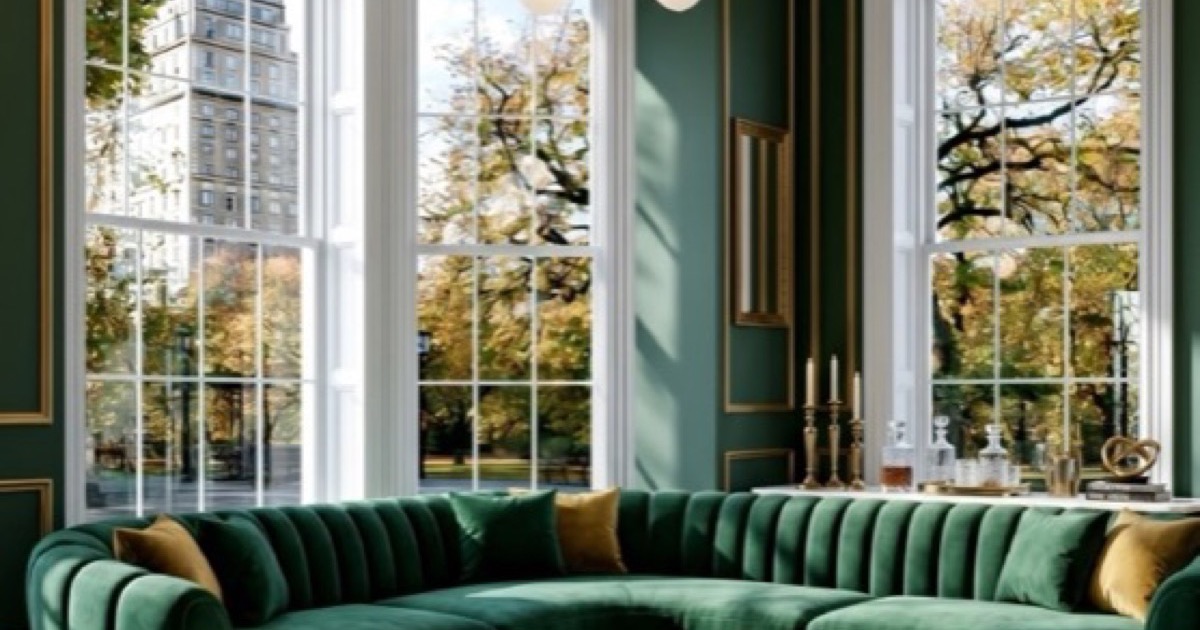
Designing one room with AI is straightforward. Designing a whole house — where every room connects, flows, and tells a consistent story — is where AI home design gets interesting.
Most people start with a single room. They upload their living room, generate a design they love, and then realise their bedroom, kitchen, and hallway now look jarringly different. The warm walnut and brass that looked perfect in the living room clash with the cool grey and chrome they picked for the kitchen. The house feels like a collection of Pinterest boards rather than a unified home.
AI home design solves this. The same technology that transforms a single room can scale across an entire property, maintaining material consistency, style coherence, and spatial flow from room to room.
What Is AI Home Design?
AI home design is the application of artificial intelligence to interior design at the property level, not just the room level. While AI interior design typically focuses on transforming a single room, AI home design considers:
- ✓Style consistency — Does the same material language flow from living room to bedroom to hallway?
- ✓Spatial flow — Do adjacent rooms complement each other, or clash?
- ✓Functional harmony — Does the kitchen's aesthetic match the dining room it opens into?
- ✓Material palettes — Are flooring, hardware, and finish choices consistent across the property?
- ✓Lighting strategy — Does the lighting design work as a system, not just in isolation?
The technology is the same — you upload photos, provide briefs, generate designs — but the thinking is broader. You're not designing twelve separate rooms. You're designing one home that happens to have twelve rooms.
Why AI Home Design Matters More Than Single-Room Design
Most UK homes are not designed as complete interiors. They're assembled over time: a sofa here, a kitchen renovation there, a bedroom refresh when the budget allows. The result is a house that feels like a collection of decisions made in isolation.
AI home design forces you to think holistically. Because you can generate every room in your house in under an hour, you can see the whole picture before you commit to any single purchase.
The Cost of Inconsistent Design
Inconsistent home design has real costs:
Flooring
Different materials in every room means more waste, more transitions, and a visual break every time you walk through a doorway
Hardware
Mixed metals (brass here, chrome there, black there) create visual noise that makes even expensive rooms feel cheap
Paint colours
Choosing wall colours room by room without a master palette leads to clashes that you only notice when the furniture arrives
Furniture
Buying pieces for individual rooms without considering how they'll read from adjacent spaces creates jarring sightlines
A unified AI home design prevents these problems by letting you see every room in context before you spend money.
The Four Principles of AI Home Design
Before you generate a single image, understand these four principles. They separate homes that feel designed from homes that feel decorated.
Principle 1: The Material Palette
Every well-designed home has a core material palette — 3–5 materials that appear in every room, creating coherence without monotony.
Example palette:
- Primary wood: Walnut (flooring, media walls, furniture)
- Primary metal: Brushed brass (hardware, lighting, fireplace surrounds)
- Primary stone: Calacatta marble (kitchen worktops, bathroom surfaces, fireplace hearths)
- Primary textile: Velvet or linen (upholstery, curtains, cushions)
- Accent colour: Terracotta or olive (feature walls, accessories, art)
This palette appears in every room, but in different proportions. The living room might be 40% walnut, 20% brass, 20% marble, 20% textile. The bedroom might be 10% walnut, 30% brass, 10% marble, 50% textile. The materials are consistent; the balance shifts.
How to use this in AI home design: Choose your core palette before designing any room. Generate each room using the same material keywords. Review all rooms together to check consistency. Adjust proportions room by room, but keep the materials constant.
Principle 2: The Style Anchor
Every home needs a single dominant style that anchors the design. This doesn't mean every room looks identical — it means every room speaks the same design language, even if the dialect varies.
Style anchors that work for whole homes:
- Warm Modernism — Walnut, brass, stone, neutral tones. Works in every room type.
- Art Deco — Geometric patterns, rich materials, bold contrasts. Dramatic but cohesive.
- Scandinavian — Light woods, soft textiles, minimal ornament. Restful and consistent.
- Industrial — Exposed materials, metal, concrete, leather. Strong but requires balance.
How to use this in AI home design: Pick one style family from your app's library. Generate every room using that same style family. Use the 8-step Materials Mode to specify exact materials per room. The style provides the language; the materials provide the coherence.
Principle 3: The Flow Zones
Flow zones are the spaces between rooms — hallways, landings, open-plan transitions — where the eye moves from one designed space to another. These are where inconsistent design becomes most visible.
Common flow zone mistakes:
- • A warm walnut living room opening into a cool white kitchen with no transition
- • A dark, moody bedroom next to a bright, airy bathroom with no visual bridge
- • A brass-and-marble hallway leading into a chrome-and-glass kitchen
How to fix this with AI home design: Generate your flow zones (hallways, landings) using a blend of the adjacent rooms' materials. Use the AI to test sightlines — upload photos taken from doorways looking into adjacent rooms. Ensure transitional spaces use materials from both rooms they connect.
Principle 4: The Lighting Strategy
Lighting in a well-designed home works as a system, not as a collection of fixtures. Each room has its own lighting needs, but the fixtures should share a common design language.
Lighting hierarchy:
- Ambient — The overall light level (recessed, ceiling fixtures, natural light)
- Task — Light for specific activities (reading lamps, kitchen pendants, bathroom vanity)
- Accent — Light that highlights features (picture lights, wall sconces, LED strips)
- Decorative — Light as design element (statement pendants, chandeliers, sculptural fixtures)
How to use this in AI home design: When generating each room, specify the lighting type and fixture style in your brief. Use the same metal finish for all visible fixtures (brass, chrome, black). Generate rooms at different times of day to see how natural light affects the design.
Step-by-Step: Designing Your Whole Home with AI
Here's the practical workflow for using AI home design to transform an entire property.
1Audit Your Home
Before you generate anything, understand what you have. Walk through every room and photograph it from the same corner angle. Note:
- ✓Which rooms you want to redesign completely
- ✓Which rooms just need refresh (paint, furniture, accessories)
- ✓Which rooms you're keeping as-is and need to design around
- ✓The flow zones between rooms
- ✓Any architectural features you can't change (fireplaces, bay windows, staircases)
Pro tip: Number your photos by room: 01-Living Room, 02-Kitchen, 03-Hallway, etc. This keeps you organised when generating designs.
2Choose Your Master Palette
Decide on your 3–5 core materials before designing any room. Write them down. Refer to this list for every room generation.
Example master palette:
- Wood: Walnut (wide plank, herringbone option for hallways)
- Metal: Brushed brass (all hardware, lighting, fireplace surrounds)
- Stone: Honed Calacatta marble (kitchen, bathrooms, fireplace hearths)
- Textile: Olive velvet + oatmeal linen (upholstery, curtains, cushions)
- Accent: Terracotta (feature walls, accessories, art frames)
This palette becomes your design brief for every room. You don't vary the materials; you vary the proportions.
3Generate Your Anchor Room First
Your anchor room is the largest or most important space — usually the living room or kitchen. This room sets the tone for everything else. If you have never designed with AI before, start with our step-by-step AI room design walkthrough for a single room, then come back to plan the whole home.
How to generate it:
- Upload your best daylight photo of the anchor room
- Use Bespoke Mode with your master palette: "Warm modernism living room with walnut flooring, brass lighting, Calacatta marble fireplace, olive velvet sofa, terracotta accent wall"
- Generate 3–5 variations
- Pick the one that feels most "you"
- Save this image as your design anchor
4Design Adjacent Rooms
Work outwards from your anchor room. For each adjacent room:
- Upload the room photo
- Use the same style family and master palette
- Adjust the material proportions to suit the room's function
- Generate and compare against your anchor room image
- Check: Do these rooms look like they belong in the same house?
Example proportion shifts:
| Room | Walnut | Brass | Marble | Textile | Terracotta |
|---|---|---|---|---|---|
| Living room | 40% | 20% | 20% | 15% | 5% |
| Kitchen | 20% | 30% | 40% | 5% | 5% |
| Bedroom | 10% | 20% | 10% | 50% | 10% |
| Bathroom | 5% | 30% | 50% | 10% | 5% |
| Hallway | 60% | 20% | 10% | 5% | 5% |
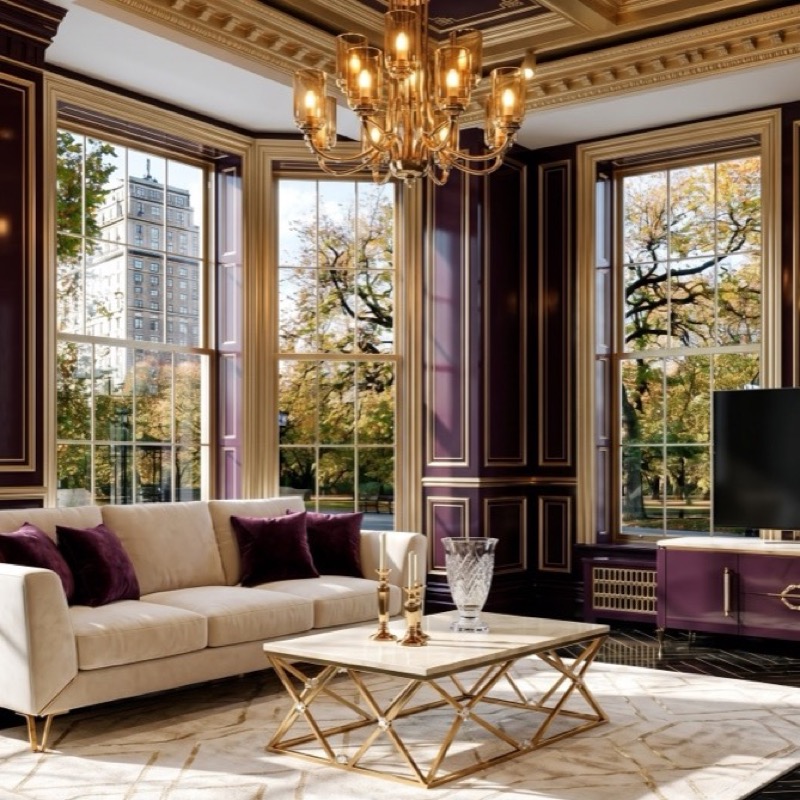
Example: AI-generated living room design with elegant wall panelling and gold accents
5Design Flow Zones
Hallways, landings, and transitional spaces are where consistency is tested.
For each flow zone:
- Upload photos from both ends of the hallway/landing
- Generate using a blend of the adjacent rooms' materials
- Ensure the transition feels intentional, not accidental
Example hallway brief: "Warm modernism hallway with walnut flooring, brass wall sconces, Calacatta marble console table, terracotta art print"
6Review the Complete Home
Lay out all your generated room images side by side. Ask yourself:
- ✓Does the same material appear in every room?
- ✓Do adjacent rooms complement each other?
- ✓Is there a visual shock when moving from one room to another?
- ✓Does the lighting feel consistent?
- ✓Does the home feel designed, or decorated?
If something feels off, regenerate the problematic room with adjusted proportions. This iterative process is where AI home design shines — you can test five versions of a room in five minutes instead of five weeks.
Room-by-Room AI Home Design Guide
Here's how to approach each room type in a whole-home AI design project.
Living Room
The living room is usually the anchor room. It sets the style and material language for the whole home.
Key considerations:
- • Often the largest room — most visible from other spaces
- • Needs to balance comfort with style
- • Media walls, fireplaces, and built-ins are common features
- • Lighting needs to work for both day and evening
How to generate: Use Bespoke Mode with a detailed material brief. Include all five materials from your master palette. For media wall design, see our How to Design Media Walls with AI guide.
Kitchen
The kitchen is where material choices become most expensive and permanent. Get this right.
Key considerations:
- • Worktops, cabinetry, and flooring are big-ticket items
- • The kitchen often opens into the dining room or living room — sightlines matter
- • Appliances need to harmonise with the design (not just function)
- • Lighting needs to work for cooking, dining, and socialising
How to generate: Use Materials Mode for precision. Specify exact worktop material, cabinetry finish, flooring, and hardware. The 8-step wizard is ideal for kitchens because you control every element.
Bedroom
Bedrooms are about rest and retreat. The material palette should shift toward softer, warmer proportions.
Key considerations:
- • Less hard surface, more textile and upholstery
- • Lighting should be layered and dimmable
- • The bed is the focal point — design around it
- • Wardrobes and storage need to harmonise with walls
How to generate: Reduce the hard material proportions (stone, metal) and increase textiles. Use Bespoke Mode: "Warm modernism bedroom with walnut headboard wall, brass bedside lighting, linen bedding, oatmeal curtains, terracotta accent cushions"
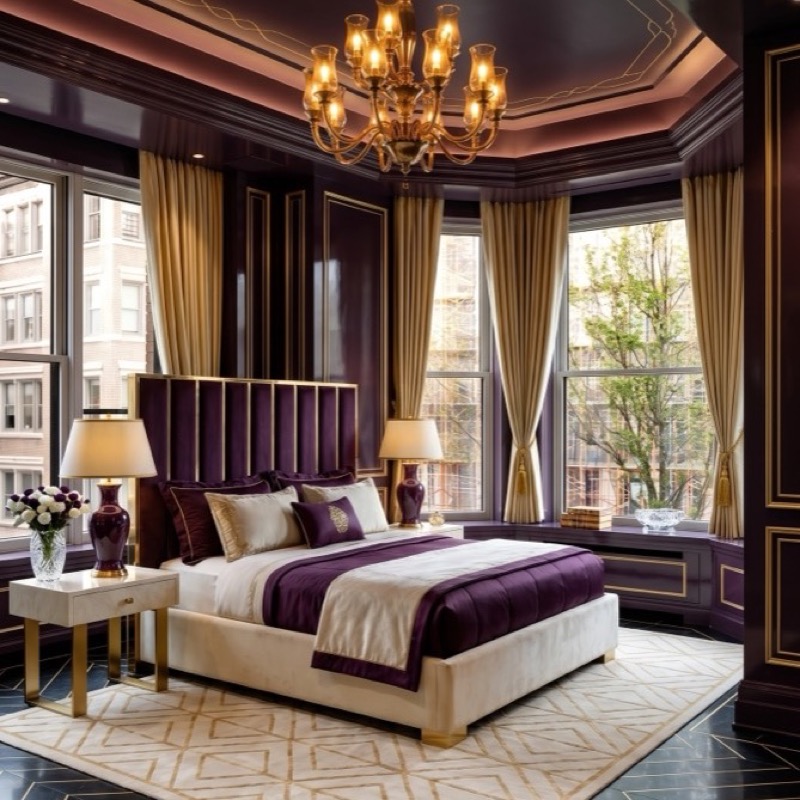
Bedroom design: AI-generated with soft tones and elegant gold accents
Bathroom
Bathrooms are where stone and metal dominate. This is where your marble and brass choices get tested.
Key considerations:
- • Stone surfaces (vanity, shower, flooring) are the biggest visual impact
- • Brass or chrome hardware must be consistent with the rest of the home
- • Lighting needs to work for grooming and atmosphere
- • Tiles or stone must harmonise with the master palette
How to generate: Use Materials Mode with heavy emphasis on stone and metal choices. Specify exact marble type, tile pattern, and hardware finish.
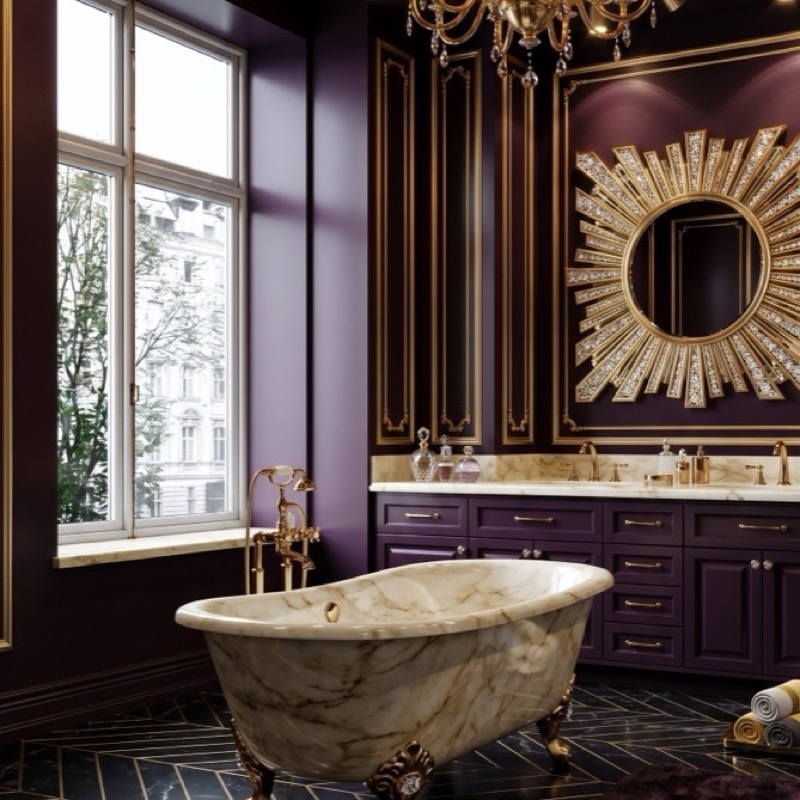
Bathroom design: AI-generated with marble surfaces and elegant gold fixtures
Hallways and Landings
These transitional spaces are where whole-home consistency is won or lost.
Key considerations:
- • Often narrow — avoid clutter, keep materials simple
- • Lighting is critical — dark hallways ruin the flow
- • Flooring transitions need to be intentional
- • Art and mirrors can bridge material palettes
How to generate: Use Bespoke Mode with a blend of adjacent room materials. Keep it simple: "Walnut flooring, brass sconces, marble console, terracotta art."
Home Office
The home office needs to harmonise with the home while supporting productivity.
Key considerations:
- • Often a spare room or nook — smaller scale, lighter materials
- • Desk and storage need to fit the room's proportions
- • Lighting needs to work for screen use and video calls
- • The room should feel connected to the home, not isolated
Common AI Home Design Mistakes
✗ Mistake 1: Designing Rooms in Isolation
You generate each room separately, with different materials, styles, and moods. The result is a house that feels like a showroom, not a home.
Fix: Choose your master palette first. Generate every room using the same materials, just in different proportions. Review all rooms together before finalising any single design.
✗ Mistake 2: Ignoring the Hallways
You focus on the "important" rooms and forget that you spend more time walking through hallways than sitting in the living room.
Fix: Design your hallways and landings with the same care as your main rooms. Use them as transitional spaces that bridge adjacent rooms.
✗ Mistake 3: Overusing the Accent Colour
You love terracotta, so every room has a terracotta feature wall. The result is overwhelming and cheapens the impact.
Fix: Use your accent colour in 5–10% of each room's visual field. One feature wall per room maximum. Let the primary materials do the heavy lifting.
✗ Mistake 4: Competing Statement Pieces
Every room has a chandelier, a bold artwork, and a sculptural furniture piece. The eye has nowhere to rest.
Fix: Choose one focal point per room. If the living room has a dramatic media wall, keep the lighting simple. Let one element sing per room.
✗ Mistake 5: Forgetting Function for Form
You generate a beautiful kitchen with marble worktops and brass hardware, but the layout doesn't work for cooking.
Fix: Always consider workflow. The kitchen triangle (sink, fridge, hob) matters. Bedroom storage needs to be accessible. Beautiful design that doesn't function is bad design.
From AI Home Design to Real Home
A beautiful set of AI-generated room images is pointless if you can't build it. Here's how to bridge the gap.
Create a Master Specification Document
For each room, extract:
- Materials — exact types and finishes (walnut, brushed brass, Calacatta marble)
- Colours — specific paint codes or colour names
- Lighting — fixture types, metal finishes, bulb temperatures
- Furniture — approximate sizes, materials, styles
- Flooring — type, finish, pattern, transition details
This document becomes your briefing pack for builders, suppliers, and designers.
Use AI Images for Contractor Quotes
Builders and contractors quote more accurately when they can see exactly what you want. An AI-generated image removes the "interpretation gap" that causes budget overruns. Show them the living room image and say: "This is what I want. How do we build it?"
Create a Shopping List from Each Room
- Identify the key furniture pieces in each generated image
- Measure your actual room and cross-reference furniture sizes
- Search for real products that match the materials and proportions
- Use Pinterest or supplier websites to find exact matches
- Build a shopping list room by room, with approximate costs
Phase Your Implementation
You don't need to do everything at once. A typical phased approach:
Phase 1: Flooring and walls (the canvas)
Phase 2: Built-in features (media walls, kitchens, bathrooms)
Phase 3: Lighting (the atmosphere)
Phase 4: Furniture and textiles (the layers)
Phase 5: Accessories and art (the personality)
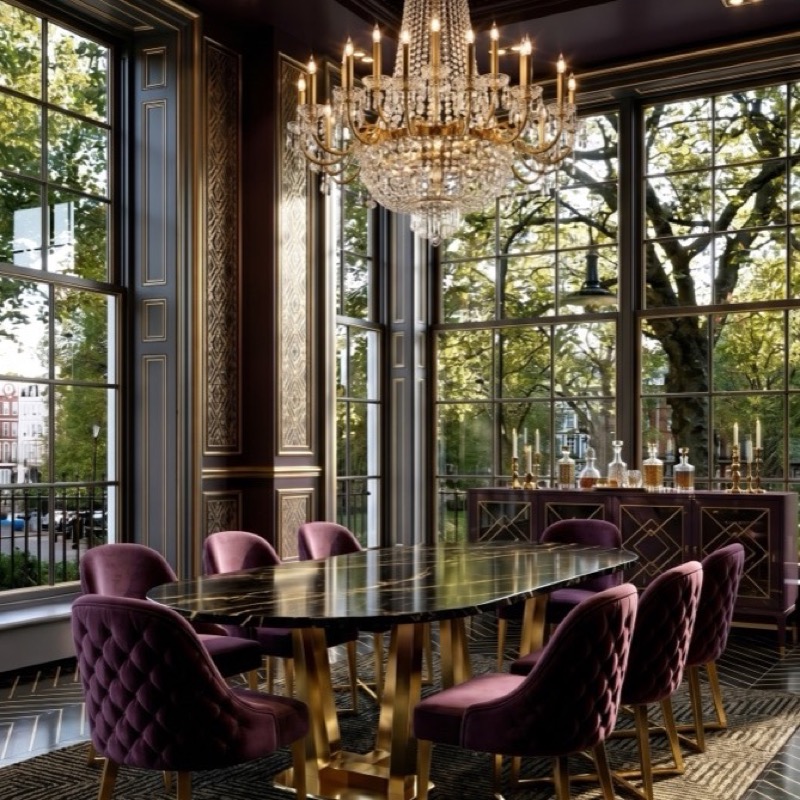
Dining room: AI-generated with rich wall panelling and gold-accented furnishings
Each phase can be designed with AI before you spend money, ensuring coherence as you build.
Ready to Design Your Whole Home?
Download the Aspire Interiors app, photograph every room, and start designing your whole home in under three hours. Two free designs get you started.
↓ Download on the App StoreFrequently Asked Questions
Can I really design my whole home with AI?
Yes — but with the right approach. AI home design works best when you treat it as a visualisation and decision-making tool, not a construction blueprint. Use it to explore ideas, test material combinations, and create a visual brief. Then work with professionals for construction, sourcing, and installation.
How long does it take to design a whole home with AI?
A complete 5-bedroom house can be designed in AI in 2–3 hours. That includes photographing every room, choosing a master palette, generating 3–5 options per room, and reviewing the whole home for consistency.
Is AI home design cheaper than hiring an interior designer?
AI tools cost £10–£20/month. A whole-home interior designer costs £5,000–£50,000+. AI is dramatically cheaper for exploration and visualisation. However, designers add value in sourcing, project management, and spatial problem-solving that AI can't replicate. For a full comparison, see our AI Interior Design vs Hiring a Designer guide.
What if my rooms are very different sizes and shapes?
That's where AI shines. Because the AI preserves your room's actual architecture — ceiling height, window placement, door positions, proportions — it adapts the design to your specific space. A walnut and brass living room in a Victorian terrace will look different from the same material palette in a new-build apartment, but both will be coherent.
Can AI home design handle renovations?
Absolutely. AI home design is particularly valuable for renovations because you can see the "after" before you commit to structural changes. Upload your current rooms, generate the transformations, and use the images to brief builders and architects.
How do I make sure my AI designs look consistent?
Choose a master palette of 3–5 materials before generating any room. Use the same style family for every room. Generate your anchor room first, then design adjacent rooms using the same materials in different proportions. Review all rooms together before finalising.
What about outdoor spaces?
Most AI home design tools focus on interiors. However, the same principles apply — consistency of materials, style coherence, and flow between indoor and outdoor spaces. Some tools are beginning to support garden and terrace design.
Can I use AI home design for a buy-to-let or rental property?
Yes. AI home design is particularly useful for rental properties because it helps you create appealing, consistent interiors that photograph well and attract tenants.
Can AI home design save money on a renovation?
Yes. By generating accurate 'after' images before you buy materials or hire trades, AI home design reduces the risk of expensive mistakes. You can compare options, refine your brief, and walk into supplier meetings with a clear visual reference.
What is the best AI home design app in 2026?
Aspire Interiors is the best AI home design app for homeowners who want consistent, room-by-room results with real material control. It preserves your architecture, supports 17 room types, and lets you refine designs with natural language. For a full comparison, see our Best AI Room Design Tools UK 2026 guide.
Related Reading
AI Interior Design: The Complete Guide to Transforming Your Home
The foundational guide to AI-powered room design
How to Design Your Room with AI: Complete Guide
Step-by-step process for single-room design
How to Design a Living Room with AI
Room-specific guide with layout, lighting, and furniture tips
How to Make a Small Room Look Bigger with AI
15 proven techniques for maximising small spaces
Best AI Room Design Tools UK 2026
Independent comparison of AI design tools
How to Design Media Walls with AI
Room-specific guide for media wall design
About the Team
By Mark Lunnemann — Founder, AutoMazen.ai.
Aspire Interiors was built by the team at AutoMazen.ai, a London-based app development company specialising in AI-powered design tools. We created Aspire Interiors because we were frustrated with design apps that generated pretty pictures with no usable framework behind them.
Your Dream Home Is Closer Than You Think
Download the Aspire Interiors app, photograph every room, and start designing your whole home in under three hours. Two free designs, no credit card required.
↓ Download on the App StoreMost people start with one room and realise they want the same magic in every room.
Published: 26 June 2026. Last updated: 26 June 2026.
The Aspire Interiors app requires iOS. Android and web users can find alternatives in our AI room design tools comparison.