AI Media Wall Design Gallery — Bespoke Concepts for Your Living Room
Real media wall designs generated by AI — from mood boards and random inspiration. See what's possible, then create your own in seconds.
What is a Media Wall?
A media wall is the focal point of a modern living room — the wall that houses your TV, media equipment, and often a fireplace, surrounded by architectural details like fluted panels, marble, or built-in storage. It is where technology meets interior design.
The designs below were all created with the Aspire Interiors AI app. We uploaded real room photos, added mood boards or random inspiration images, and let the AI generate complete designs — media wall, furniture, lighting, flooring, and all.
Every image below is a real AI output. Not renders. Not mockups. What you see is what you get.
AI-Generated Media Wall Designs
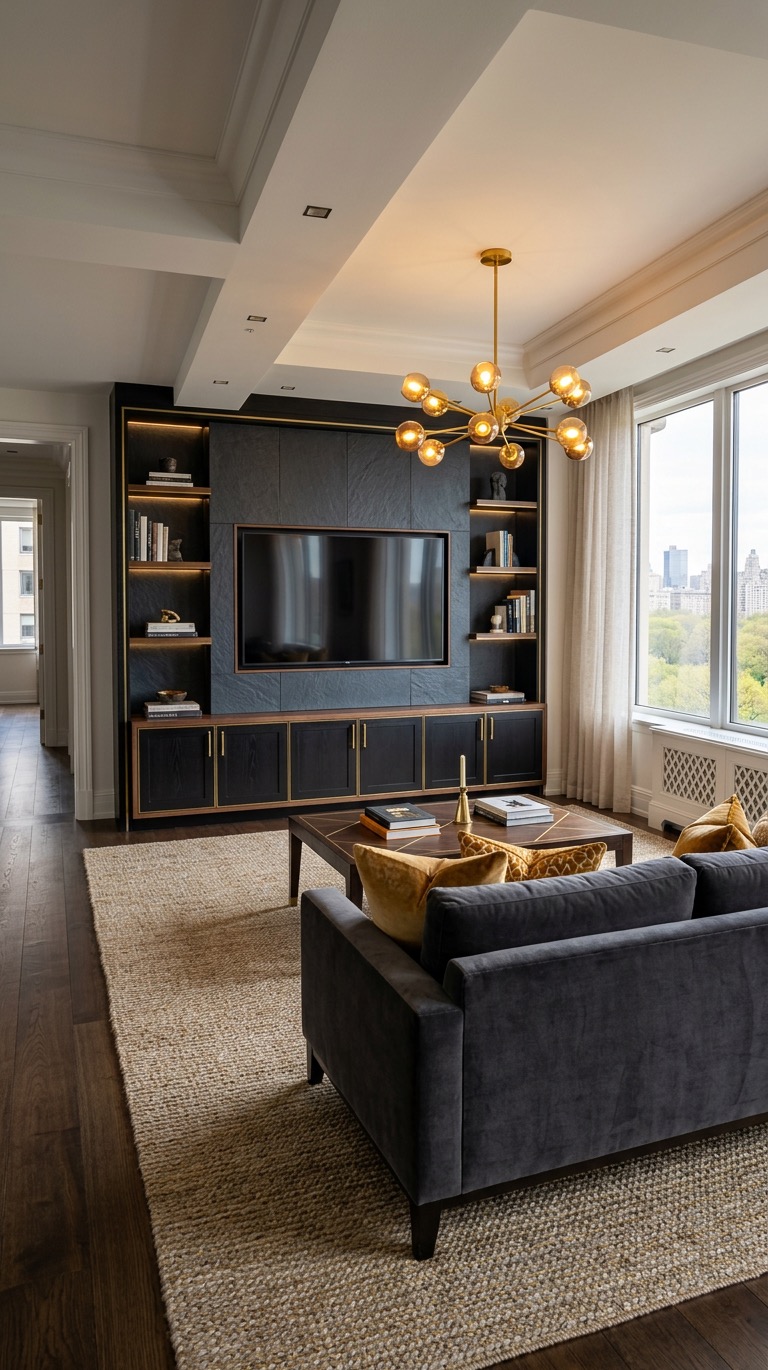
Dark Gold Dramatic
ContemporaryDeep charcoal fluted panels with brass accents and integrated lighting — a bold, cinematic media wall.
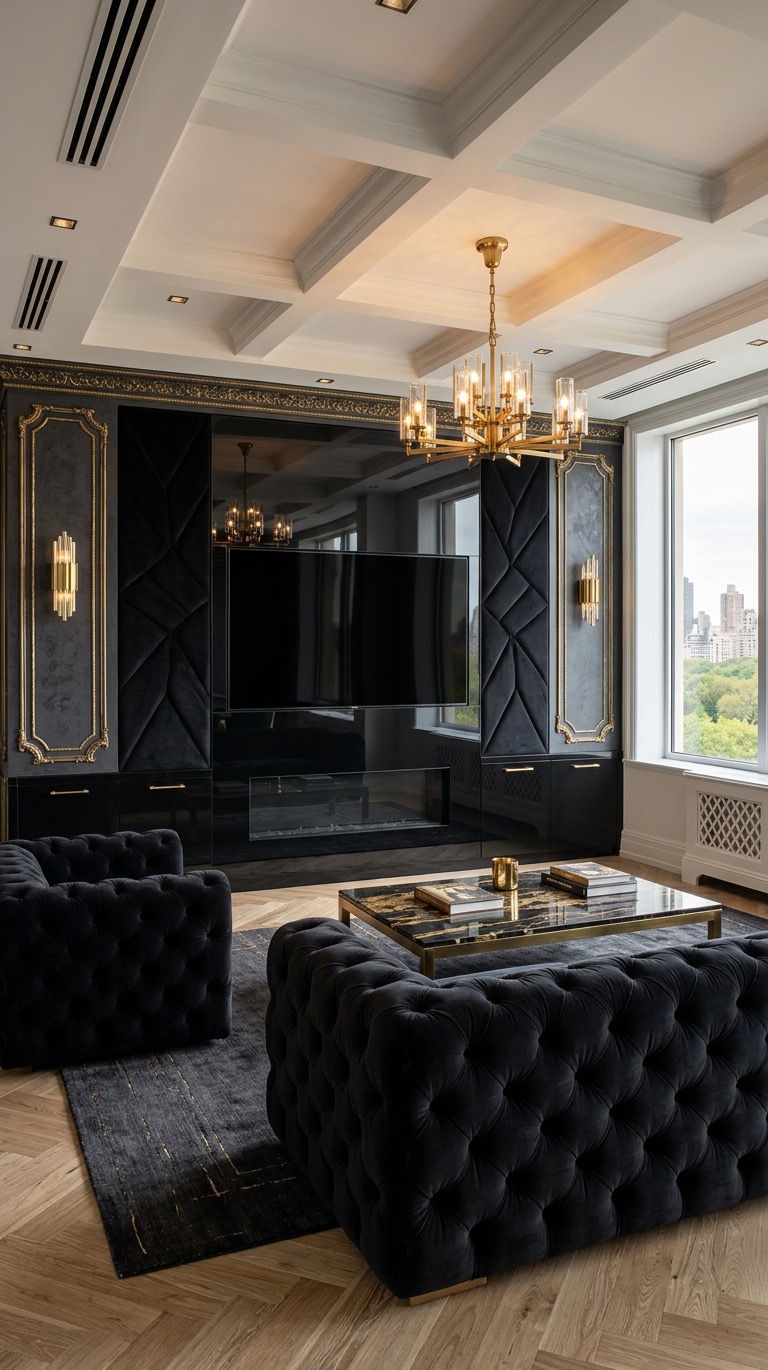
Burgundy & Gold
LuxuryRich burgundy surround with gilded brass trim and warm ambient backlighting.
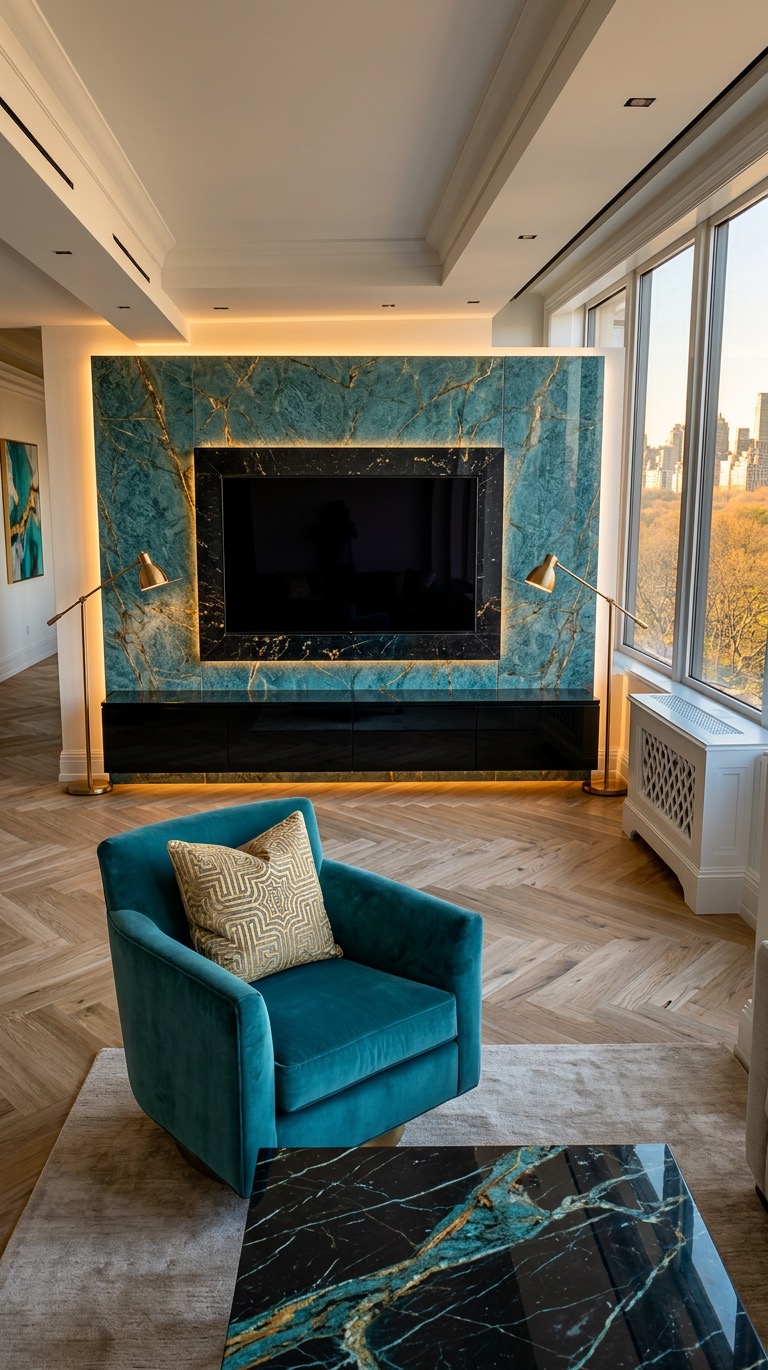
Blue Gold Jewel
StatementNavy blue fluted panels with gold veining, brass fixtures, and marble accents.
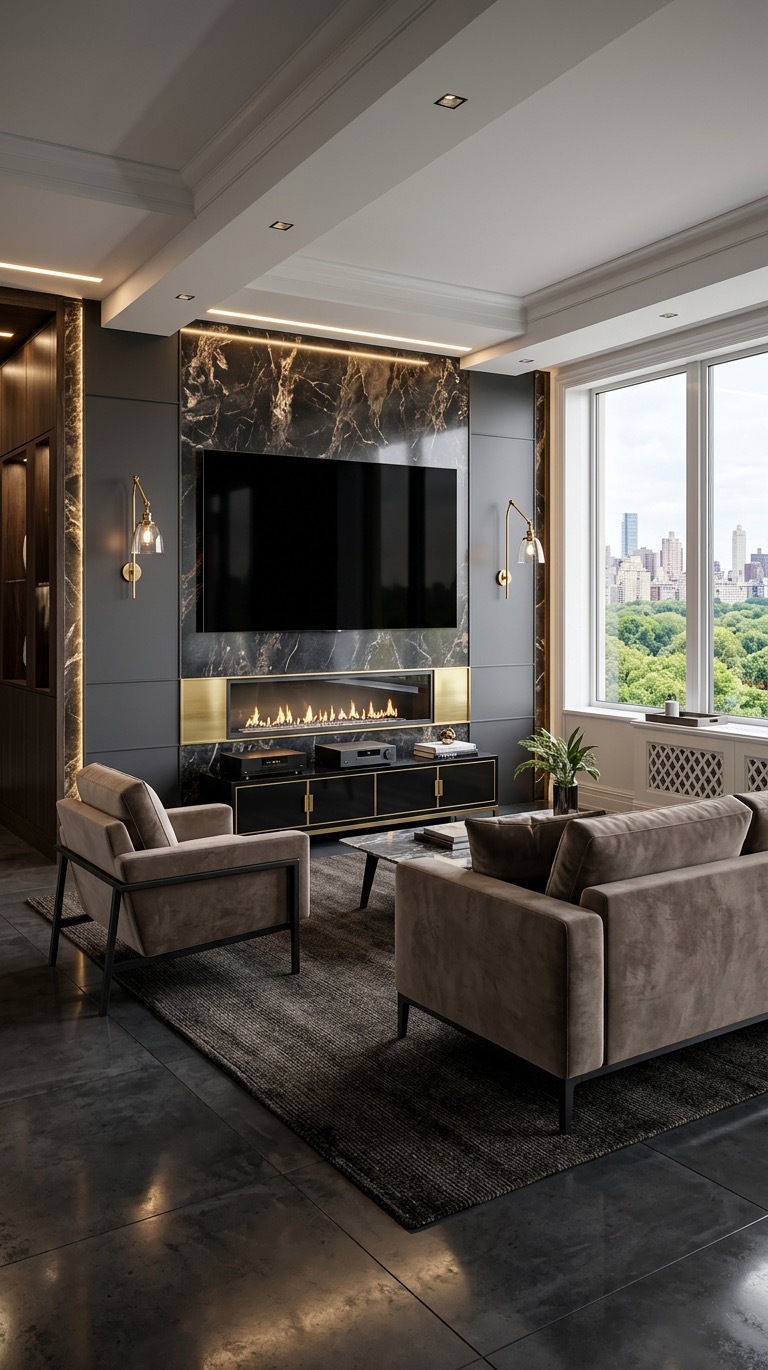
Green Gold Botanical
OrganicVerdigris and moss green tones with brass hardware, inspired by biophilic design.
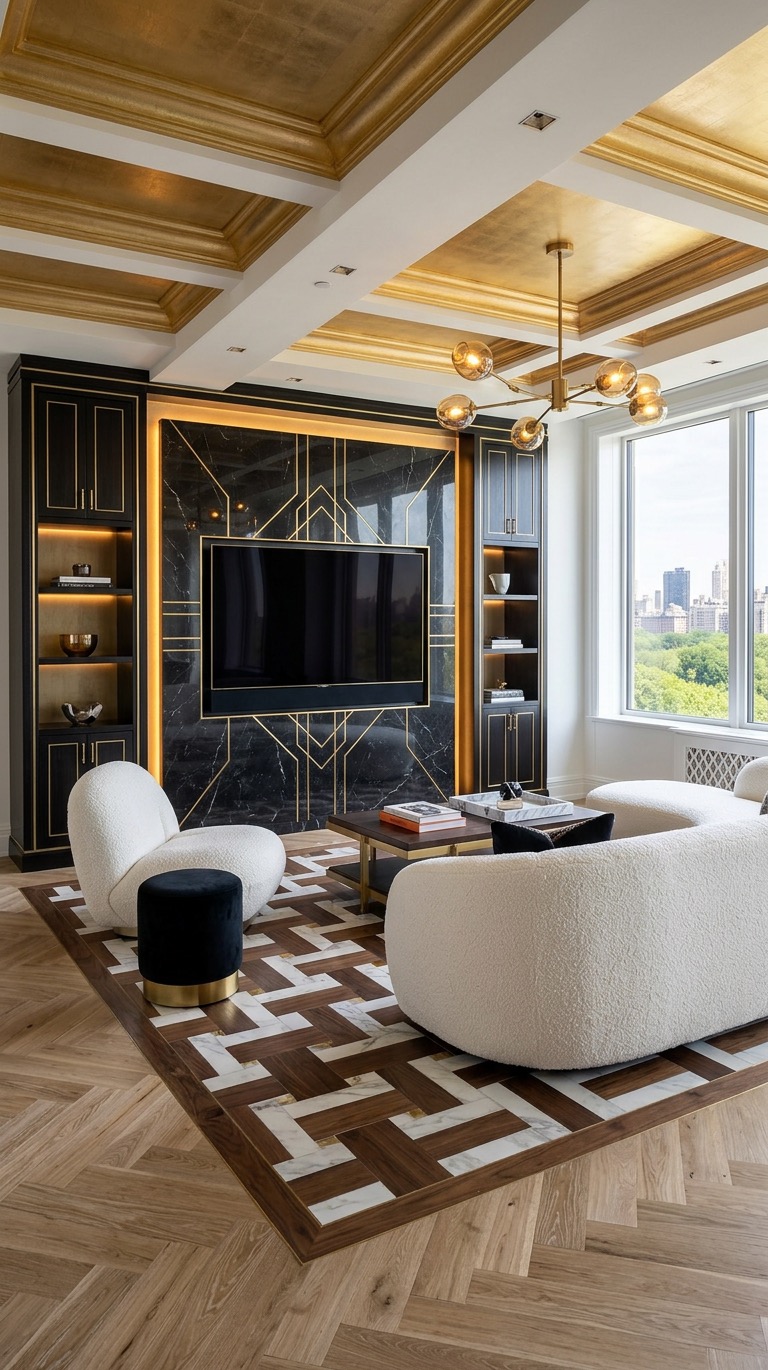
Pink & White
ElegantSoft blush and white marble with gold fixtures — warm, feminine elegance.
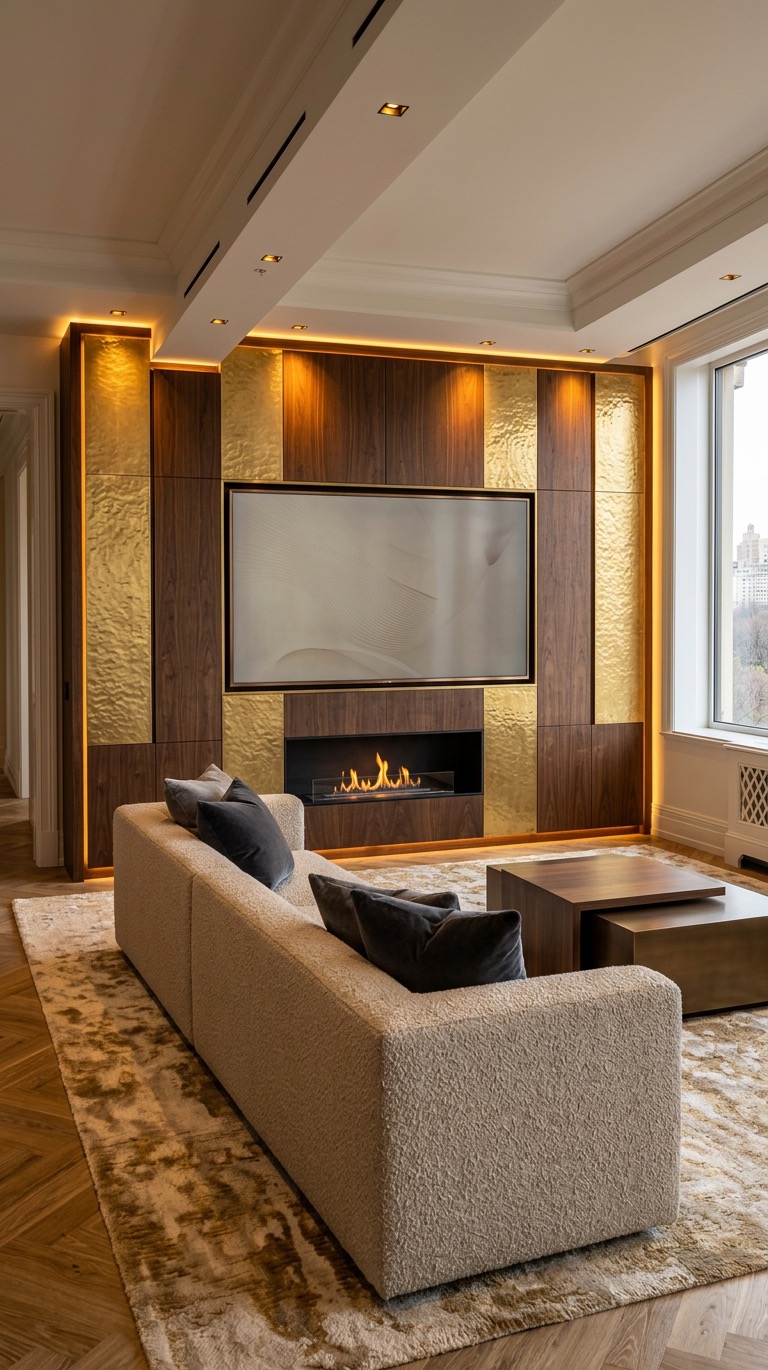
Neutral Gold Animal
EarthyNatural tones with animal-inspired textures, gold hardware, and warm undertones.
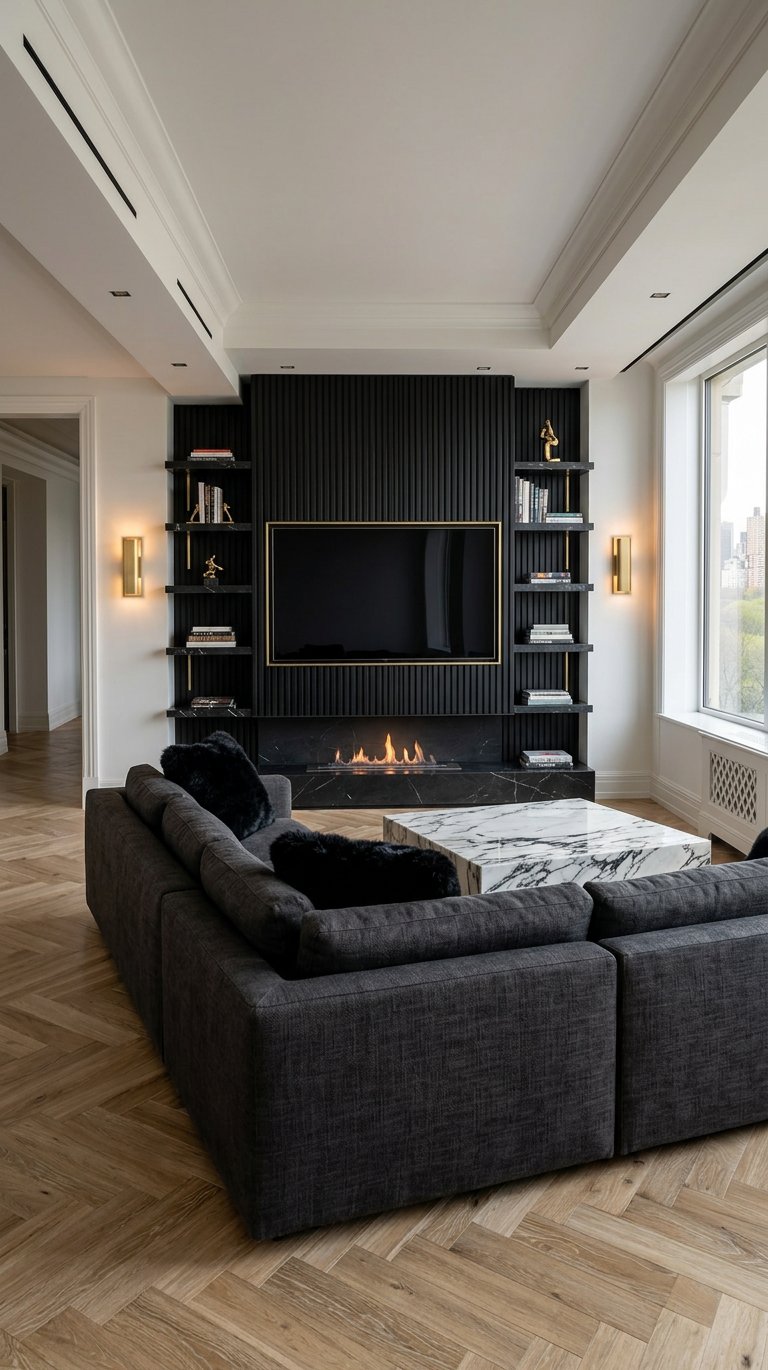
Black Fluted & Brass
ModernBlack fluted panels with brass trim, frameless TV, bioethanol fireplace, and marble coffee table.
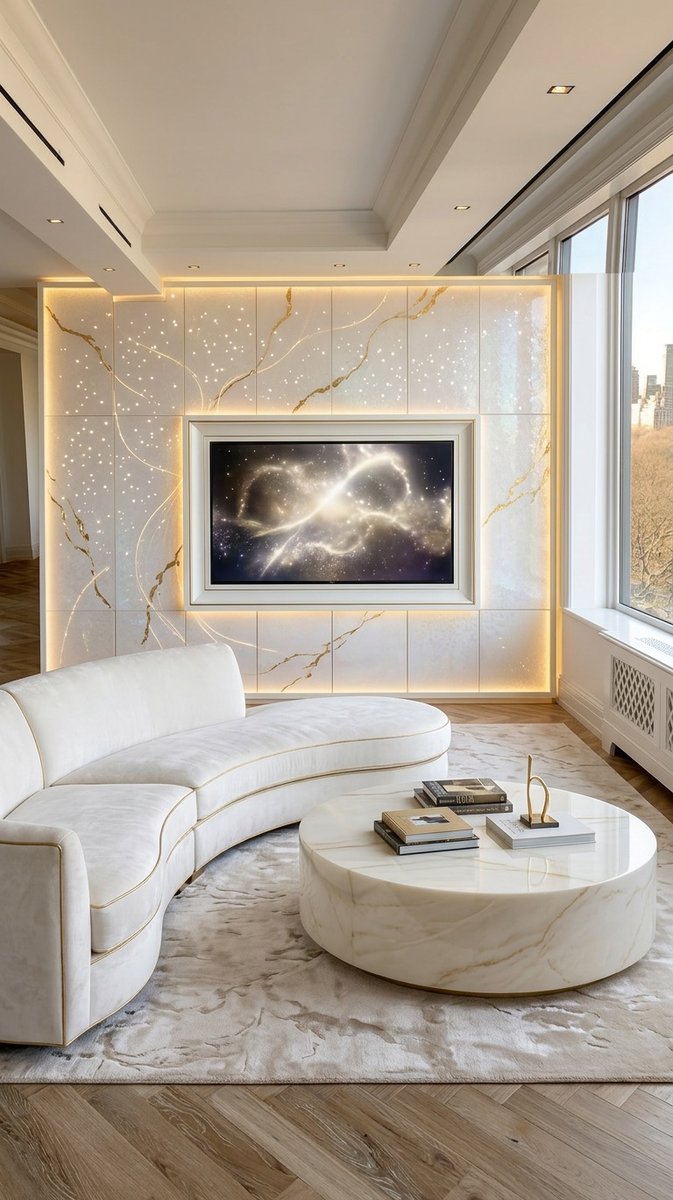
Marble & Gold Veining
GlamorousHigh-end marble feature wall with gold veining, pinprick lighting, and curved white sofa.
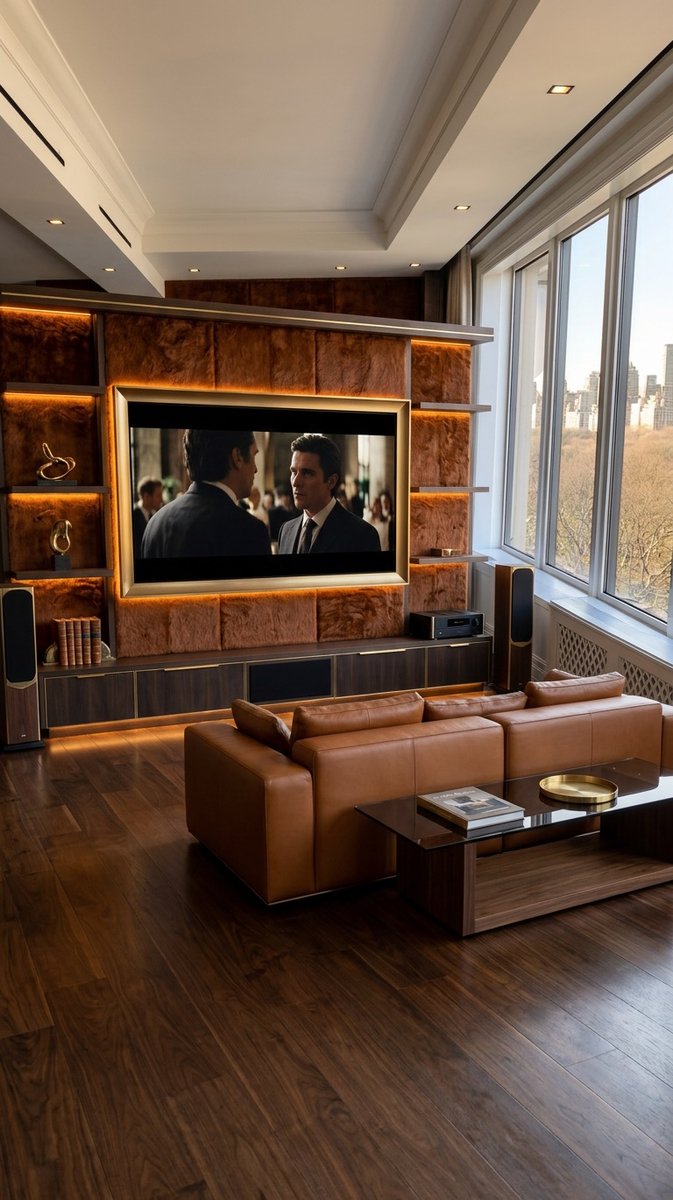
Warm Masculine
WarmCaramel leather sofa, walnut wood cabinetry, deep brown textured panels, and amber backlighting.
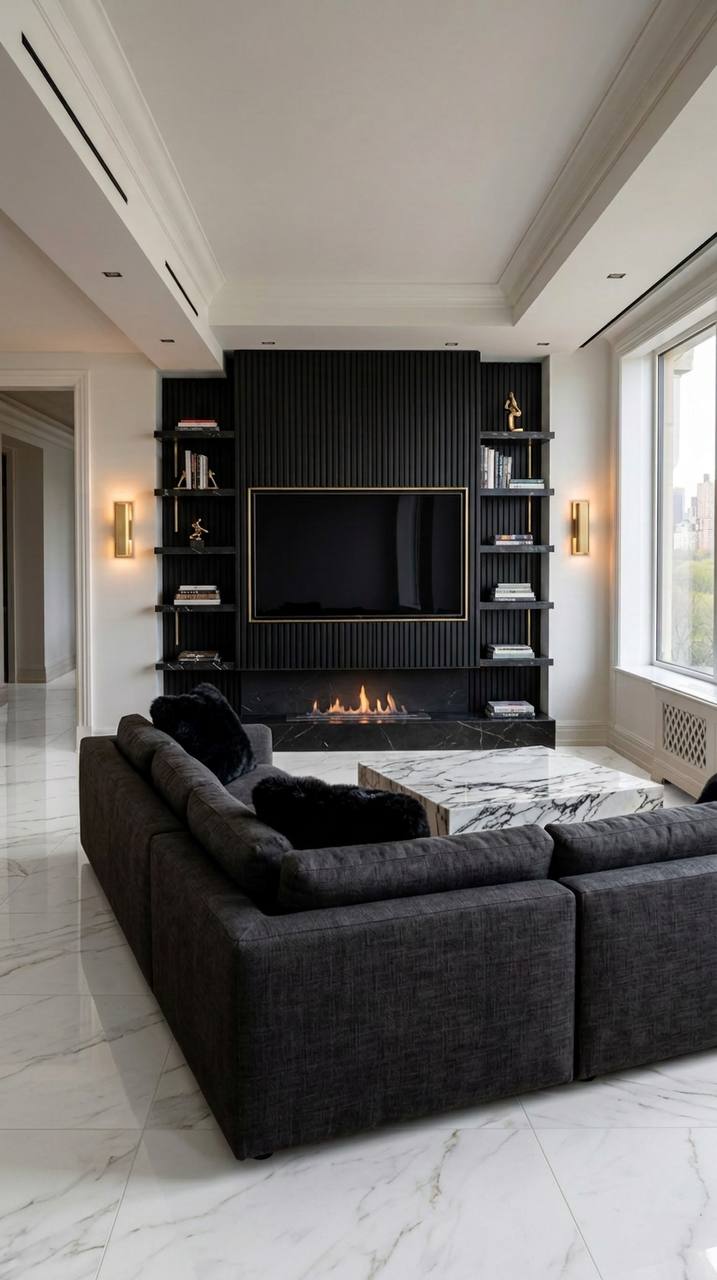
White Marble Floor
MinimalistWhite marble media wall with dark wood accents and a floating entertainment unit.
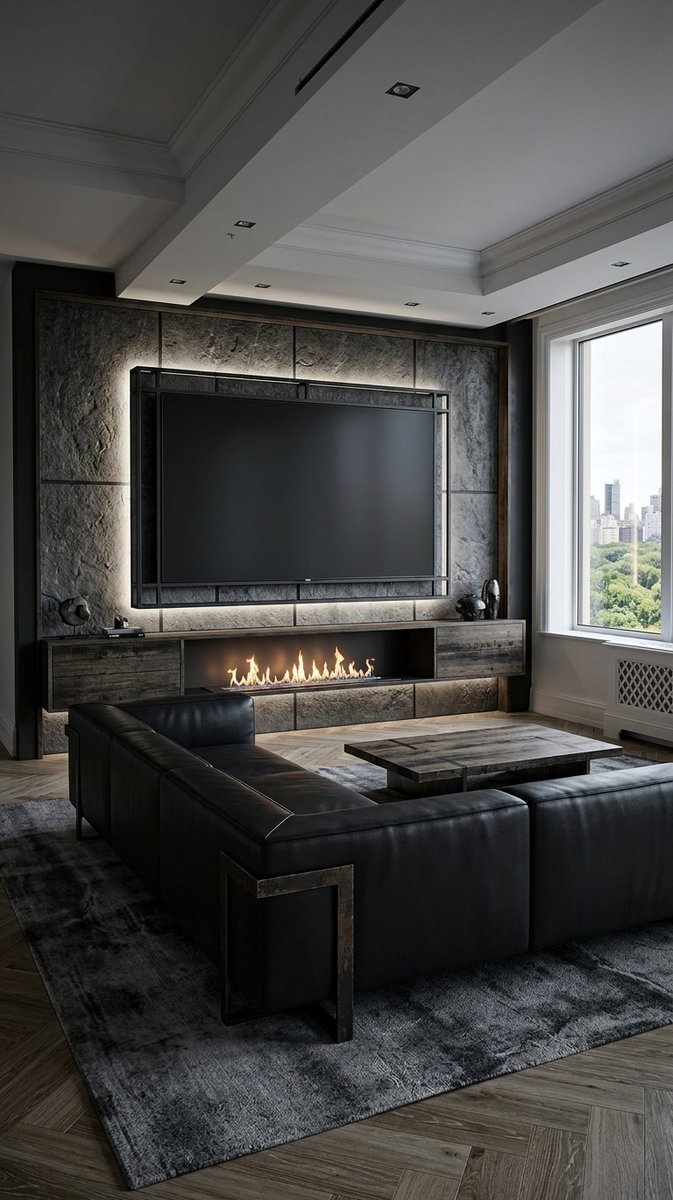
Gothic Industrial
IndustrialTextured stone wall panels, black leather sofa, weathered wood cabinetry, and linear fireplace.
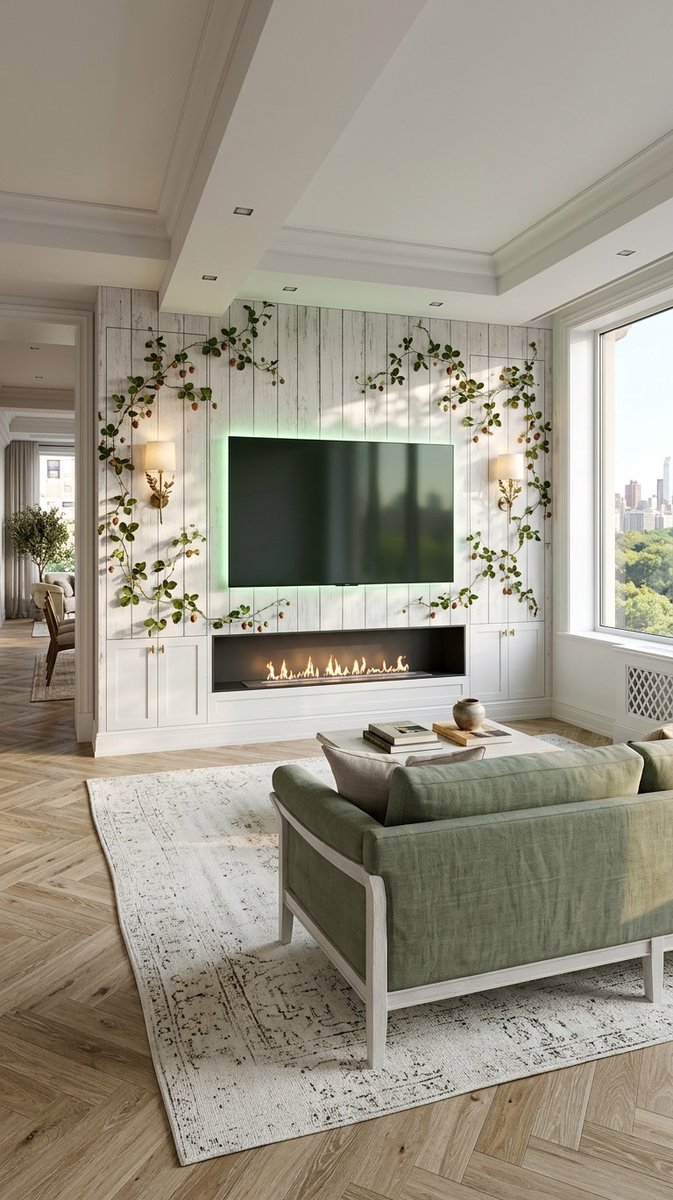
Natural Rustic
RusticWhitewashed wood plank feature wall, green upholstered sofa, and trailing vines.
How to Design a Media Wall with AI
Every design in this gallery started as a simple room photo. The process is the same whether you want a dramatic marble feature wall or a warm fluted timber backdrop:
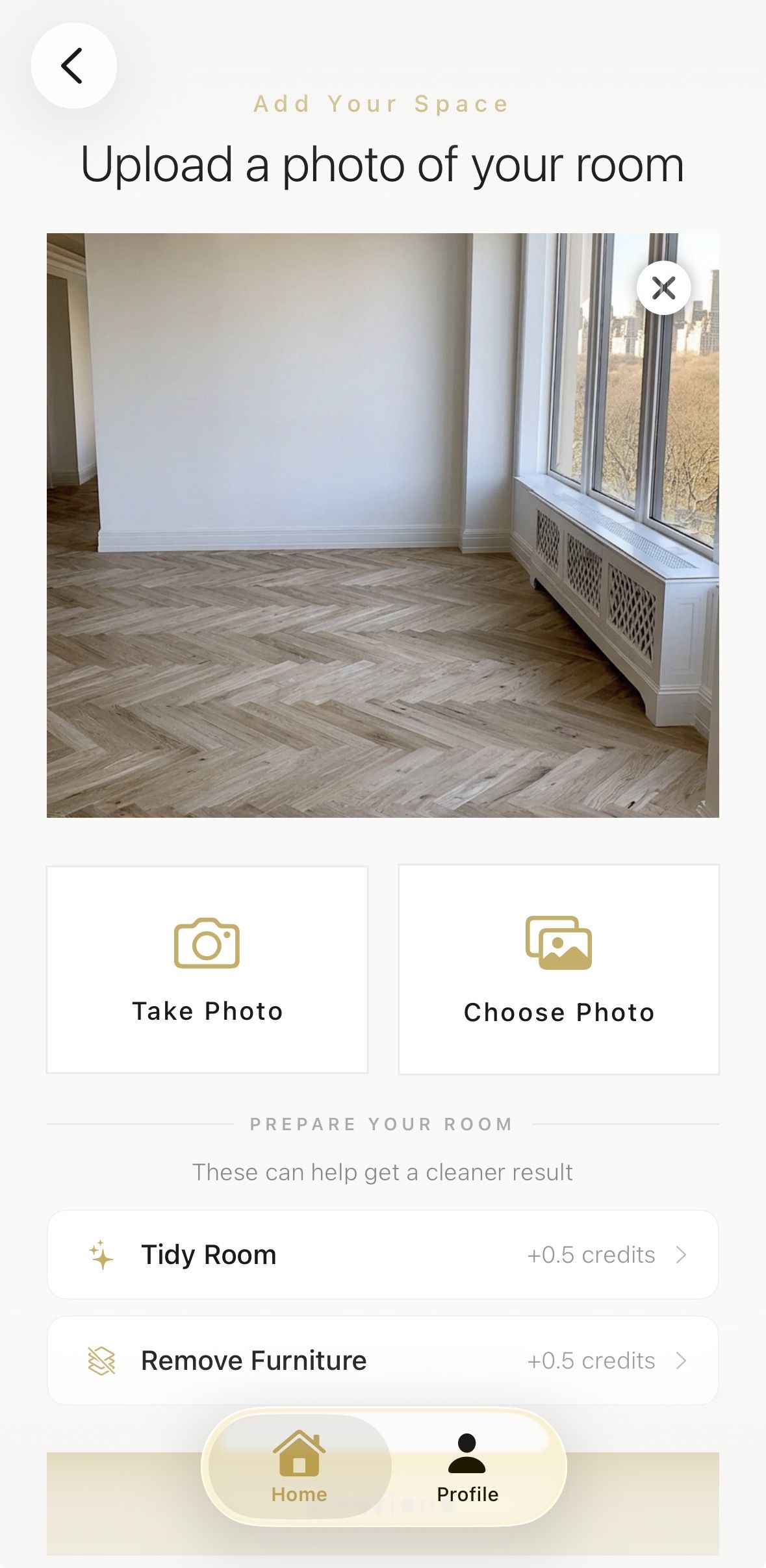
1. Upload a Photo of Your Living Room
Take a clear photo of the wall where your media wall will live — or upload an existing one. The AI reads your room’s proportions, ceiling height, and light so the design fits your actual space rather than a generic template.
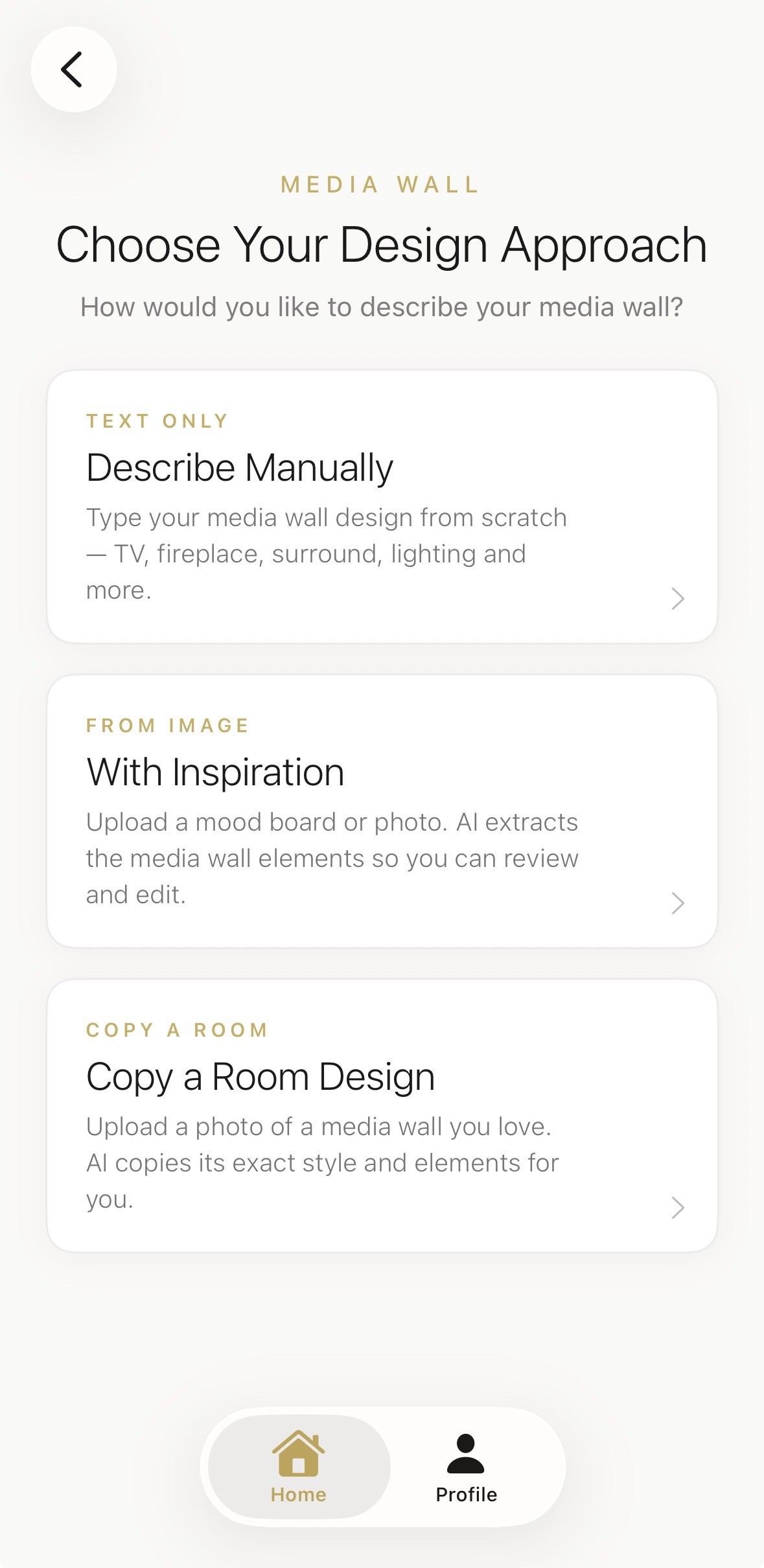
2. Describe Your Style or Upload Inspiration
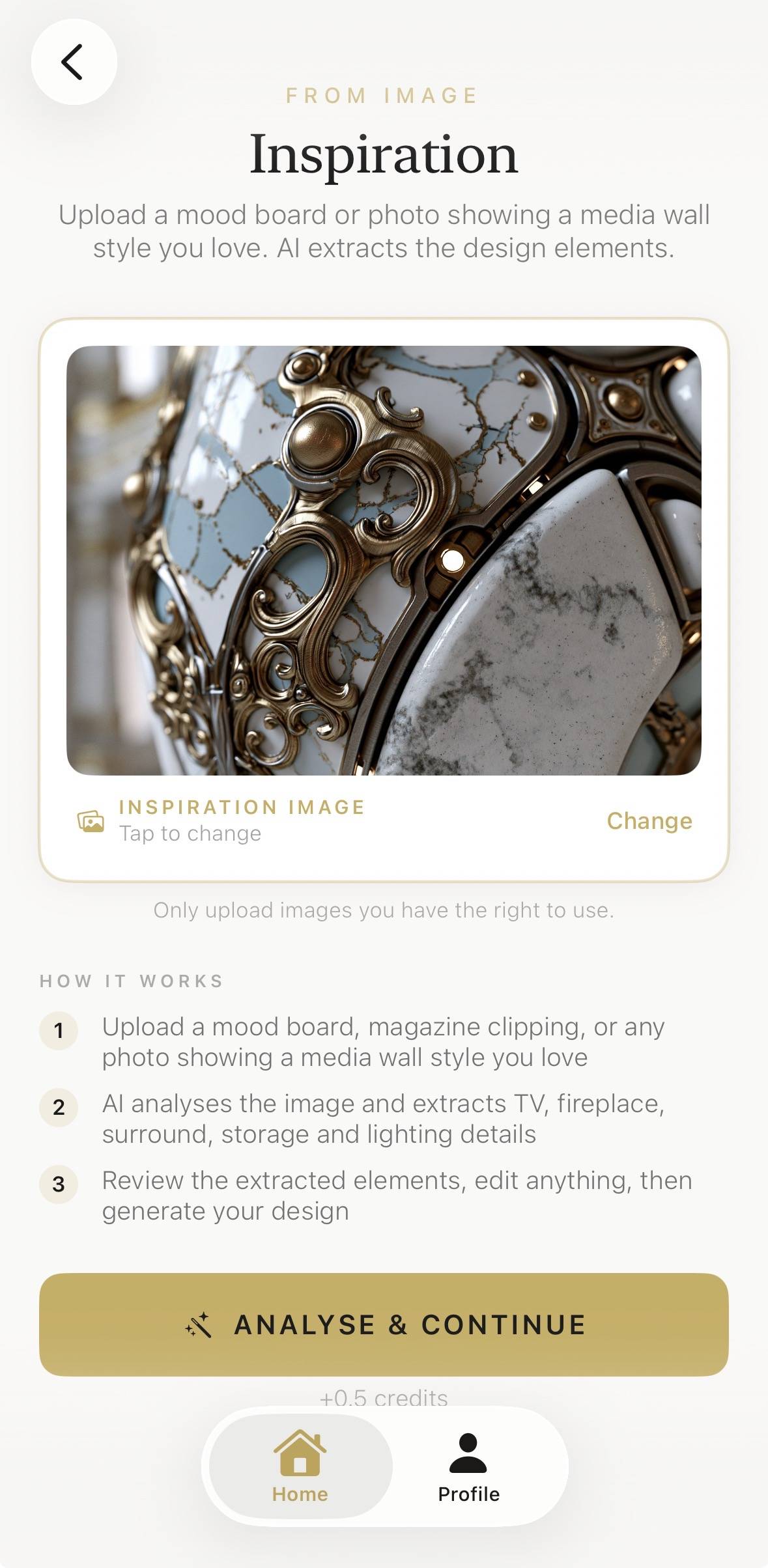
Choose a curated style, describe the look in your own words, or upload any inspiration photo — a texture, a colour palette, a hotel lobby. The AI translates it into a media wall concept designed around your room.
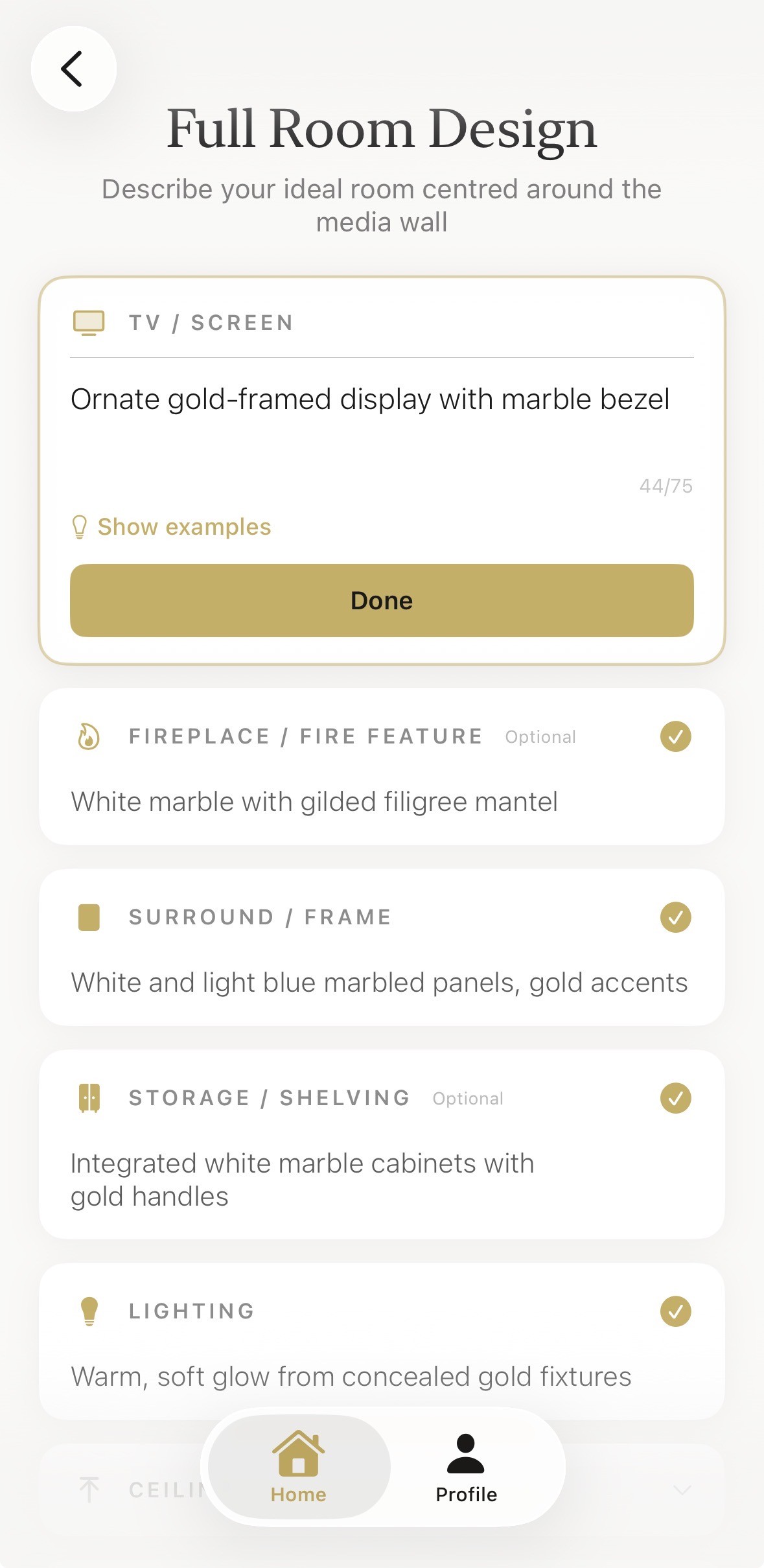
3. Generate and Refine Your Concept
Your bespoke design renders in seconds. From there, refine any detail with plain-English prompts — swap marble for timber, add a fireplace, change the lighting — until it feels right. For the full walkthrough with screenshots, follow our step-by-step guide to designing a media wall from a photo.
Choosing Materials for Your Media Wall
The material you choose sets the entire mood of the room. These are the three directions our users come back to most:
Marble and Stone
Marble, travertine, and quartzite bring instant luxury. A single book-matched slab behind the television turns the wall into art, and stone pairs naturally with brass, bronze, and warm LED backlighting. If you are designing for a high-end finish, our luxury media wall ideas guide covers fire, lighting, storage and the materials that make a wall look bespoke.
Timber and Fluted Panels
Fluted walnut, oak slats, and ribbed joinery add warmth and rhythm. Vertical lines draw the eye upward — a genuine gift in rooms with lower ceilings — and timber works with almost any palette. It is also the most practical choice for concealing cabling and media units inside the panelling.
Painted and Plaster Finishes
A deep matt paint or limewash plaster finish is the most budget-friendly route, and in a smaller room it can be the smartest one too. Colour-drenching the wall behind the TV adds depth without visual bulk — see our media wall ideas for small living rooms for space-smart examples.
Sizing Your Media Wall and TV Position
Getting the proportions right matters more than the materials. As a rule of thumb, the media wall composition should span roughly two-thirds of the wall it sits on, and the centre of the television should sit close to eye level from your main seating position — typically around 100–110cm from the floor for most living rooms.
If you are integrating a fireplace, allow proper clearance between the flame and the screen, and plan ventilation early — bioethanol and electric fires behave very differently in a joinery build. Deep joinery (300–400mm) gives you concealed storage; shallow panelling (under 100mm) keeps the room feeling open.
Not sure which proportions suit your room? Our AI media wall design ideas gallery shows twelve different styles across real room sizes, and the app will generate concepts using your actual wall dimensions from a single photo.
Upload Any Inspiration Photo
You do not need a design degree or a perfectly described brief. Upload a photo of your room, add any inspiration image — a texture, a colour palette, a screenshot from Instagram — and the Aspire Interiors AI translates it into a media wall concept built for your exact space.
Media Wall and Room Design Guides
Step-by-step tutorials, style galleries, and comparisons to help you get the most from AI design.
Frequently Asked Questions
What is AI media wall design?
AI media wall design uses artificial intelligence to create custom media wall concepts based on your room photo, style preferences, and functional requirements.
Can I use my own photo?
Yes. With Aspire Interiors, you can upload a photo of your living room and generate a bespoke media wall design that fits your exact space and proportions.
Is AI media wall design free to try?
Aspire Interiors offers free credits to get started, so you can explore AI-generated media wall designs without commitment.
What styles can the AI generate?
The AI can generate virtually any style, from classic and Art Deco to modern, minimalist, boho, and industrial. You can also describe a custom look in your own words.
Can I edit the AI-generated media wall?
Yes. Every design can be refined with natural language edits. Change materials, colours, lighting, furniture, or layout until it is perfect.
Will the media wall fit my room?
Because the design is generated from your actual room photo, the proportions, perspective, and layout are tailored to your space.
How long does it take to generate a media wall design?
A bespoke media wall concept can be generated in seconds. You can then refine materials, colours, and layout with text prompts in a few minutes.
Can I see my media wall in different materials?
Yes. You can ask the AI to show the same media wall in stone, timber, plaster, metal, or painted finishes to compare how each material changes the room.
What makes a good room photo for media wall design?
A straight-on or corner photo of the wall where the television will go is ideal. Include the ceiling, floor, and adjacent walls so the AI understands the proportions.
Do I need to measure my wall first?
No. The AI estimates proportions from your photo. However, for exact cabinetry and material ordering, you should still take manual measurements before construction.
Ready to Design Your Media Wall?
Upload a photo of your living room and see 12+ media wall styles instantly. Our AI will show you exactly how each design will look in your space.
Design Your Media Wall