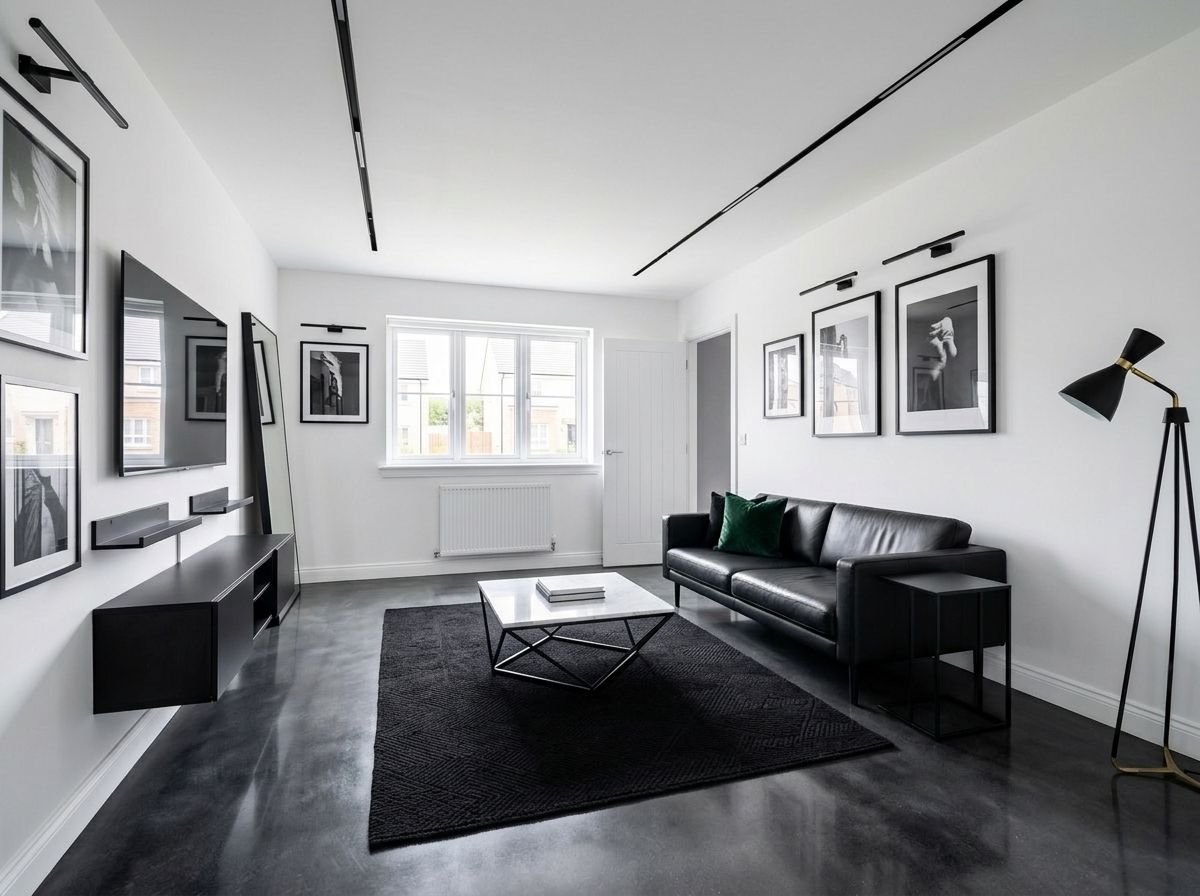
What Is AI Interior Design? (And How Does It Actually Work?)
20 August 2026 · 8 min read
AI interior design is technology that redesigns real rooms from photographs.You take a picture of your room, describe the style you want, and artificial intelligence generates a professionally-styled redesign of your actual space — keeping your windows, doors and proportions — typically in under a minute. It's used by homeowners to visualise renovations before spending money, and increasingly by designers and estate agents to brief and present.
That paragraph is the whole answer. The rest of this guide is the useful detail: how it works, what it's good at, where it falls down, and how to try it yourself. It sits inside our AI interior design hub — the complete picture lives there.


How AI Interior Design Works, Step by Step
- You photograph your room. A phone photo, as-found — the AI reads the architecture: window positions, ceiling height, radiators, alcoves, light direction.
- The AI understands the space. Modern models identify the room type, its fixed features, and its proportions — this is why the output looks like your room rather than a showhome.
- You describe the design. Either by picking a preset style or — in tools like the Aspire Interiors app — describing it field by field: style, colours, materials, furniture, lighting. Every field is under 120 characters; every makeover on this site includes the exact fields to copy.
- The AI renders the redesign. The model regenerates your photograph with the new design applied — same bones, new room. Under a minute is normal.
- You refine. Change a field, regenerate, compare. This iteration loop is where the value lives: the tenth render is usually the one, and each costs seconds.
What AI Interior Design Can Do
| Capability | Reality in 2026 |
|---|---|
| Whole-room redesign from one photo | ✅ Reliable, fast, the core use case |
| Style exploration (same room, many styles) | ✅ The single best use — see our two-styles-per-room series |
| Feature design (media walls, headboard walls) | ✅ Excellent — media walls especially |
| Colour and material testing | ✅ Test dark walls without buying a tester pot |
| Small-space and awkward-room ideas | ✅ Strong — the small-room guide |
| Furniture sourcing from the render | ◐ Partial — you source lookalikes yourself |
| Accurate measurements and floor plans | ❌ Not what it's for — use a tape measure |
| Structural advice, building regs | ❌ Never — that's professionals' territory |
What AI Interior Design Can't Do
Honesty matters here, because the tools are good enough that the limits surprise people:
- It doesn't measure. Renders are proportionally convincing but dimensionally approximate. Order nothing structural off a render.
- It doesn't know building regulations. Moving walls, electrics, plumbing and anything structural needs qualified humans.
- It doesn't manage projects. No trades, no timelines, no snagging lists.
- Results vary. Two generations of the same brief produce similar designs in the same style, not identical copies — that's inherent to how generative AI works, and mostly a feature: you get options.
For the fuller version of this comparison: AI vs interior designer — where each wins.
The Three Types of AI Interior Design Tool
Not all AI design tools work the same way, and the differences matter more than the branding:
- Photo-to-render tools (the category this site covers) redesign your actual room from an uploaded photograph. Best for: "what would MY room look like?" Examples include Aspire Interiors, RoomGPT and REimagineHome — we tested them all in our best AI room design tools 2026 roundup.
- Text-to-image generators (Midjourney, DALL-E and friends) create beautiful rooms from written prompts — but they're imaginary rooms, not yours. Best for: mood and inspiration, not decisions.
- 3D planners with AI features (Planner 5D, Homestyler) build measurable floor plans, with AI assisting style choices. Best for: "will it fit?" questions — they answer geometry, not atmosphere.
Most homeowners need the first type. If a tool never asks for a photo of your room, it isn't doing AI interior design in the sense this guide means — it's making art.
Who Uses It (and Why It's Growing)
- Homeowners visualising a refresh before spending — the largest group, and who this site is for
- Renters testing removable changes without risking a deposit
- Estate agents and sellers staging properties virtually
- Designers using it for rapid client concepts before the detailed work
The growth driver is simple maths: the visualisation stage of design used to cost hundreds of pounds and weeks of back-and-forth. It now costs nothing to start and takes an evening. The cost breakdown puts real numbers on it.
Try It: Your First AI Room Design
- Photograph your most-used room as it is today — mess and all.
- Download the Aspire Interiors app — 2 free designs on signup.
- Choose Describe Manually and either describe your dream version or paste the exact fields from any of our before-and-after makeovers.
- Generate, refine, compare. The full walkthrough: how to design a room with AI from one photo.
Frequently Asked Questions
What is AI interior design, in one sentence?
Technology that redesigns real rooms from photographs — you take a picture, describe a style, and AI generates a professionally-styled version of your actual room in under a minute.
Is AI interior design accurate?
Visually, yes — renders faithfully keep your room's architecture and proportions. Dimensionally, no: renders are approximate, so measure everything before buying or building.
Do I need design experience to use AI interior design?
None. Describing a room you like ("warm, oak, linen, calm") is enough — and sites like this one publish the exact fields from real makeovers to copy as a starting point.
Is AI interior design the same as a floor-plan tool?
No. Floor-plan tools arrange geometry; AI interior design generates photorealistic style. They answer different questions — "where does it fit?" versus "what should it look like?"
Related Reading
AI Interior Design: The Complete Guide
The hub: every guide, style tour, comparison and before-and-after in one place.
AI vs Interior Designer
Where each wins — the honest feature-by-feature comparison.
How to Design a Room With AI
The canonical walkthrough, from taking the photo to the final render.
Browse Every Before & After
Real rooms, real redesigns — every one with the exact app fields to copy.