Boho Interior Design with AI: 15 Room Designs
8 June 2026 · 15 min read
From warm earth tones to coastal breezes — see how AI transforms any room into Boho perfection with exact app fields you can copy.
What You Need
- ✅ An iPhone — the Aspire Interiors app is iOS-only
- ✅ A photo of your room — daylight, corner angle, full room visible
- ✅ Five minutes — that's the entire workflow
- ✅ 1 design credit — Design Full Room uses 1 credit; optional add-ons like Remove Furniture use 0.5 extra
Introduction: Why Boho Works with AI
Boho interior design is the opposite of a single-look formula. It is built from travel, memory, and accumulation — a rattan chair from one trip, a kilim from another, a ceramic bowl with a crack, plants that have outgrown three pots. The style works because the layers contradict each other just enough: a low-slung 1970s sofa beside a Moroccan pouffe, a macrame wall hanging above a modernist print. That freedom is exactly why AI struggles with it. A machine trained on averages tends to produce "boho" as a checklist of rattan, fringe, and terracotta, all at the same saturation. The 15 rooms in this guide were created with an AI room designer, then assessed for where they captured the relaxed, collected spirit and where they produced a flat showroom set. The best results mix eras and provenance; the worst ones repeat the same three props. Below are the generated rooms, edited notes on what makes each one feel genuinely lived-in, and the small swaps that turn generic boho into something personal.
Everything in this post builds on the fundamentals in our AI interior design complete guide — worth reading first if you're new to the technology.
"Boho is about layers — texture on texture, pattern on pattern, plant on plant. The AI's job is to place those layers with the balance that makes a room feel curated, not chaotic. Rattan against linen. Terracotta against sand. Moss against oak. That's the magic." — Aspire Interiors design team
What Is Boho? A 60-Second History
Boho — or Bohemian — draws from 19th-century Parisian artists who rejected bourgeois conventions. They mixed patterns, collected global artefacts, and filled their studios with plants, textiles, and found objects. The style was eclectic by necessity, not design.
Today's Boho is more intentional. It keeps the global influences, natural materials, and relaxed attitude but adds structure: curated colour palettes, balanced proportions, and a focus on texture over clutter. The 2020s Boho trend — often called "Boho Luxe" or "Japandi-Boho" — blends traditional Bohemian warmth with Japanese minimalism and Scandinavian simplicity.
Key Boho Elements
Materials
Natural oak, rattan, wicker, linen, jute, clay, terracotta, brass, cane, seagrass, woven textiles
Patterns
Geometric textiles, tribal prints, botanical prints, macramé, tie-dye, block prints, ikat
Colours
Warm earth tones — sand, terracotta, ochre, sage green, cream, caramel. No harsh whites or cold greys.
Lighting
Rattan pendants, woven shades, brass fittings, warm LED strips, exposed beams, natural light
Furniture
Low profiles, natural wood frames, woven seats, soft upholstery, vintage pieces, mismatched chairs
Architecture
Exposed beams, wide plank flooring, limewash walls, large windows with sheer linen curtains, built-in planters
Plants
Trailing pothos, monstera, fiddle-leaf fig, dried pampas, preserved moss, living plant walls
How to Create Boho in the Aspire Interiors App
The process is the same for every room:
- Open the app → Tap "Start Your Design"
- Upload your room photo → Take a daylight photo from a corner angle
- Select "Design Full Room" → Choose the room type (Living Room, Bedroom, etc.)
- Select "Describe Manually" → This gives you full control over every element
- Fill in the app fields → Copy the fields from any design below
- Tap Generate → Wait 15-20 seconds
- Refine if needed → Edit any field and regenerate
The app fields below are designed for the Describe Manually method. Each field has a 120-character limit. Every field below fits within that limit.
The 15 Designs: Warm Earth Boho
The most natural of the three palettes. Sand, terracotta, sage green, natural oak, and woven textures. This is Boho at its most grounded — earthy, warm, and connected to nature.
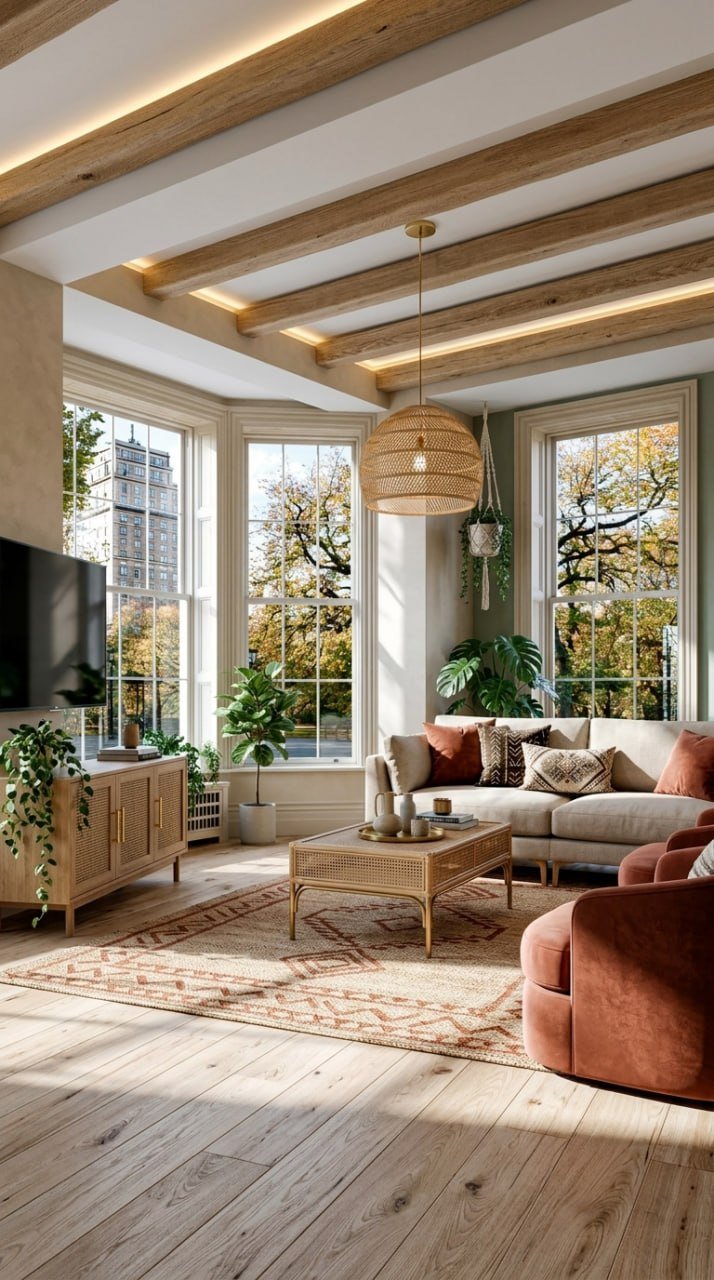
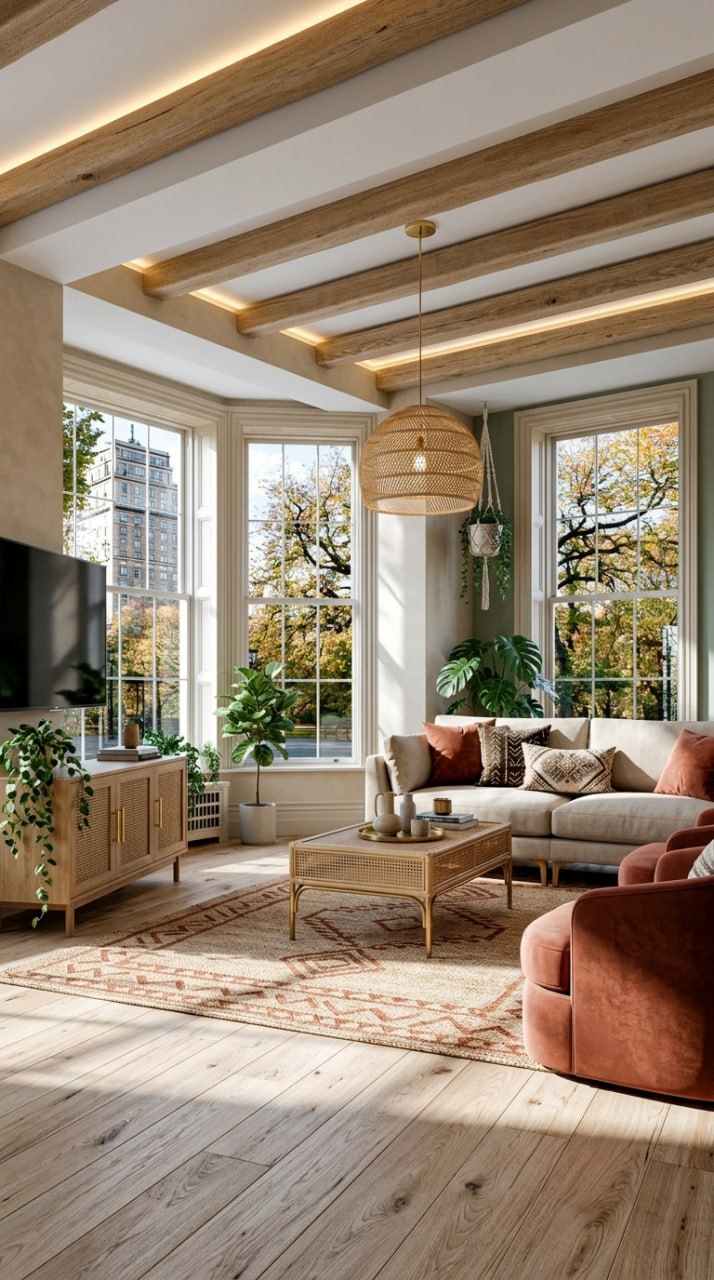
Warm Earth Living Room
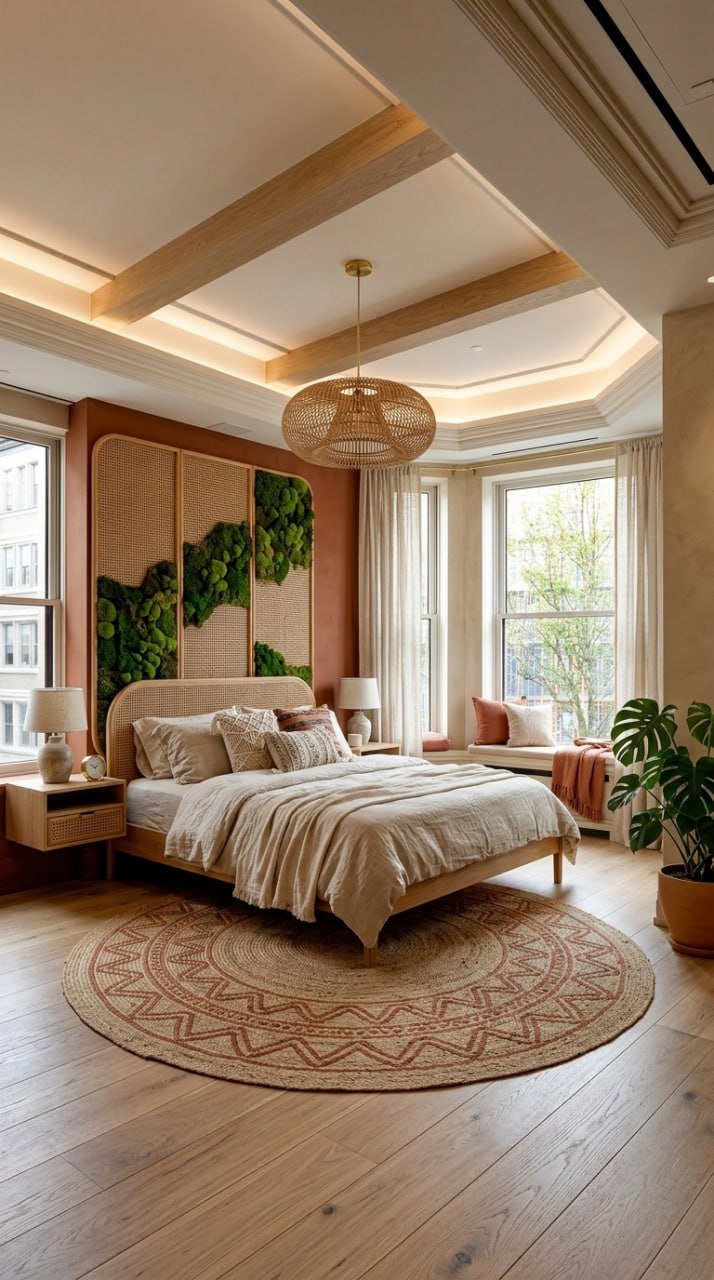
Warm Earth Bedroom
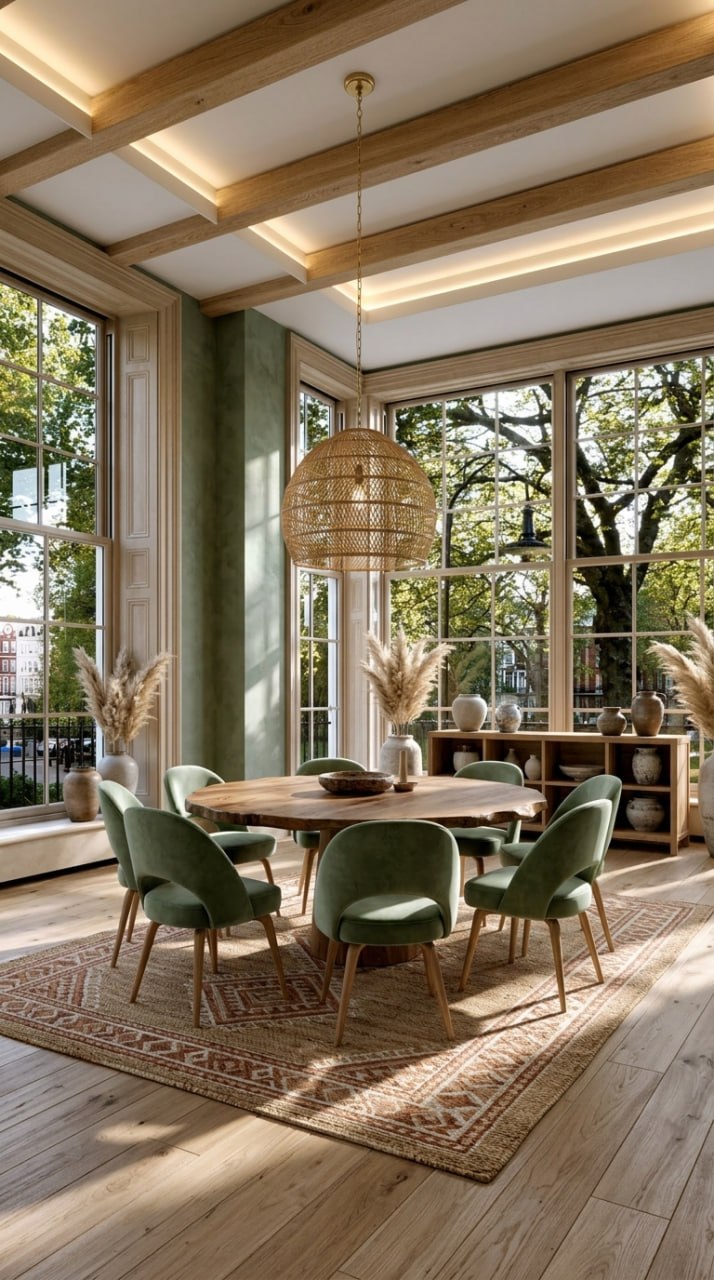
Warm Earth Dining Room
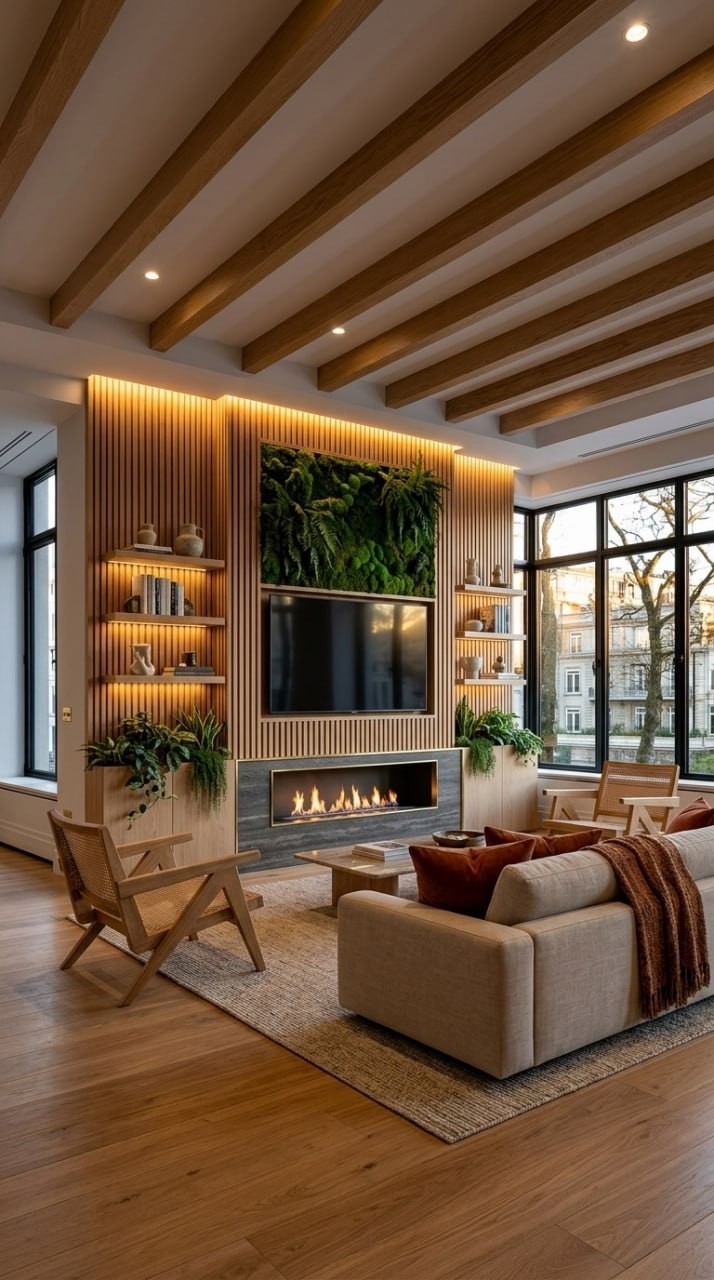
Warm Earth Media Wall
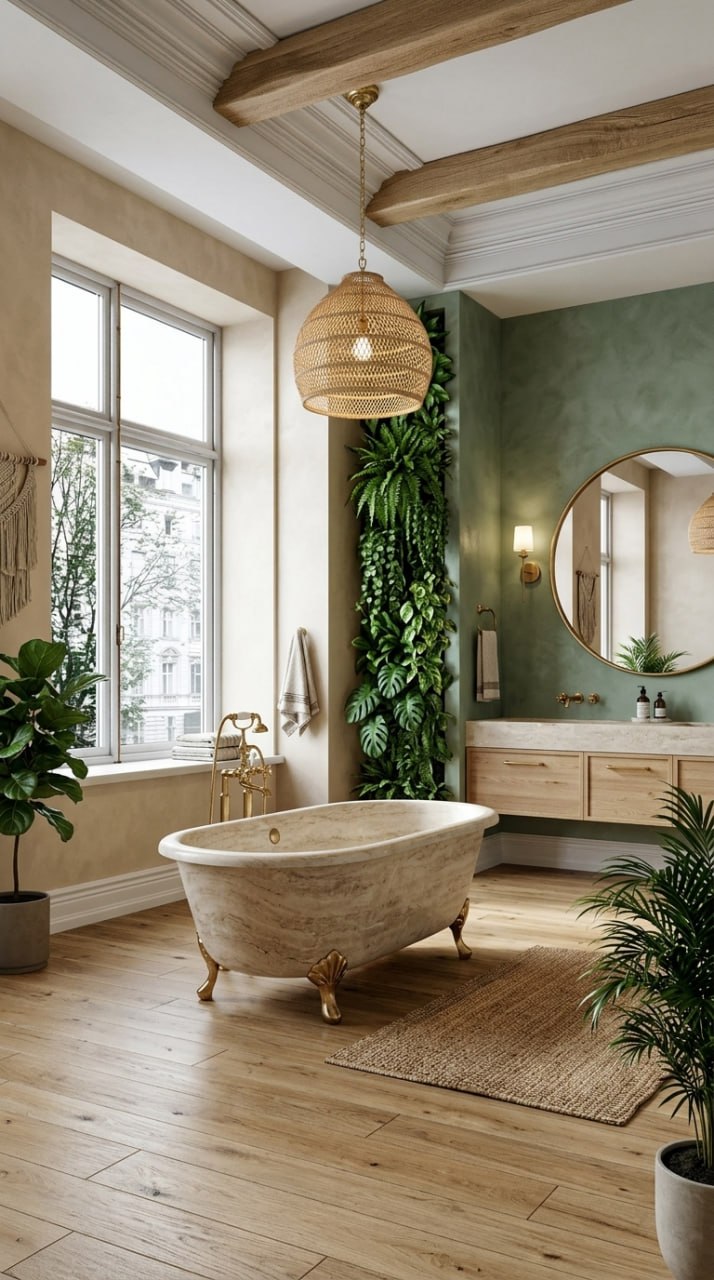
Warm Earth Bathroom
The 15 Designs: Coastal Boho
A lighter, airier palette. Cream linen, bleached oak, navy accents, and rope-wrapped details. This is Boho by the sea — relaxed, sun-bleached, and effortlessly elegant.
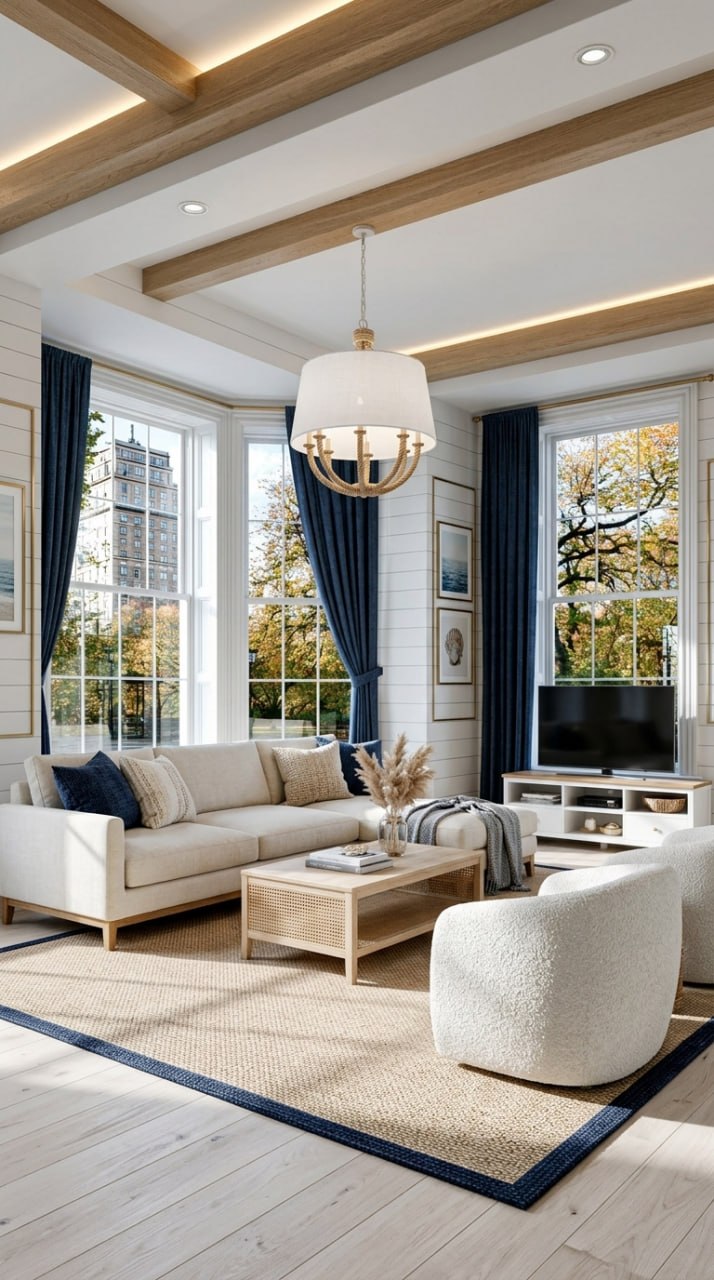
Coastal Living Room
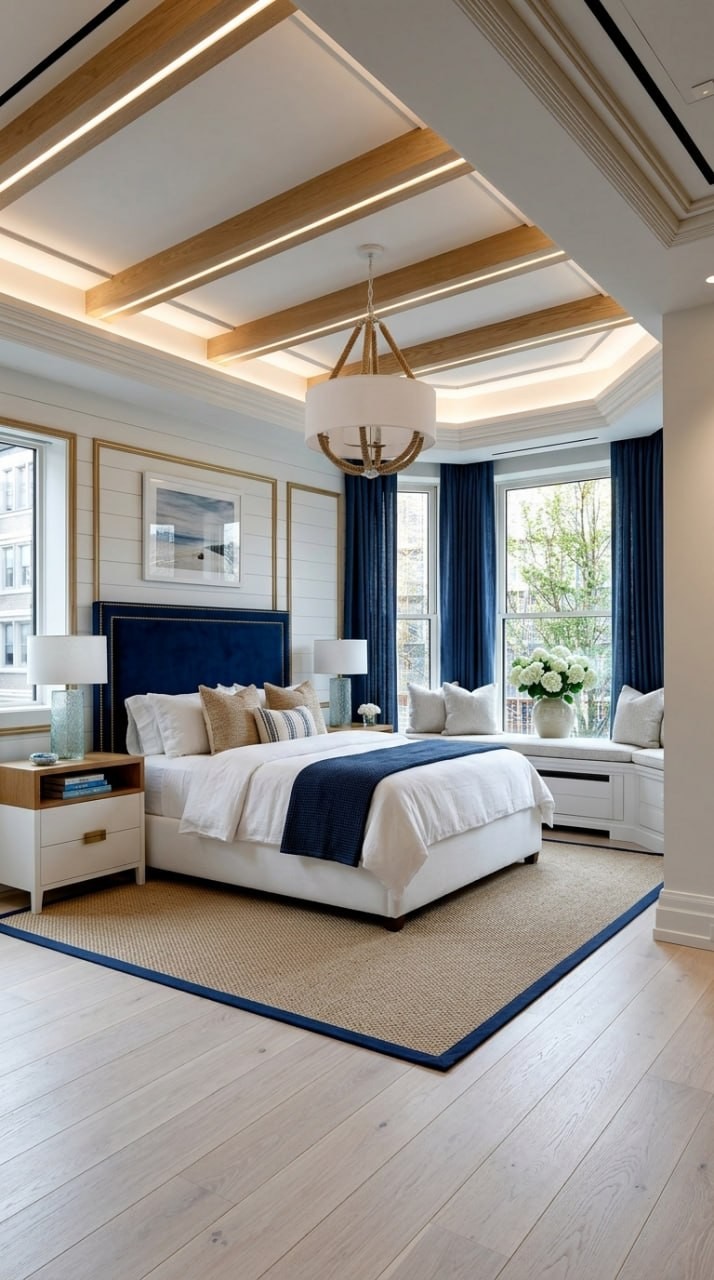
Coastal Bedroom
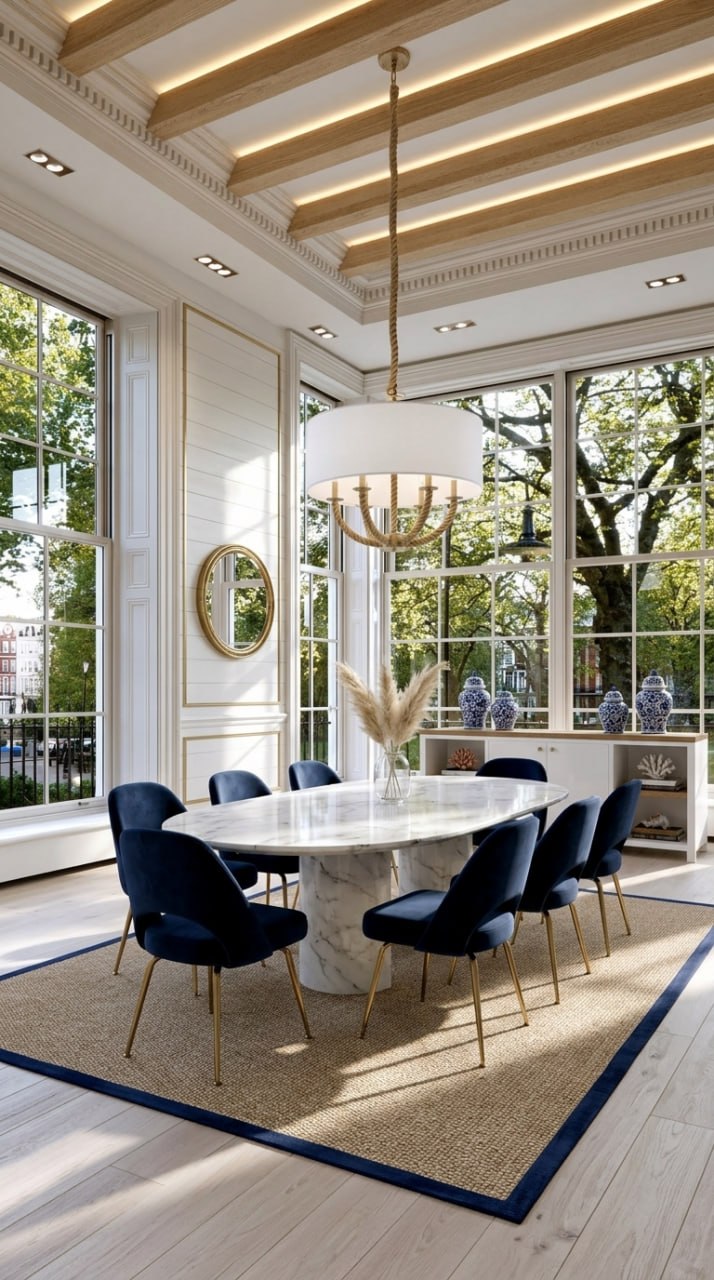
Coastal Dining Room
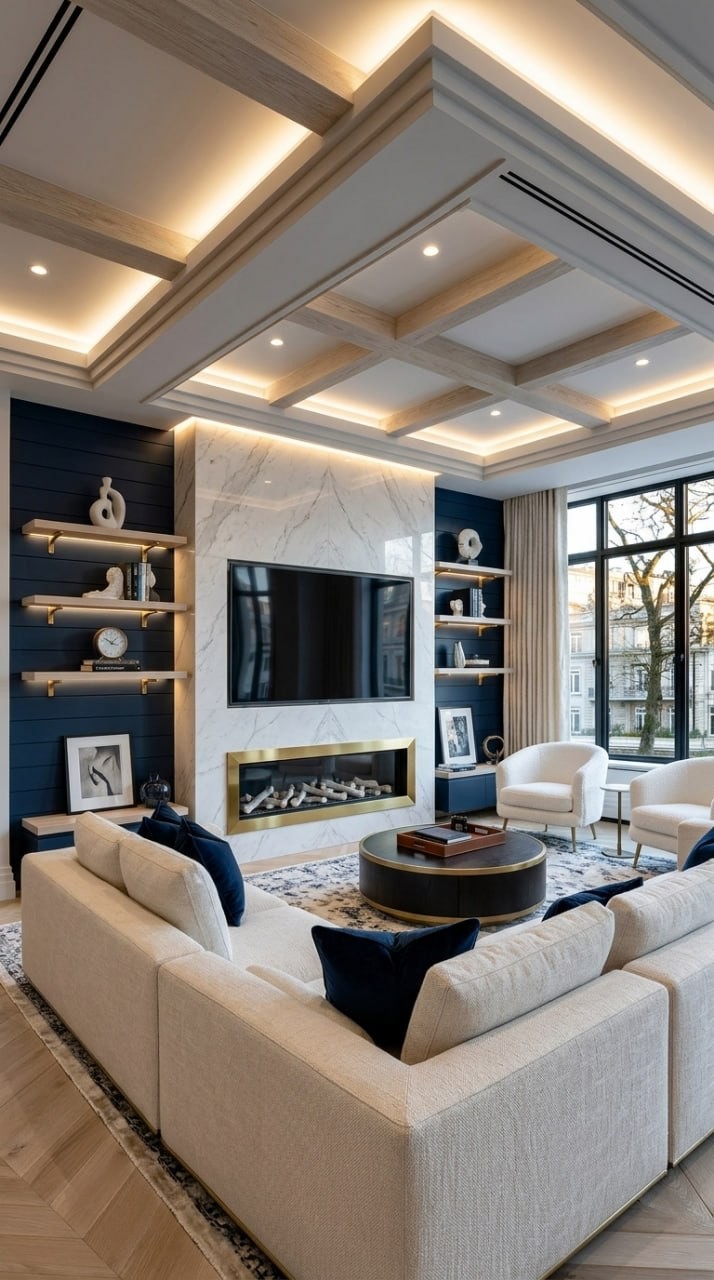
Coastal Media Wall
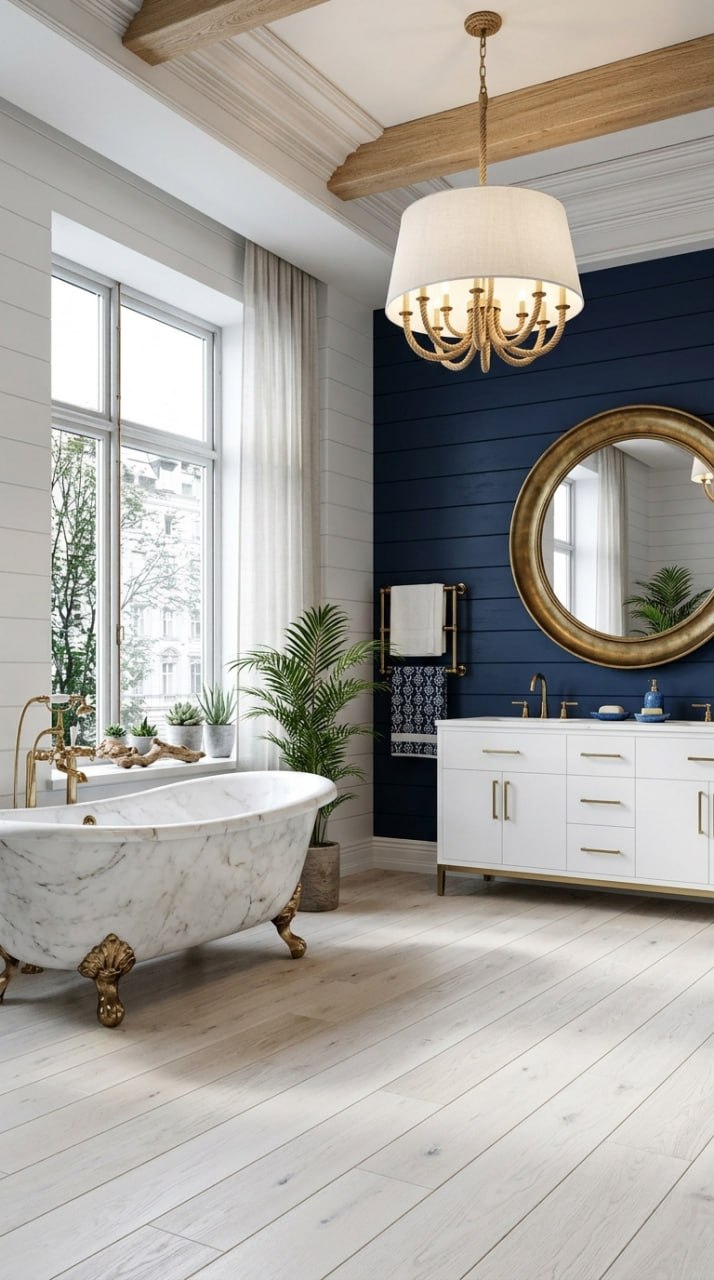
Coastal Bathroom
The 15 Designs: Desert Boho
The warmest and most dramatic palette. Terracotta, ochre, caramel, warm sand, and natural clay. This is Boho with a desert sunset baked into every surface — earthy, warm, and deeply textured.
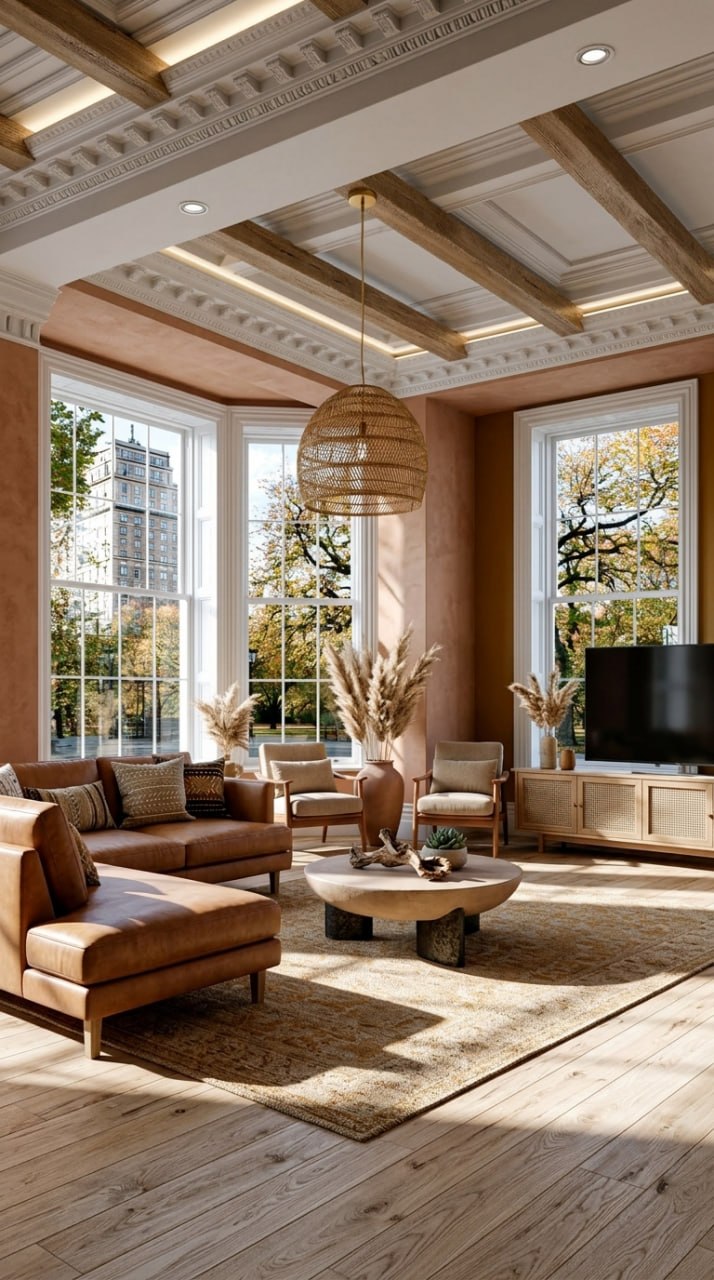
Desert Living Room
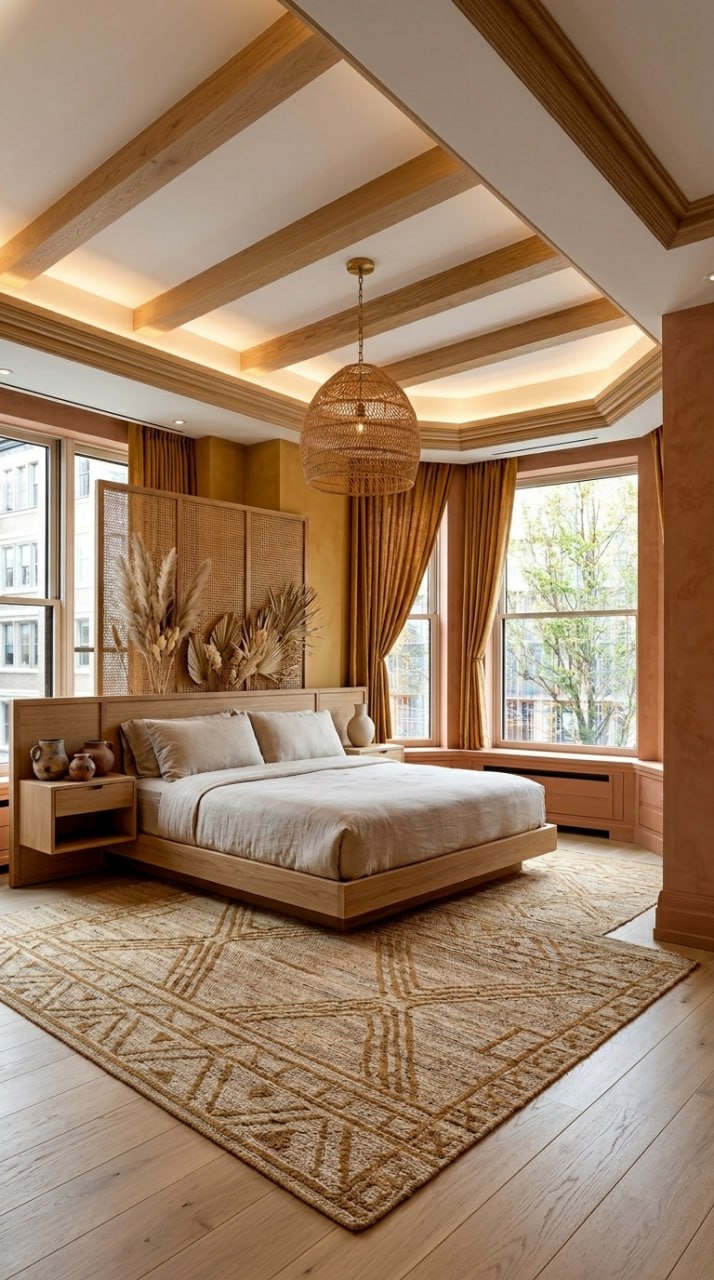
Desert Bedroom
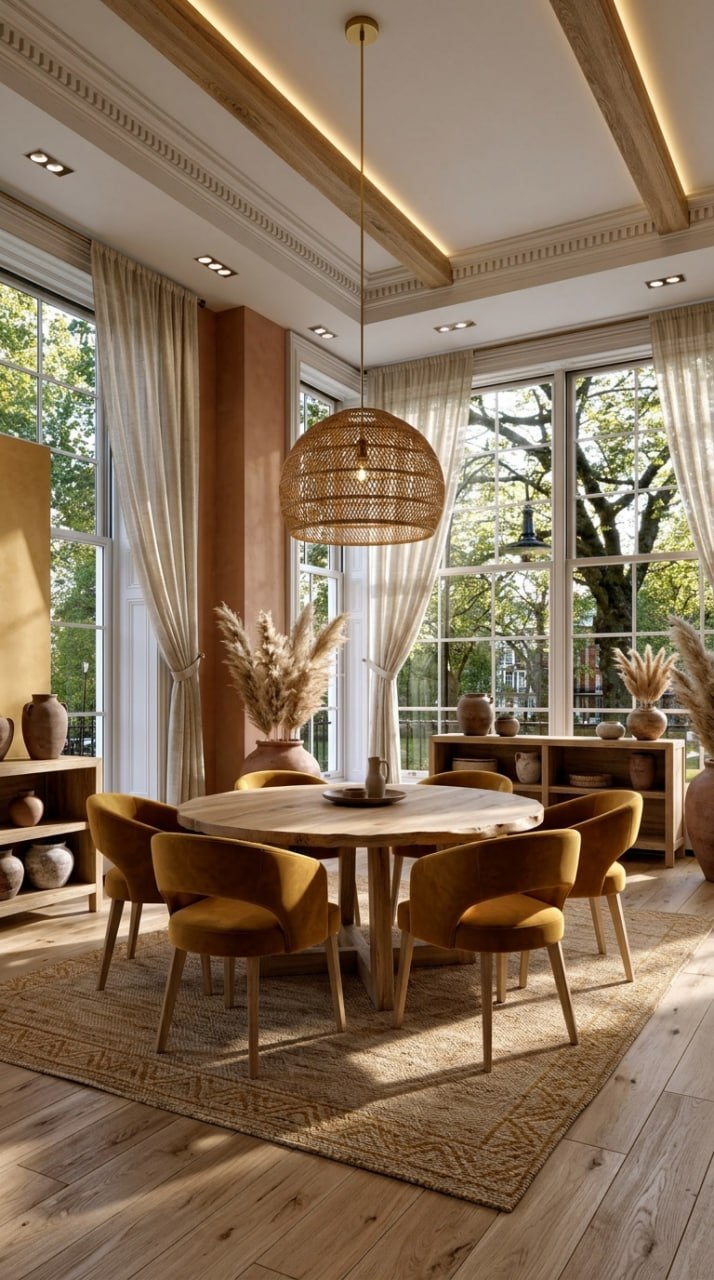
Desert Dining Room
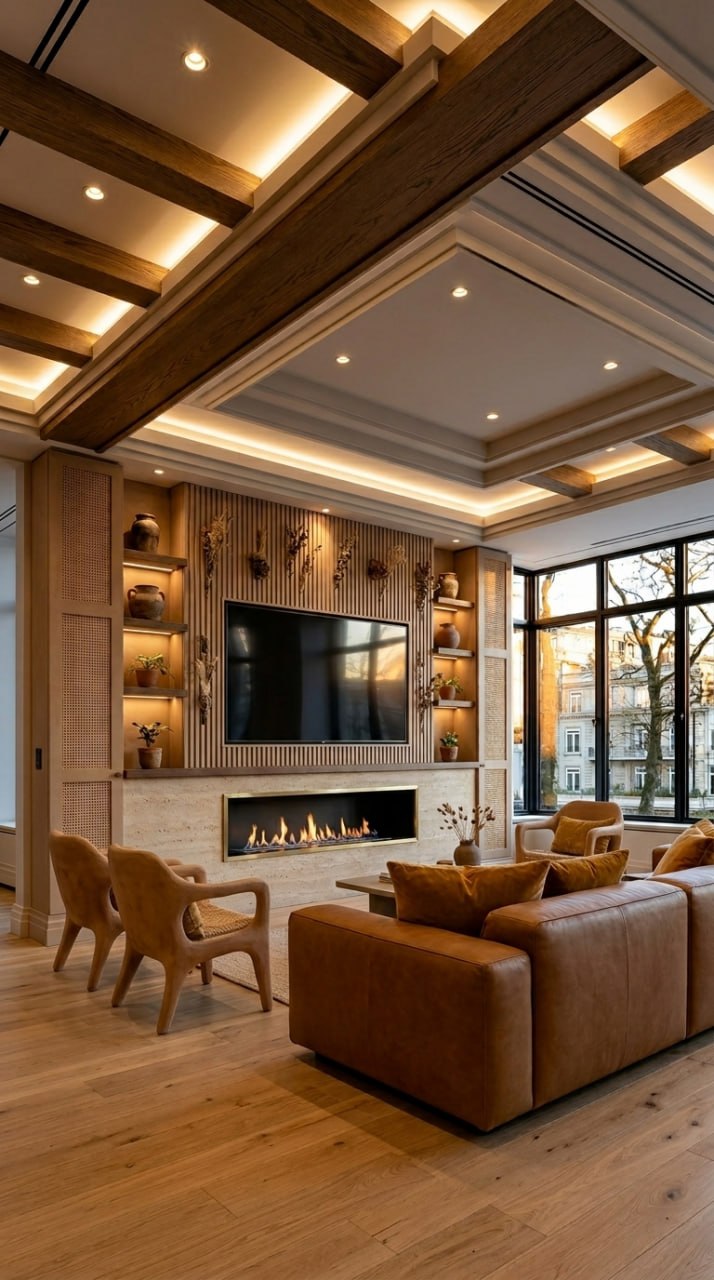
Desert Media Wall
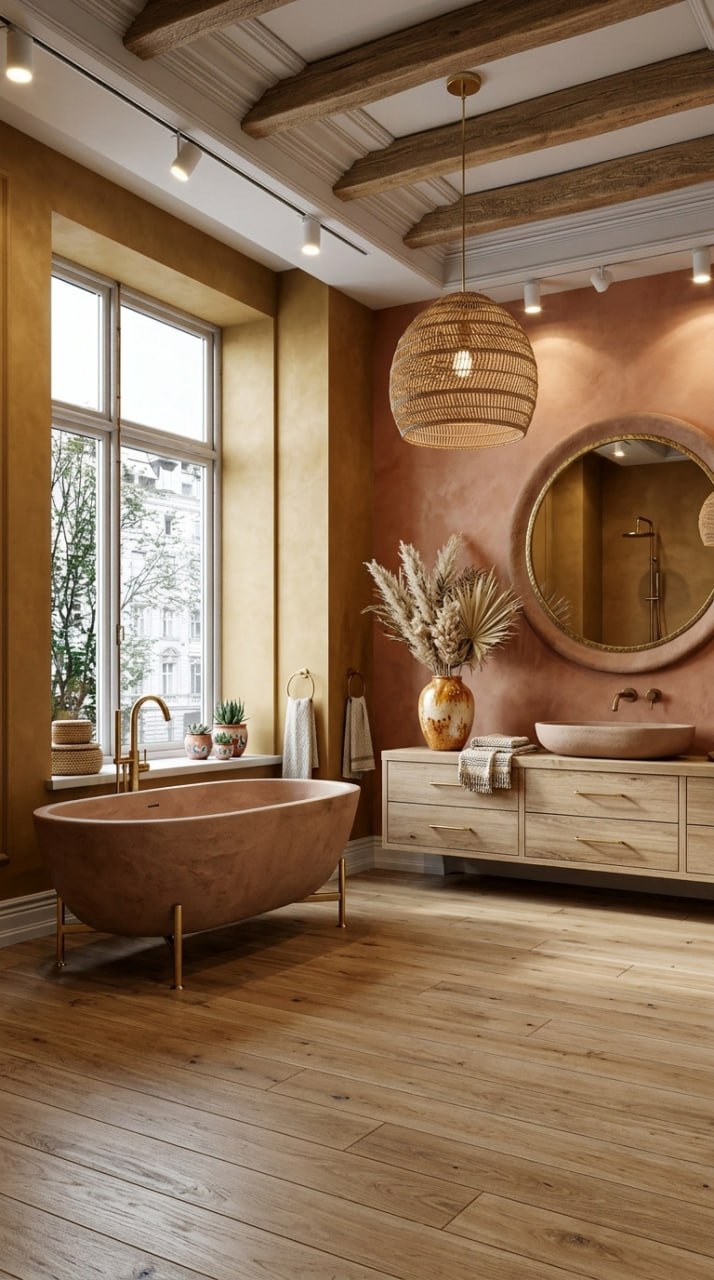
Desert Bathroom
Key Takeaways
1. Boho is about texture, not perfection. The AI layers rattan, linen, jute, oak, and brass with the balance that makes a room feel curated, not cluttered. Every design above uses 5+ natural materials.
2. The app fields are copy-paste ready. Every field above fits within the 120-character limit in the Aspire Interiors app. Copy the exact text, paste it into the field, and generate. No guesswork.
3. Three palettes, one style. The same Boho principles work across Warm Earth, Coastal, and Desert. The materials stay the same — oak, rattan, linen, brass. Only the colours change. This means you can experiment with palettes without relearning the style.
4. Every room type works. Living room, bedroom, dining room, bathroom, media wall — the app fields are tailored to each room's specific needs (beds vs sofas, baths vs coffee tables). The AI handles the architecture; you handle the style.
5. Plants are not optional in Boho. Every design above includes living plants, dried botanicals, or preserved moss. The AI places them with the scale and proportion that makes a room feel alive, not like a garden centre.
What the AI Cannot Do (Yet)
We test every design before we publish it. Here is where the AI has limits:
It cannot source exact products. The AI generates visual designs, not shopping lists. The rattan pendant light in your design may not exist in a shop. Use the image as a brief for your interior designer or as inspiration for your own sourcing.
It cannot keep plants alive. The AI suggests living plants, moss walls, and trailing botanicals. You must maintain them. If you lack a green thumb, substitute dried pampas, preserved moss, or high-quality faux plants.
It cannot match your exact budget. The AI designs luxury Boho because that is what the style demands. If your budget is £5,000 not £50,000, substitute materials: laminate oak-effect instead of solid oak, cotton instead of linen, brass-effect metal instead of solid brass.
It cannot see your room's exact dimensions. The AI preserves architecture from your uploaded photo but does not measure. A 1600mm fireplace might not fit your wall. Always measure before you buy.
Frequently Asked Questions
Can I mix palettes? Warm Earth in the living room, Coastal in the bedroom?
Yes. Each room is a separate design in the app. Mixing palettes is common — many homeowners use the warmest palette (Desert) in public rooms and lighter palettes (Coastal) in private spaces.
Do I need to use every field?
No. The app works with partial fields. If you only fill in SOFA and WALLS, the AI will generate the rest. But full fields give you the most control and the most accurate Boho result.
What if my room is small? Boho feels like it needs space.
The AI scales proportionally. In a small room, it suggests smaller furniture, fewer plants, and lighter colours. The Coastal palette works particularly well in compact spaces because the white and cream elements reflect light.
Can I edit the fields after generating?
Yes. Tap any field, change the text, and regenerate. The AI will keep the architecture and change only the element you edited.
How long does each generation take?
10-30 seconds per design. The half-and-half split view appears immediately so you can compare before/after while the full resolution renders.
Do I need to know about Boho history to use these fields?
No. The fields above are written to work without any design knowledge. Copy, paste, generate. The AI handles the layering, texture balance, and colour harmony.
Can I use these fields for other styles?
The field structure works for any style, but the specific text is tailored to Boho. For other styles (Art Deco, Scandinavian, Industrial), the materials and colours would change entirely.
What is the 120-character limit?
Each app field accepts up to 120 characters. Every field above fits within that limit. If you want more detail, use the ADDITIONAL field or split across multiple fields.
Are these designs free to generate?
Your first 2 designs are free with no credit card. After that, each full room design uses 1 credit. Credits are available via subscription or one-time purchase. See the app for current pricing.
Can I save or share these designs?
Yes. Tap "Save" to store in your account, or "Share" to send to someone else. You can also screenshot the split view for before/after comparisons.
Ready to Design Your Boho Room? Follow Along Now
You now have 15 complete designs with copy-paste fields. Here is your checklist:
- Open the Aspire Interiors app on your iPhone
- Tap "Start Your Design"
- Upload a photo of your room (daylight, corner angle, full room visible)
- Select "Design Full Room" → choose your room type
- Select "Describe Manually" for full control
- Copy the app fields from any design above — paste into the matching fields
- Tap "Generate" and wait 15-20 seconds
- Review the result. Edit any field you want to change
- Save, share, or regenerate with a different palette
Your first 2 designs are free. No credit card. No subscription.
Download on the App StoreLast updated: June 2026. Features and pricing may change. Check the app for the latest details.
By the Aspire Interiors design team. Built by AutoMazen.ai, a London-based AI design tools company.
Related Blogs
- Art Deco Interior Design with AI: 15 Room Designs — Bold geometry, gold, and marble across 5 rooms
- How to Design Your Media Wall with AI: The Complete Guide — The curated mood board approach
- How to Design Your Room with AI: A Complete Guide — Step-by-step room design for any space
- Best AI Room Design Tools UK 2026: We Tested Them All — Honest reviews of every AI room design app worth using
Last updated: June 2026