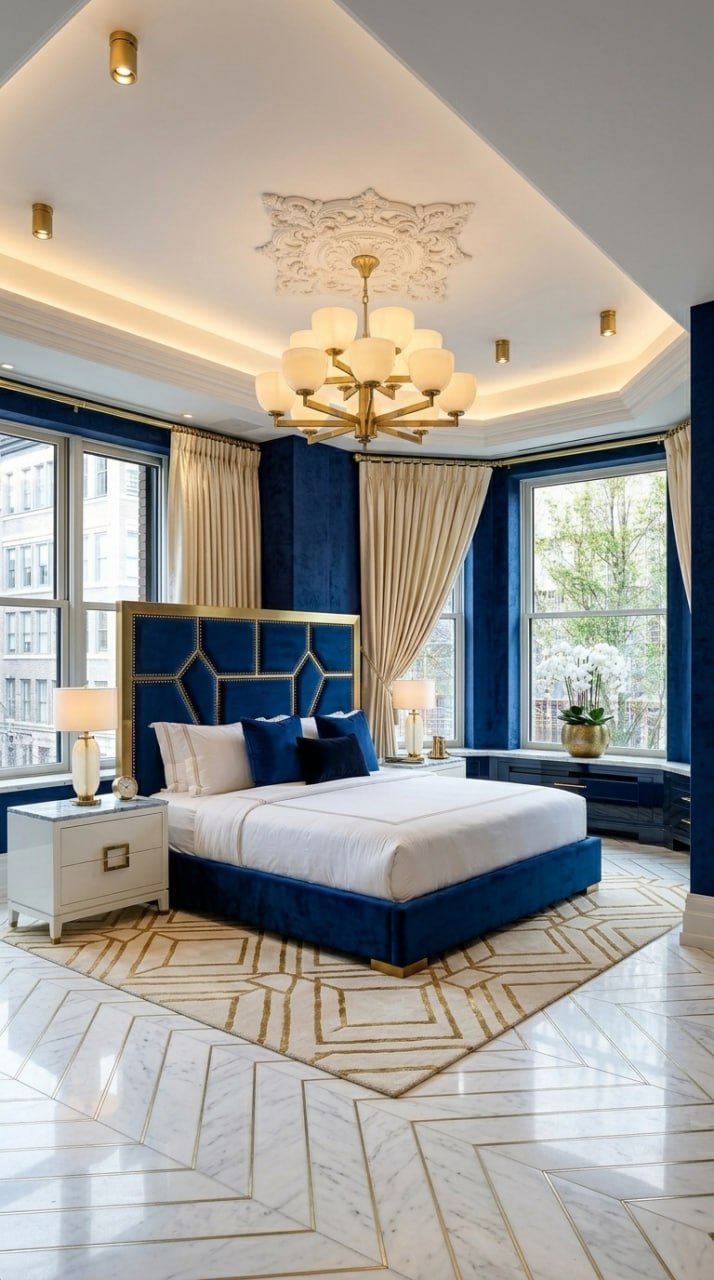
Art Deco Interior Design with AI: 15 Room Designs
7 June 2026 · 15 min read
From 1920s glamour to modern luxury — see how AI transforms any room into Art Deco perfection with exact app fields you can copy.
What You Need
- ✅ An iPhone — the Aspire Interiors app is iOS-only
- ✅ A photo of your room — daylight, corner angle, full room visible
- ✅ Five minutes — that's the entire workflow
- ✅ 1 design credit — Design Full Room uses 1 credit; optional add-ons like Remove Furniture use 0.5 extra
Introduction: Why Art Deco Works with AI
Art deco interior design arrived in the 1920s as a collision of luxury and geometry — skyscraper silhouettes, sunburst mirrors, chrome, lacquer, and black-and-gold palettes that announced prosperity rather than whispered it. The movement borrowed from Cubism, ancient Egypt, and the machine age, which is why genuine deco rooms feel theatrical but never random: every zigzag, fan shape, and mirrored surface is there on purpose. For this guide I asked an AI room designer to channel that exact spirit across 15 rooms, and the tension was immediate. AI can repeat gold and black; it struggles to understand why a single stepped arch or a pair of symmetrical sconces matters more than piling on glitz. The historic logic of deco — strong verticals, repeated geometry, rich materials — has to stay intact for the result to feel curated rather than costume-dressed. The bedrooms, lounges, and dining rooms below show where the AI succeeds, where it overdoes the pattern, and what a human editor still needs to correct.
New to AI interior design? Our complete guide to AI interior design covers the fundamentals — how the technology works, what it costs, and how to get results worth building.
"Art Deco is about confidence. Black lacquer, gold geometric, emerald velvet — these are not shy materials. The AI's job is to place them with the precision and symmetry that makes Art Deco feel luxurious, not chaotic." — Aspire Interiors design team
What Is Art Deco? A 60-Second History
Art Deco emerged in Paris in the 1920s and defined the interwar era — sharp angles, sunburst motifs, stepped forms, and materials that screamed modernity: chrome, lacquer, mirrored glass, exotic woods, and precious metals.
Today's Art Deco is warmer and more livable than the original. It keeps the geometry and luxury but adds comfort: velvet sofas instead of chrome benches, soft lighting instead of harsh fluorescents, and natural materials like marble and brass instead of purely industrial finishes.
Key Art Deco Elements
Materials
Black lacquer, marble with gold veining, brass and gold metalwork, velvet upholstery, mirrored glass, exotic wood inlays
Patterns
Chevron, herringbone, sunburst, geometric stepped forms, fan motifs
Colours
Deep jewel tones (emerald, sapphire, ruby) paired with black, gold, and cream. High contrast is essential.
Lighting
Statement chandeliers with geometric metalwork, warm LED strip lighting, recessed downlights in ornate ceiling roses
Furniture
Low profiles, tufted upholstery, geometric legs, mirrored surfaces, bold silhouettes
Architecture
Coffered ceilings, ornate plaster medallions, floor-to-ceiling windows with heavy drapery, herringbone flooring
How to Create Art Deco in the Aspire Interiors App
The process is the same for every room:
- Open the app → Tap "Start Your Design"
- Upload your room photo → Take a daylight photo from a corner angle
- Select "Design Full Room" → Choose the room type (Living Room, Bedroom, etc.)
- Select "Describe Manually" → This gives you full control over every element
- Fill in the app fields → Copy the fields from any design below
- Tap Generate → Wait 15–20 seconds
- Refine if needed → Edit any field and regenerate
The app fields below are designed for the Describe Manually method. Each field has a 120-character limit. Every field below fits within that limit.
The 15 Designs: Black & Gold Art Deco
The most dramatic of the three palettes. Pure black lacquer, gold geometric inlay, charcoal ceilings, and warm amber lighting. This is Art Deco at its most confident.
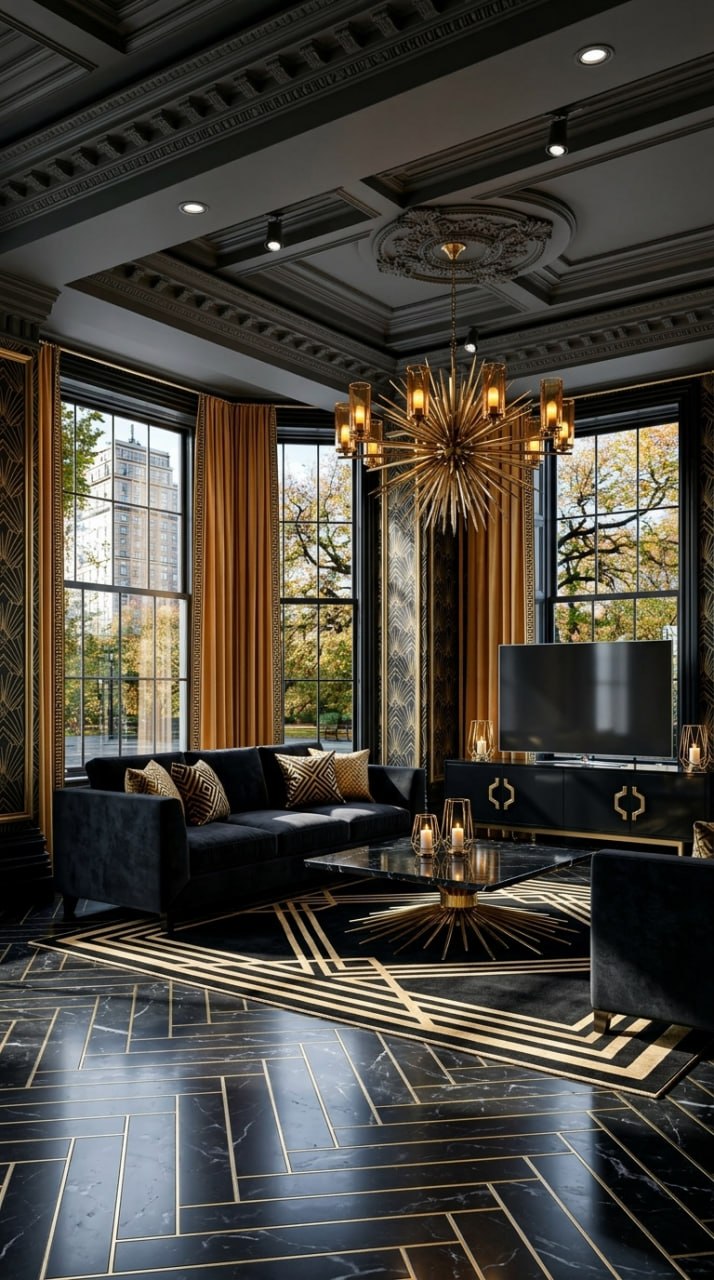
Black & Gold Living Room
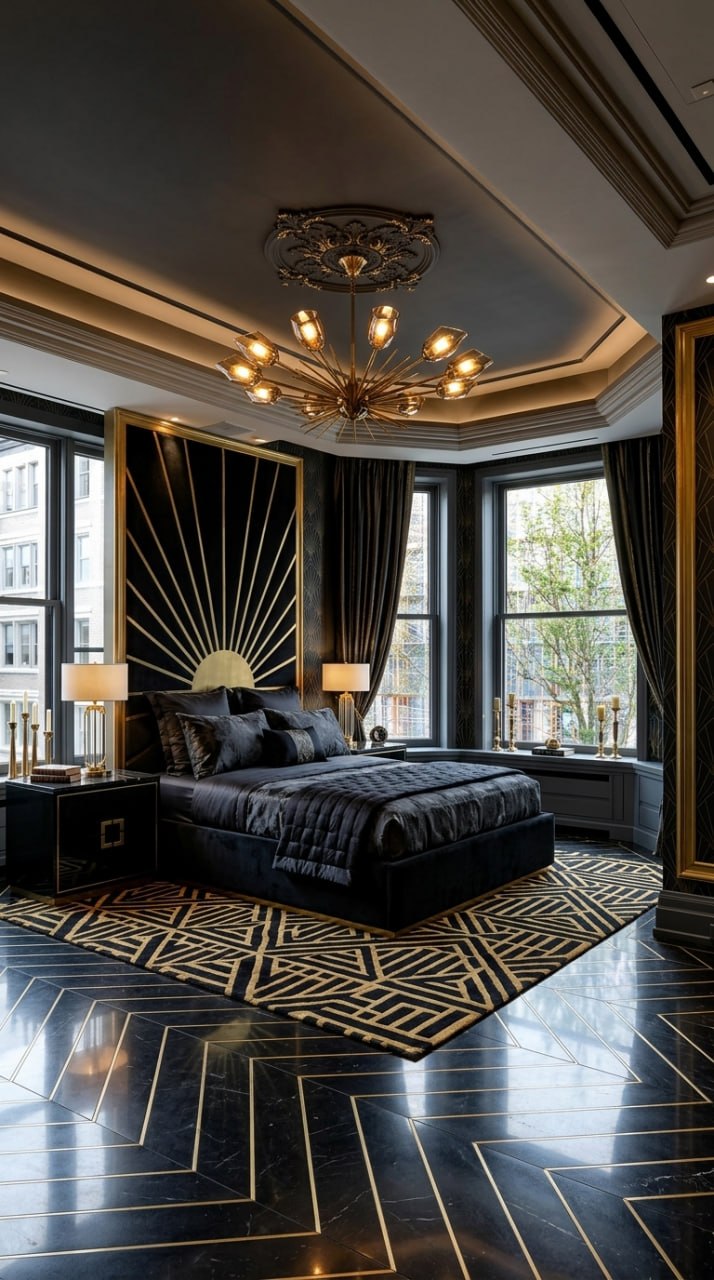
Black & Gold Bedroom
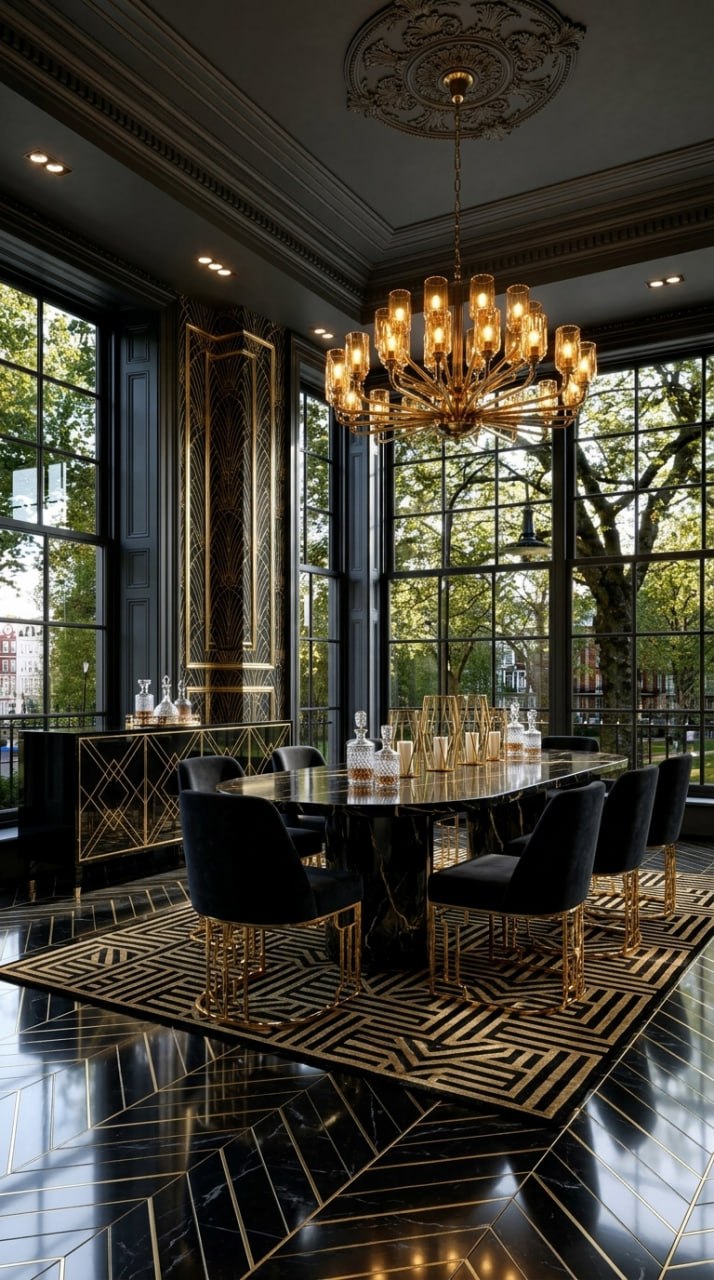
Black & Gold Dining Room
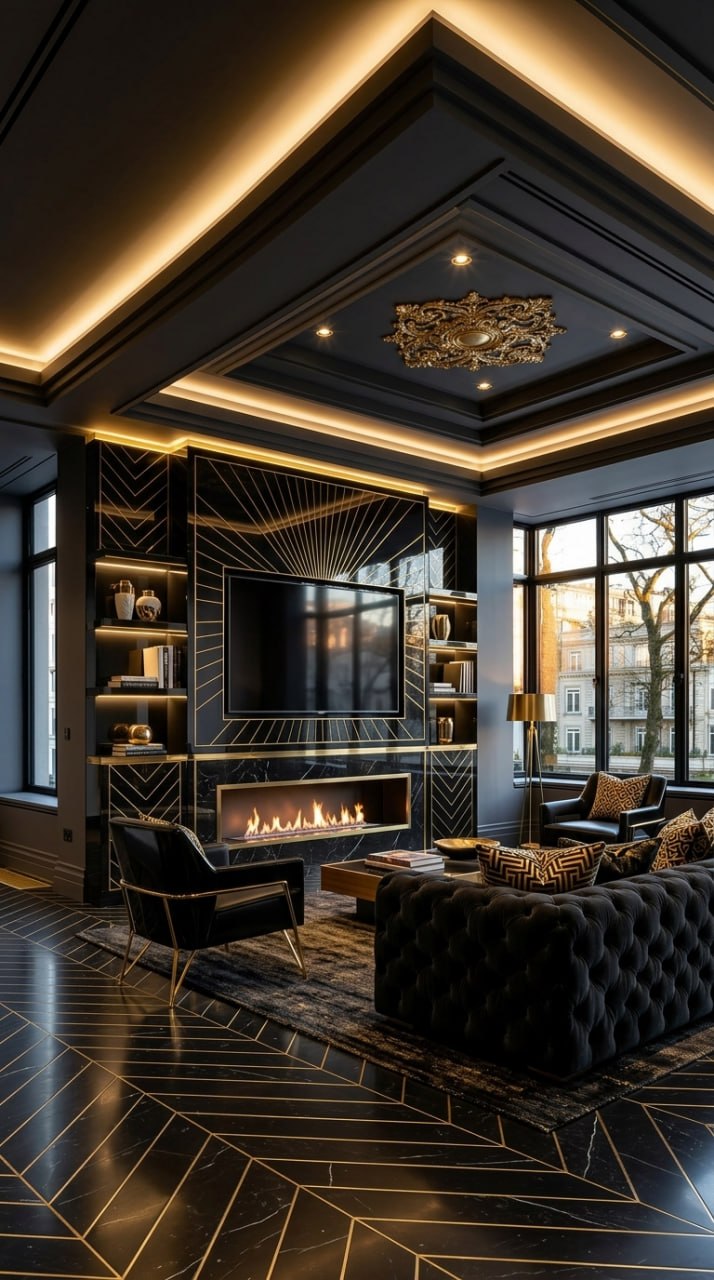
Black & Gold Media Wall
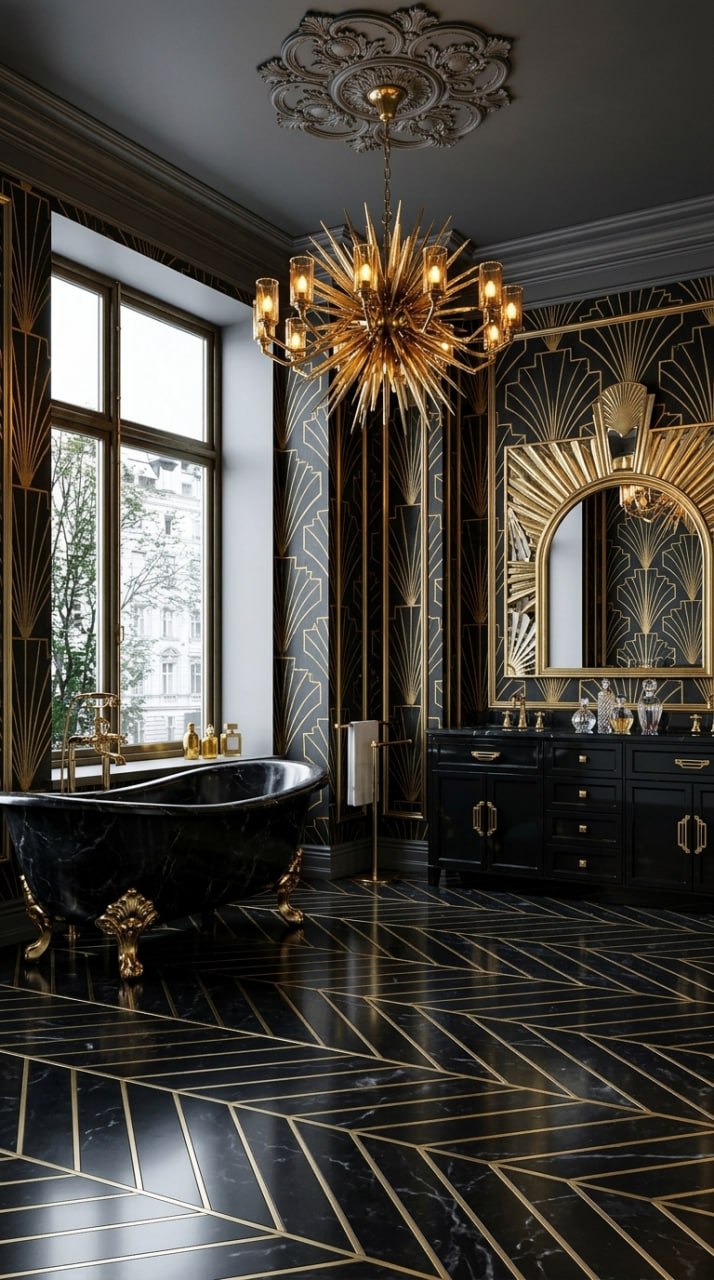
Black & Gold Bathroom
The 15 Designs: Sapphire Blue Art Deco
A lighter, more contemporary take. Deep sapphire blue walls, white marble, polished brass, and cream accents. This palette feels like a luxury hotel suite — refined, airy, and unmistakably Art Deco.
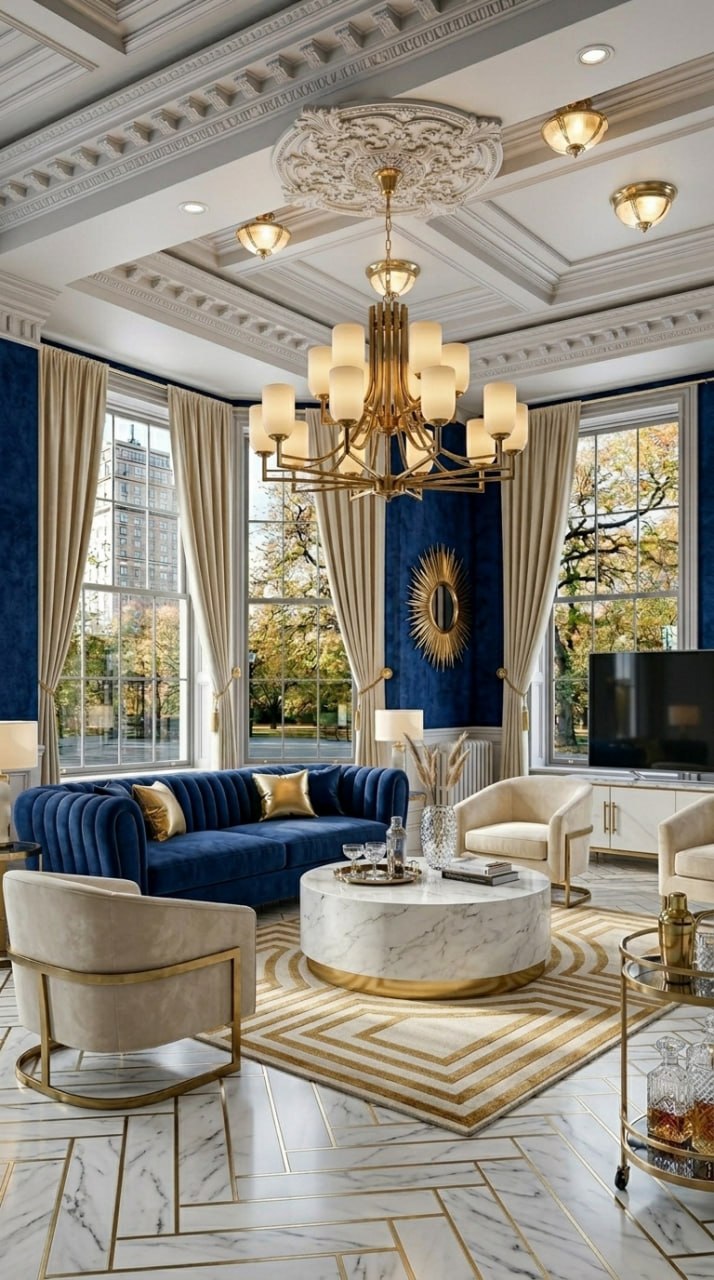
Sapphire Blue Living Room
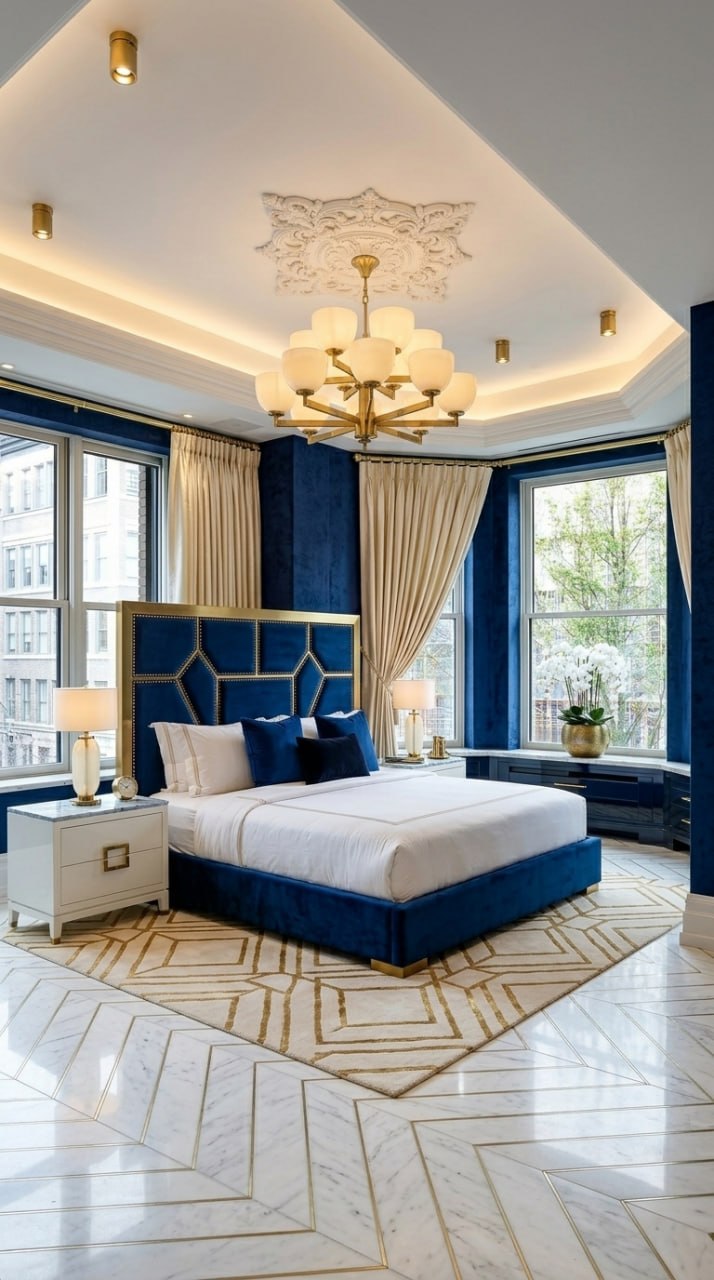
Sapphire Blue Bedroom
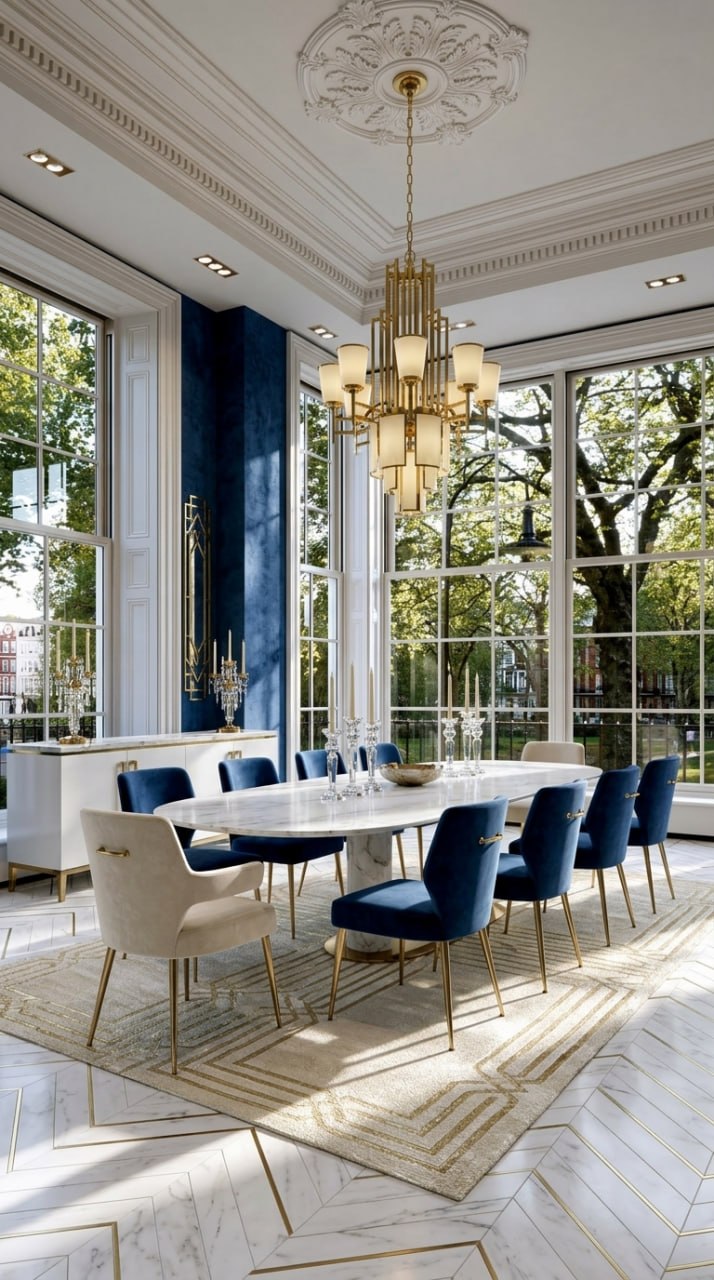
Sapphire Blue Dining Room
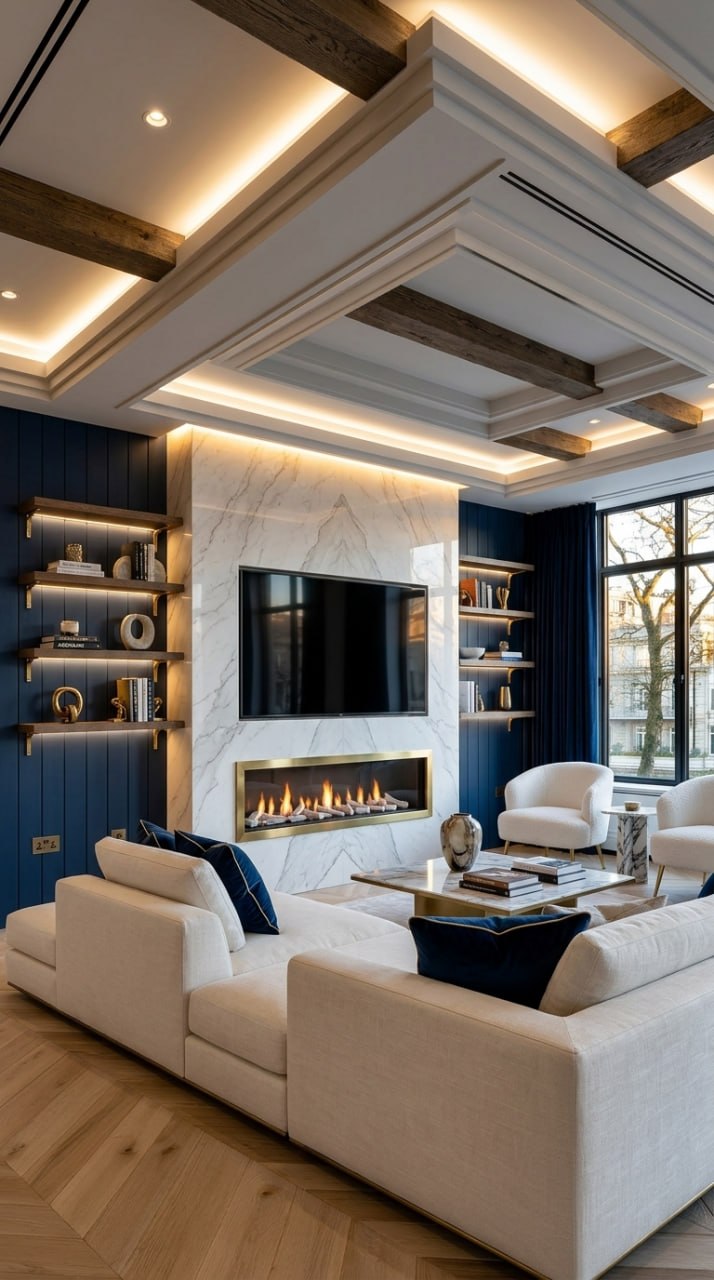
Sapphire Blue Media Wall
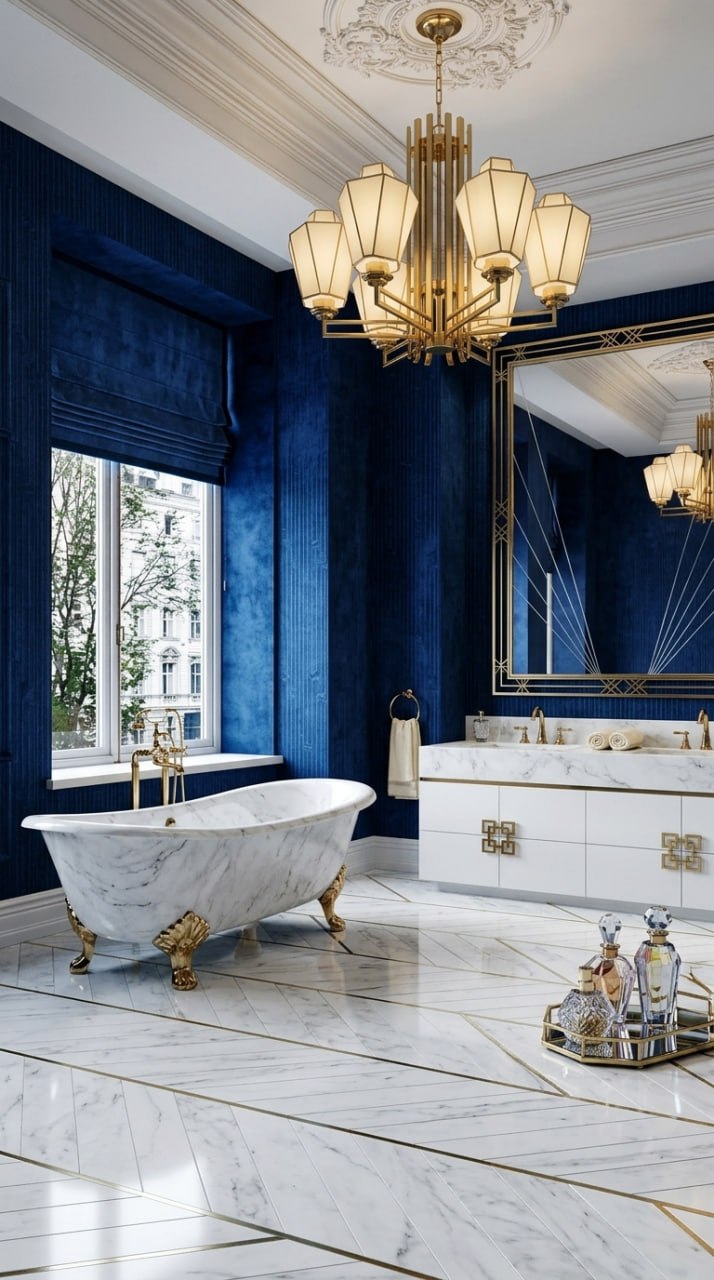
Sapphire Blue Bathroom
The 15 Designs: Classic Emerald Art Deco
The richest and most traditional palette. Deep emerald green velvet, black marble with gold veining, brass sunburst chandeliers, and dark charcoal ceilings. This is Art Deco as it was meant to be — dramatic, luxurious, and unapologetically bold.
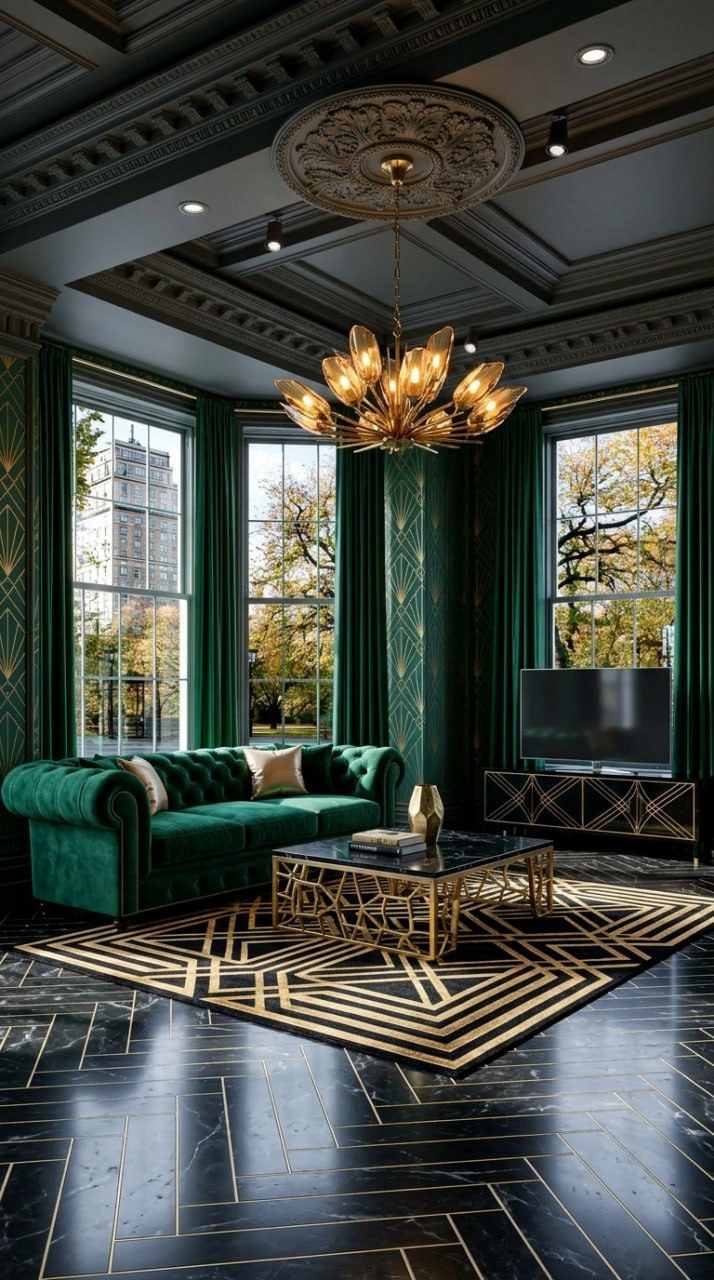
Classic Emerald Living Room
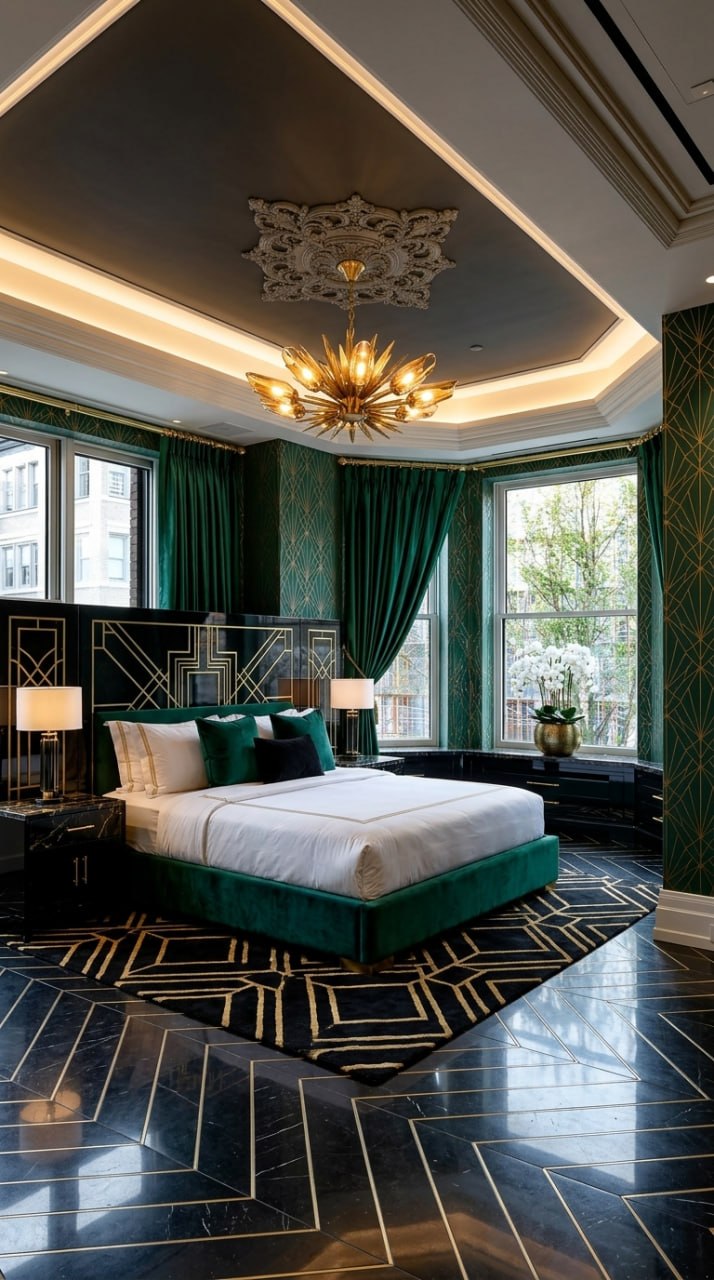
Classic Emerald Bedroom
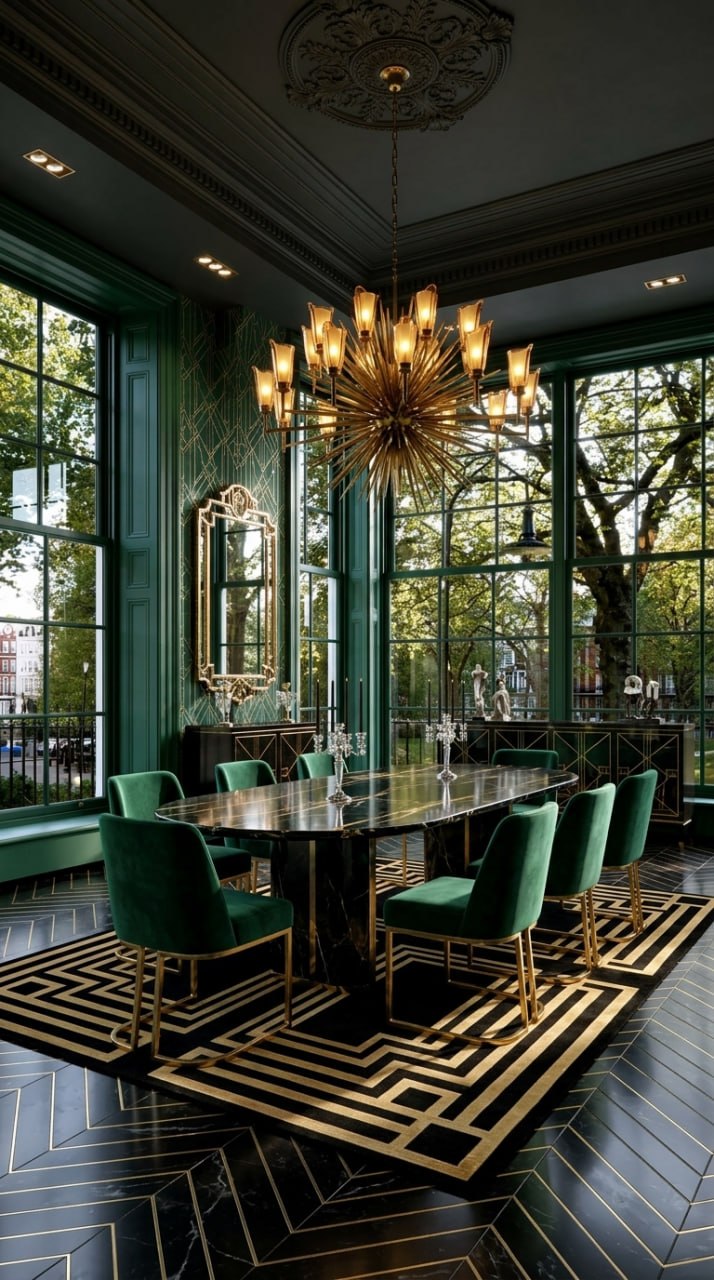
Classic Emerald Dining Room
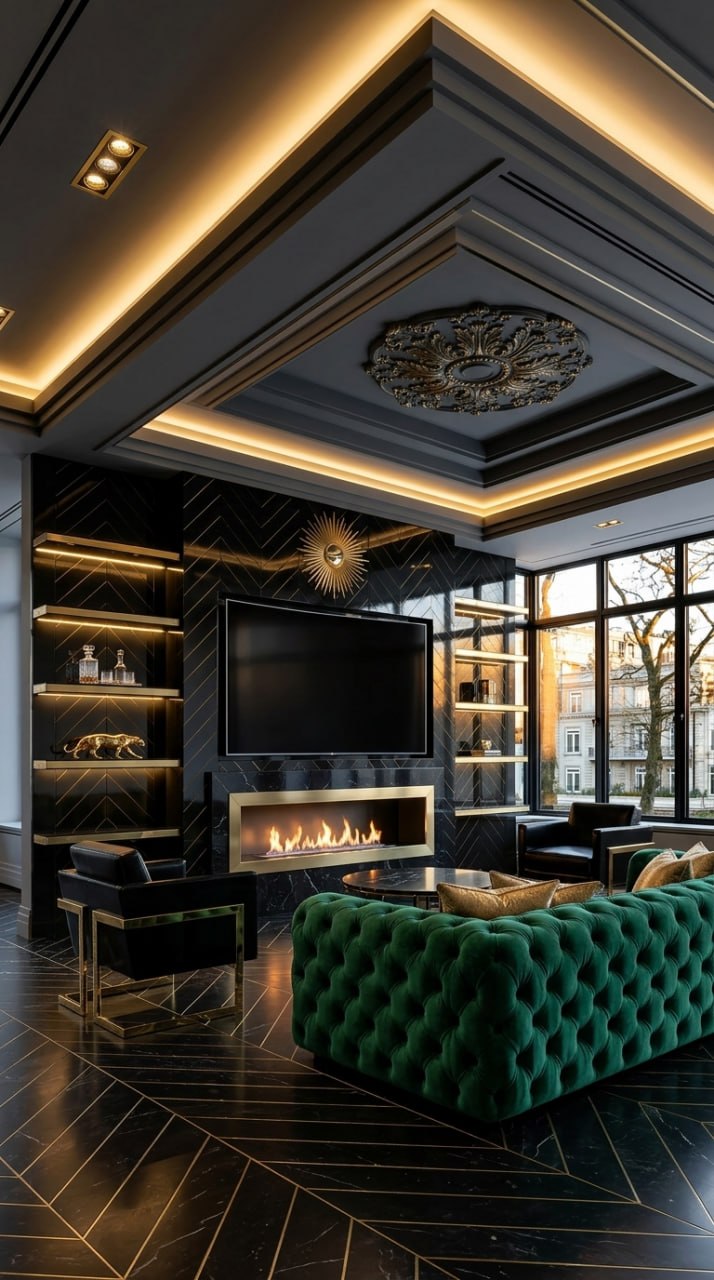
Classic Emerald Media Wall
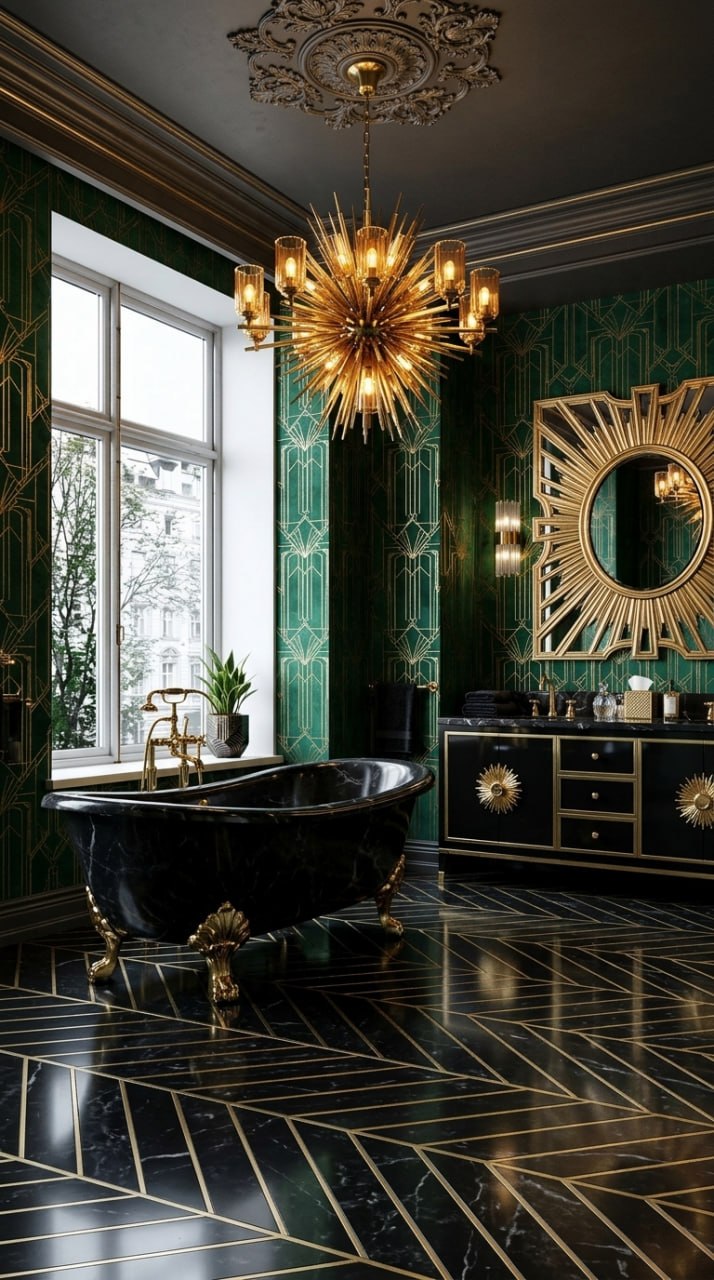
Classic Emerald Bathroom
Key Takeaways
1. Art Deco is about contrast. Black against gold. Deep jewel tones against cream. Every palette above uses high contrast to create drama. The AI preserves this contrast automatically — it knows Art Deco requires bold juxtapositions, not gradual transitions.
2. The app fields are copy-paste ready. Every field above fits within the 120-character limit in the Aspire Interiors app. Copy the exact text, paste it into the field, and generate. No guesswork.
3. Three palettes, one style. The same Art Deco principles work across Black & Gold, Sapphire Blue, and Classic Emerald. The geometry stays the same — chevron, sunburst, herringbone. Only the colours change. This means you can experiment with palettes without relearning the style.
4. Every room type works. Living room, bedroom, dining room, bathroom, media wall — the app fields are tailored to each room's specific needs (beds vs sofas, baths vs coffee tables). The AI handles the architecture; you handle the style.
5. Start with one room, expand gradually. Art Deco is intense. A full house in Black & Gold might feel like a film set. Most homeowners start with one statement room — the living room or media wall — and add accents elsewhere. The app makes it easy to test one room before committing to the whole house.
What the AI Cannot Do (Yet)
We test every design before we publish it. Here is where the AI has limits:
It cannot source exact products. The AI generates visual designs, not shopping lists. The brass sunburst chandelier in your design may not exist in a shop. Use the image as a brief for your interior designer or as inspiration for your own sourcing.
It cannot calculate structural loads. The marble herringbone flooring and lacquer panels are heavy. A builder must confirm your walls and floors can support them.
It cannot match your exact budget. The AI designs luxury Art Deco because that is what the style demands. If your budget is £5,000 not £50,000, substitute materials: laminate with gold edging instead of lacquer, velvet-look fabric instead of genuine velvet, brass-effect metal instead of solid brass.
It cannot see your room's exact dimensions. The AI preserves architecture from your uploaded photo but does not measure. A 1800mm fireplace might not fit your wall. Always measure before you buy.
Frequently Asked Questions
Can I mix palettes? Black & Gold in the living room, Sapphire Blue in the bedroom?
Yes. Each room is a separate design in the app. Mixing palettes is common — many homeowners use the boldest palette (Black & Gold) in public rooms and softer palettes (Sapphire Blue) in private spaces.
Do I need to use every field?
No. The app works with partial fields. If you only fill in SOFA and WALLS, the AI will generate the rest. But full fields give you the most control and the most accurate Art Deco result.
What if my room is small? Art Deco feels like it needs space.
The AI scales proportionally. In a small room, it suggests smaller furniture, fewer pieces, and lighter colours. The Sapphire Blue palette works particularly well in compact spaces because the white and cream elements reflect light.
Can I edit the fields after generating?
Yes. Tap any field, change the text, and regenerate. The AI will keep the architecture and change only the element you edited.
How long does each generation take?
10–30 seconds per design. The half-and-half split view appears immediately so you can compare before/after while the full resolution renders.
Do I need to know about Art Deco history to use these fields?
No. The fields above are written to work without any design knowledge. Copy, paste, generate. The AI handles the proportions, symmetry, and style consistency.
Can I use these fields for other styles?
The field structure works for any style, but the specific text is tailored to Art Deco. For other styles (Scandinavian, Industrial, Boho), the materials and colours would change entirely. See our other style guides for those fields.
What is the 120-character limit?
Each app field accepts up to 120 characters. Every field above fits within that limit. If you want to add more detail, use the ADDITIONAL field or split your description across multiple fields.
Are these designs free to generate?
Your first 2 designs are free with no credit card. After that, each full room design uses 1 credit. Credits are available via subscription or one-time purchase. See the app for current pricing.
Can I save or share these designs?
Yes. Tap "Save" to store in your account, or "Share" to send to someone else. You can also screenshot the split view for before/after comparisons or use the design images as a brief for a professional interior designer.
Ready to Design Your Art Deco Room? Follow Along Now
You now have 15 complete designs with copy-paste fields. Here is your checklist:
- Open the Aspire Interiors app on your iPhone
- Tap "Start Your Design"
- Upload a photo of your room (daylight, corner angle, full room visible)
- Select "Design Full Room" → choose your room type
- Select "Describe Manually" for full control
- Copy the app fields from any design above — paste into the matching fields
- Tap "Generate" and wait 15–20 seconds
- Review the result. Edit any field you want to change
- Save, share, or regenerate with a different palette
Your first 2 designs are free. No credit card. No subscription.
Download on the App StoreLast updated: June 2026. Features and pricing may change. Check the app for the latest details.
By the Aspire Interiors design team. Built by AutoMazen.ai, a London-based AI design tools company.
Related Blogs
- How to Design Your Media Wall with AI: The Complete Guide — The curated mood board approach
- How to Design Your Room with AI: A Complete Guide — Step-by-step room design for any space
- Best AI Room Design Tools UK 2026: We Tested Them All — Honest reviews of every AI room design app worth using
Last updated: June 2026